
Google Business Profile Access Best Practices (Australia 2026)
One flagged manager account can take a clean profile offline. Owner versus manager access, who should never have it, and the audit that prevents the cascade.

If you’ve managed a Google Business Profile for a few years, you’ve watched the rules get stricter on what you can put in it. Less obvious is that Google is now also stricter on who is allowed near it. The accounts attached to your profile, owners, managers, that freelancer you forgot about in 2022, carry their own reputation score, and Google has been using it.
In our reinstatement work since early 2025, we keep finding the same pattern. About one in three intakes have a contaminated user list. Real Australian businesses, a Perth plumber here, a Joondalup electrician there, no obvious policy issues on the listing itself, taken down because of an account they barely remember adding. We’ve supervised 300 reinstatements and recovered 295 of them. Access hygiene is the lever most owners aren’t pulling.
If your profile is already offline, this isn’t the article for you, go straight to our Google Business Profile reinstatement service. The appeal walkthrough lives there. Everyone else, this is the access playbook: who needs access, who doesn’t, how the Owner and Manager roles actually work in 2026, and how to run a quarterly audit that takes ten minutes and prevents weeks of pain.
Why access management became a 2026 suspension trigger
Profile suspensions surged through 2025 and haven’t slowed in 2026. Mike Blumenthal documented the first wave at Search Engine Journal in March 2025. Appeal times had stretched from the five days Google quotes to closer to five or six weeks. Sterling Sky’s most recent suspension playbook, updated March 2026, records the same lag for clients hitting the queue in early to mid 2025.
The March 2026 spam update made it worse. Fastest spam update in Google’s history at under 24 hours of rollout. No new policies were published alongside it. The enforcement threshold just shifted.
The shift in 2026 is mostly about how Google detects risk, not what counts as risky. The policies haven’t moved much. What has moved is the sensitivity of the systems that scan profiles. Part of that scan is now account-level, every Google account attached to your business profile is being checked against the rest of its activity, on the rest of the listings it touches, and the rest of the products it uses. Local search is no longer just about your listing’s content. It’s about the credibility of the network of accounts behind it.
That’s the part most owners haven’t internalised. You can run a clean profile on a contaminated user list and still get hit.
How Google now scores the accounts attached to your Business Profile
Two trust signals run in parallel on a Google Business Profile in 2026.
The first is listing-level compliance, your business name, business address, phone, primary URL, categories, business hours, photos. The 5 Kings (NAPUC: Name, Address, Phone, URL, Categories) we wrote about in the prevention playbook sit on this layer. You can audit it directly because it’s visible to you.
The second is account-level trust. Every Google account that has owner or manager access to your business profile carries its own reputation across the entire Google ecosystem. Customer reviews left from that account on other businesses. Other GBPs the account manages. Google Ads activity tied to it. Whether the account has ever been suspended or restricted elsewhere. You can’t audit this layer directly because Google doesn’t expose it. But it is being scored, and it is feeding the same automated reviews that suspend profiles.
When account-level trust falls below threshold for a connected user, the profile is reviewed. When the review concludes the user is non-compliant, the profile is treated as exposed, visibility in local search results drops, and in worse cases the listing is soft-suspended, hard-suspended, or disabled. Joy Hawkins at Sterling Sky explains the GBP-vs-Maps database split that makes this so disorienting. Once it happens, your dashboard edits stop reaching the public listing, and you can’t troubleshoot from inside the dashboard.
This is why access management is now a compliance question, not a security one.
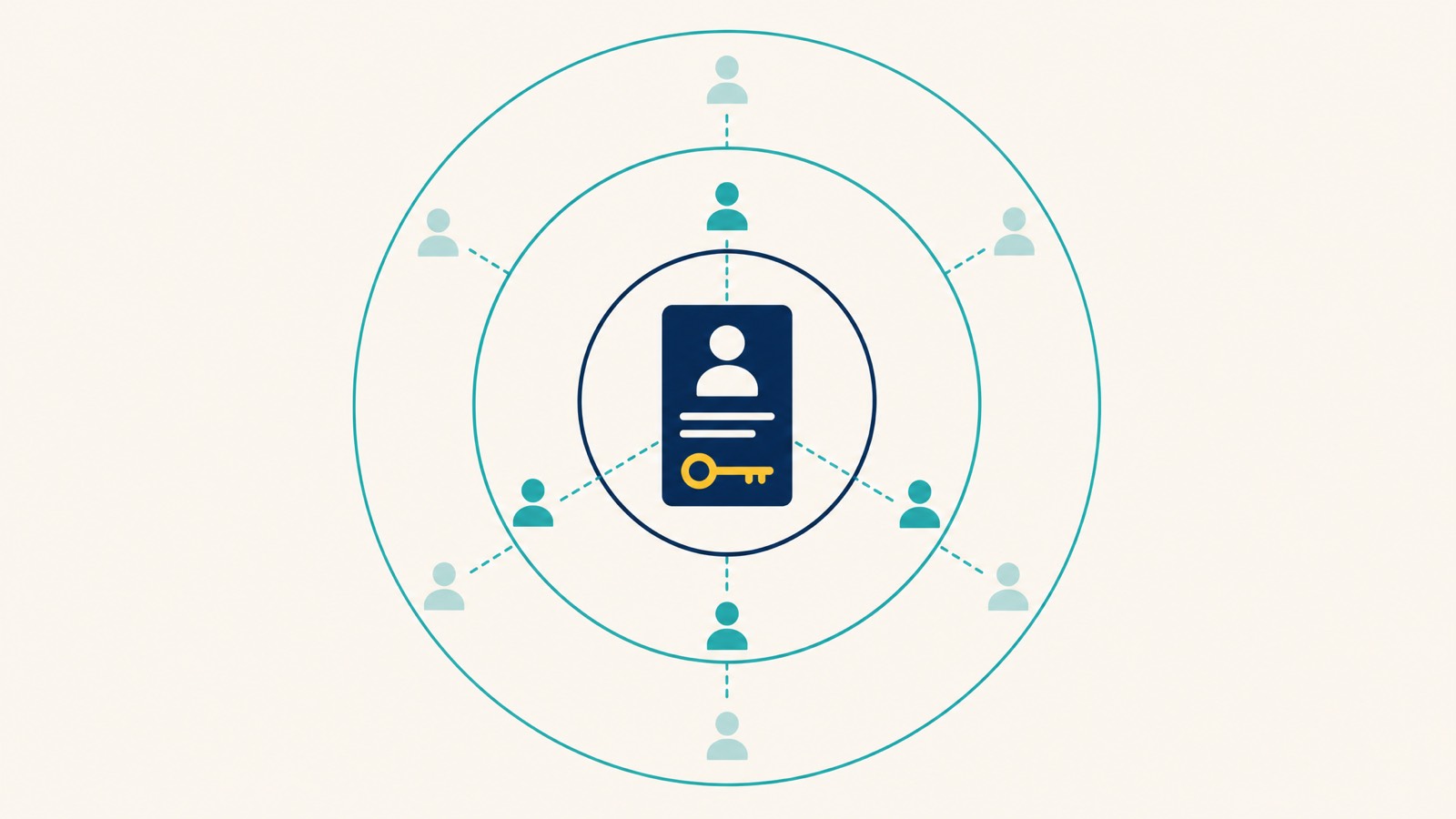
Owner vs Manager: the two GBP roles that exist in 2026
If you read older guides, including some that still use the old “Google My Business” name, you’ll see references to three roles. Owner, Manager, and Site Manager. The Site Manager role was removed during Google’s 2024 role consolidation. The product is also called Google Business Profile now, not Google My Business, though the underlying mechanics are the same.
There are now two roles, and the difference matters more than most owners realise.
| Role | Can edit listing info | Can respond to reviews | Can add or remove users | Can transfer ownership | Can delete the profile |
|---|---|---|---|---|---|
| Primary Owner | Yes | Yes | Yes | Yes | Yes |
| Owner | Yes | Yes | Yes | No | No |
| Manager | Yes | Yes | No | No | No |
When you grant an external party access, agency, contractor, in-house marketer, the question is always Owner or Manager. The answer is almost always Manager. Here’s why.
- Primary Owner is irrevocable until you transfer it. Don’t grant Primary Owner to anyone outside the business. Once it’s gone, getting it back requires either the holder’s cooperation or a multi-week ownership request through Google Help.
- Owner access is also too much for a third party. An Owner can add more Owners, remove other Owners, and in practice can lock you out by mistake or on purpose. Agencies do not need Owner access. Ever.
- Manager is what agencies and contractors should get. A Manager can do everything you’d want them to, update business information, manage hours, respond to reviews, post Google posts, see insights. A Manager cannot add users, cannot transfer ownership, cannot delete the profile.
The single biggest access mistake we see during reinstatement intake is an SEO agency holding Owner or Primary Owner status. Sometimes the agency added themselves that way at signup. Sometimes the original owner panicked, transferred ownership, and never transferred it back. Either way, when that agency’s account gets flagged on another listing, the contamination follows the access trail to your profile.
If you’re not sure whether your agency has Owner or Manager access, that’s reason enough to check today. It is the first thing we look at when we take over local SEO management for a new client.
Who actually needs access to your Business Profile
Keep the manager list short. Every account you add is another account whose reputation Google scores against your profile.
The accounts that genuinely need access are usually three:
- The business owner or a senior employee: as Primary Owner, using a dedicated business email, not a personal Gmail.
- An active local SEO agency or in-house marketer: Manager access only, granted at the start of an engagement, revoked when the engagement ends.
- A reputation or customer-service team member responsible for review responses: Manager access, scoped to current work.
If you run a multi-location group, you’ll usually add a regional or franchise marketing lead with Manager access. We cover that architecture later.
What a Manager will routinely do, and what justifies the access:
- Update business information (hours of operation, services, attributes)
- Optimise categories, primary category and up to nine secondaries
- Manage service area for service-area businesses
- Respond to customer reviews and answer Q&A
- Post Google posts and product updates
- Monitor insights, direction requests, and website visits
- Add high-quality images on a controlled cadence
That’s the brief. If a vendor can’t list a specific job from that list, they don’t need access.
Who should never have access
Three categories of people are routinely granted access that they shouldn’t have.
Web developers, hosting providers, and designers. Your developer needs FTP, your CMS, and your DNS. None of those overlap with your Google Business Profile. The website lives on your hosting; your profile lives on Google’s servers. They’re separate systems. If a developer asks for Manager access “to keep the URL synced”, the answer is no. Send them the URL, let them confirm it 200s, and don’t add them to the profile.
Past agencies and ex-employees. Old agencies are the single most reliable trigger in our intake data. The relationship ended, nobody revoked access, the agency took on dodgier clients, one of those clients got flagged, and the cluster lit up, including profiles where the agency hadn’t been active for two years. A pattern we see often: a Perth tradie comes to us after a sudden suspension, can’t think of anything they changed, and when we open People and Access there’s a freelancer added in 2019 whose account has been flagged elsewhere for review spam. The fix is obvious in hindsight and would have taken five minutes a year to prevent. Same with former marketing staff, the moment the offboarding meeting ends, the access goes.
Anyone who logged in once and got added “just in case”. That web designer in 2021 who needed to “check something”. The consultant who did a one-week audit and was never removed. Every one of those accounts is still attached to your trust score.
A working principle we run on internally: if a manager hasn’t done anything on the profile in the last 60 days and isn’t on a current scope of work, remove them. If they need access back, you’ll re-invite them in 30 seconds. The risk of leaving them on is greater than the friction of re-adding.
The personal Gmail problem (and why Primary Owner needs its own clean account)
The most common Primary Owner setup we see in Australian SMBs is also the riskiest, the owner’s personal Gmail. The one they’ve used since 2009. The one they leave Maps reviews from on weekends. The one they signed up to a Google Ads trial with seven years ago. The one connected to half a dozen other small businesses where they were briefly a manager.
Every one of those associations is a hook Google can pull on. A negative review from that Gmail on a competitor’s listing can read as conflict of interest. A flagged review on any business connected to that Gmail can drag the account trust score down. A friend’s business that lost a suspension appeal three years ago and added you as a manager during the appeal is now silently a vector.
The Primary Owner account needs to be:
- A dedicated business email address tied only to the business
- Used for management tasks, not casual Google product use
- Never used to leave Google customer reviews on any business, including your own customers, your suppliers, or competitors
- Not connected to other unrelated Google Business Profiles
- Not used to sign in across personal browsers shared with family members
This is the “primary account” doctrine. The Primary Owner exists to hold the asset, not to be the working account that touches it day to day. Day-to-day editing is done from Manager accounts that you can rotate, remove, and replace without losing the listing. It’s the cleanest way to build trust at the account layer and protect your visibility in local search results.
If you currently have a personal Gmail as Primary Owner, the fix is a controlled ownership transfer to a dedicated business Google account, then leave the personal Gmail as an Owner or Manager during a transition period before removing it. Don’t try to do this while a suspension is active.
Sharing access the safe way: invitations, not passwords
There’s a habit in smaller businesses of sharing the Primary Owner’s password so an agency or freelancer can “just log in and fix something”. It’s understandable. It’s also one of the cleaner ways to get suspended.
Two reasons it fails. First, when multiple physical locations and IP addresses log into the same Google account in the same week, Google’s automated systems treat it as an anomaly. Second, you have no audit trail. If something on the profile breaks, you have no way of knowing which contractor was logged in when.
Use the official invitation flow. From your business profile settings, choose People and access, click Add user, paste their Gmail address, choose Manager. They get an email, they accept, the relationship is now logged on Google’s side. When the work is done, you go back into the same screen and remove them. Clean audit, no shared credentials, no anomalous logins.
We do this internally for every client. Each project gets a dedicated Search Scope management Gmail, never a personal account, and we remove access the day the work concludes. It costs us a few seconds. It protects the client’s trust score.
How to review who currently has access to your profile
This takes about a minute.
- Sign in to the Google account that’s an Owner of the profile
- Go to the GBP manager dashboard
- Click your business name to open it
- Click the three vertical dots next to the business name in the right-hand panel (or open Settings)
- Choose Business Profile settings → People and access
- You’ll see every account currently associated with the profile, with their role
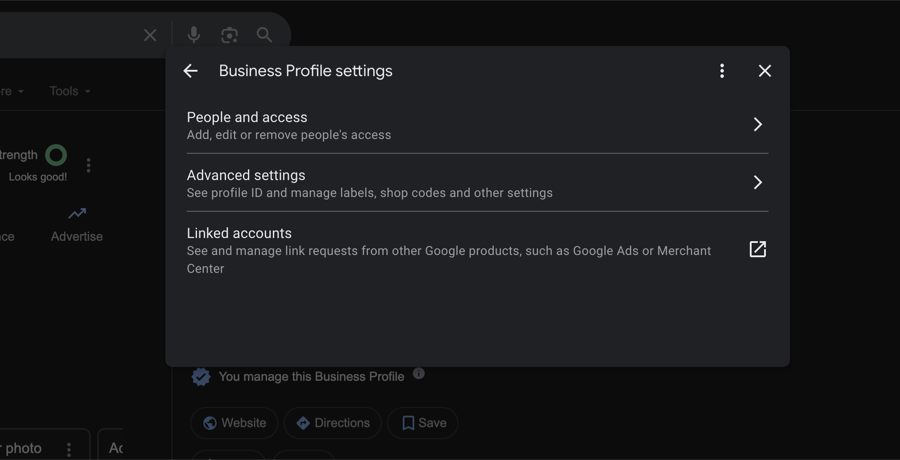
Scan the list. For every account, ask the same question: is this person currently doing work on this profile? Not “did they ever do work”, not “might they do work later”. Currently. If the answer is no, remove them.
If you find an account you don’t recognise at all, neither a current contractor nor a former employee, that’s worth a closer look. Document the email address, screenshot the role, then remove it. If it reappears, you have a security incident, not an access hygiene one, and that’s a separate response.
The official mechanics of adding and removing users are documented in Google’s Add or remove people from your Business Profile help article. Bookmark it, Google updates the UI more often than the policy.
How often you should audit access
The cadence we recommend to clients:
- Quarterly: full review of every account with access. Diary it. Five minutes a quarter.
- Immediately on any offboarding: when a marketing contract ends, when an employee leaves, when an agency is replaced. Don’t wait for the quarterly review.
- Before any reinstatement appeal: if the profile is already suspended, clean the user list before submitting the appeal. Google won’t tell you the contaminated account triggered the suspension, but leaving it on the listing will block reinstatement regardless. The same logic applies to the verification step in any new ownership claim, clean the list first.
- After any Google role or policy change: when Google updates the role model (as in 2024 when Site Manager was removed) or shifts policy on access, do an unscheduled audit.
The quarterly review is the highest-leverage habit in this article. We’ve sat in reinstatement intake calls where the entire root cause was a freelancer added in 2018, still attached, whose account had been flagged for review spam on another business. Five minutes of housekeeping a quarter would have prevented six weeks of appeal.
Warning signs you have an access-related risk
You usually find out you have an access problem because the listing has already been suspended, but a few signals run ahead of the suspension.
A suspension you can’t explain by listing content. You check the 5 Kings, business name matches your ASIC registration, address matches your signage, phone number is on your website, URL returns 200, primary category matches what you actually do. Nothing wrong on the listing. Google won’t say which account triggered the review. This is account-level contamination until proven otherwise.
Appeals that keep getting denied despite a clean evidence pack. The standard AU evidence pack, ASIC business name registration, a recent utility bill, an industry licence if your category requires one, a commercial lease if you operate from a storefront, photos of permanent signage, should reinstate the average suspended profile. If yours keeps getting denied, the issue is usually not the paperwork. It’s a manager or owner account that’s been flagged elsewhere and is still attached. The difference between suspension and disabled becomes very relevant here, because denied appeals can shift the listing from suspended to disabled, and the recovery path changes.
Multiple unrelated listings going down in the same week. If three locations across different geographies vanish at once and they share a single user, usually an agency or a shared internal account, that’s a cluster suspension. The account is the common factor. We see this on agencies that used a master login for hundreds of clients before they understood the network risk.
An account in your manager list you can’t identify. Self-explanatory. Investigate, document, remove.
Cleaning up access without breaking your listing
You can break a healthy listing by mishandling an access cleanup. A few rules to avoid that.
Don’t remove the Primary Owner without transferring first. If the Primary Owner is leaving the business, transfer Primary Ownership to the new dedicated business account first. Wait for the transfer to confirm. Then remove the old account. Doing it in the other order can leave a profile orphaned, and recovering it from there is slow.
Don’t do an access cleanup mid-suspension without preparing the appeal in parallel. If you’re already suspended and you remove the contaminated manager, that’s correct, but you should be ready to submit the reinstatement appeal in the same session, with the standard AU evidence pack ready. Removing the bad manager and then waiting two weeks to appeal lets the profile sit in suspension longer than it needs to.
Don’t batch-edit other fields on the same day as a major access change. If you’re transferring Primary Ownership or removing several Owners, treat that as the only change you make to the profile that week. Layering name changes, category changes, or URL changes on top of an access change can compound into an automated review you don’t want.
Document what you removed. A simple text file with the date, the email removed, and the reason. If a suspension hits later you have a timeline.
If you’d rather have us run the cleanup with you, or start the onboarding form, we’ll go through your user list live and flag anything that looks like a risk.
Agencies and multi-location operators: the access architecture you actually need
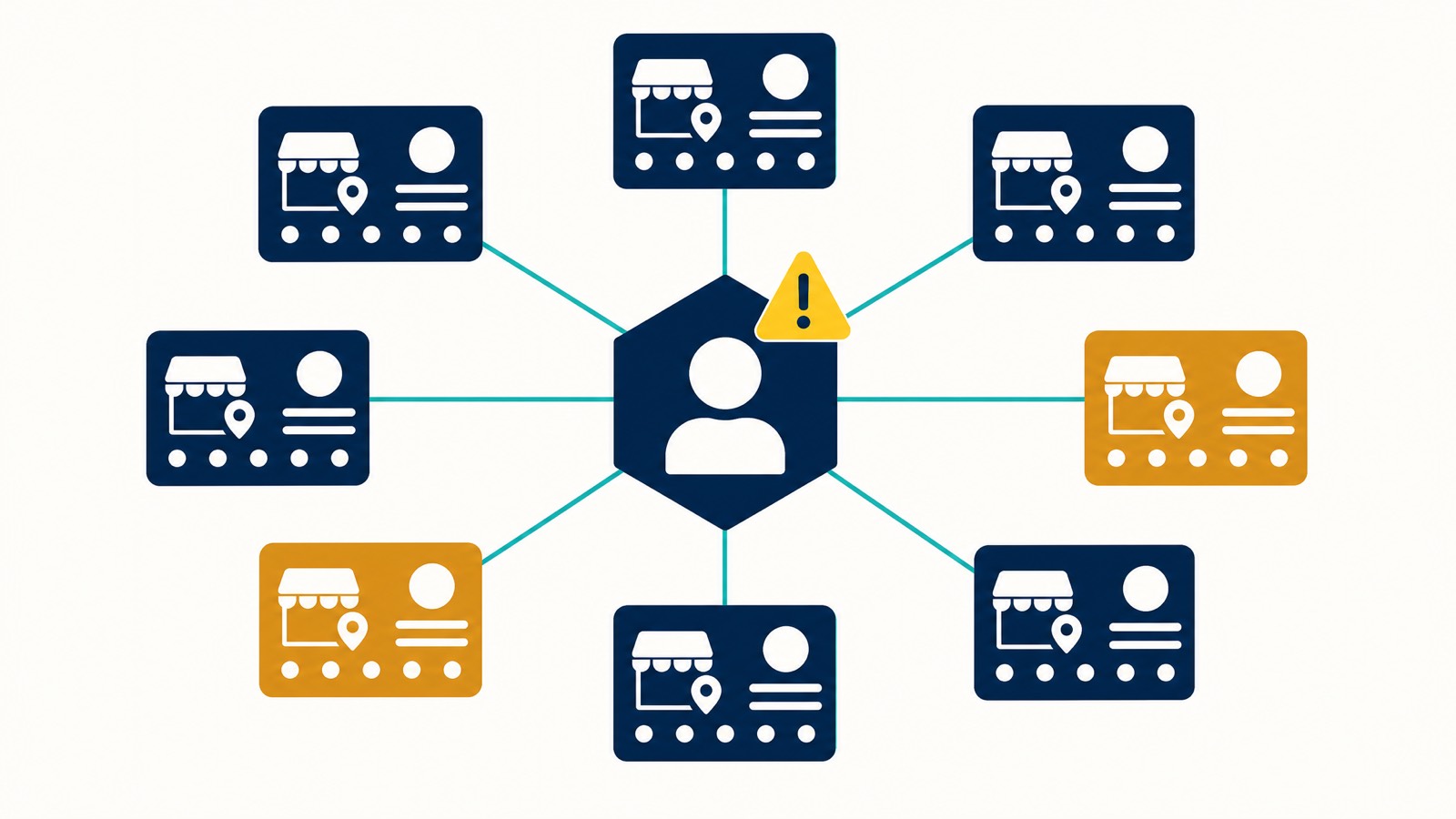
This is the part most generic articles miss, and it’s where the cost of getting access wrong is highest.
If you’re an agency managing 30+ profiles, or a franchise group with 5+ sites, you cannot run access the way a single-location SMB runs it. Getting that ownership model right across a network is the first stage of franchise SEO. One shared login becomes a single point of failure. One contaminated account becomes a cluster suspension across the entire book.
The architecture that works:
- Each location has its own Primary Owner: on a dedicated business Google account, never shared across locations.
- The agency or head office holds Manager access only: on agency-issued Google accounts that are not used for any other client work, and not used for casual review activity, ad accounts, or product trials.
- One agency account per ~10 profiles: not one account for the entire book. If one of those accounts ever gets flagged, the blast radius is 10 profiles, not 300.
- Access is documented at the profile level: which agency accounts hold Manager status on which profile, when they were granted, when they’re scheduled for review.
- Quarterly audit is non-optional and is done by someone other than the person who manages the day-to-day work.
One dynamic worth naming. Some agencies resist Manager-only access because Owner status gives them leverage to lock out rival agencies later. That’s exactly the reason to insist on Manager. The agency’s interest in retaining control should never outweigh the client’s interest in being able to leave cleanly.
The bulk appeal flow nobody tells you about. When a cluster suspension hits ten or more profiles at once, the standard appeal tool has a dedicated path for it. Google’s own appeal docs and BrightLocal’s writeup describe the same flow.
In the appeal form you tick the “10 or more locations” option, and instead of filing each profile individually you attach a single spreadsheet with the Business Profile ID and the evidence reference for each location.
Two practical implications. Keep your Business Profile IDs in a central register before the cluster ever happens (we keep ours in the client onboarding doc). Pre-package the evidence per profile so the spreadsheet is a 30-minute compile rather than a panicked weekend.
Filing the same documents one-by-one across ten profiles is the slow way Google explicitly designed an alternative for.
If you’ve already been hit by a cluster suspension or you suspect your agency model has compounded the risk, our agency-tier recovery service is built specifically for this, 30+ profiles or 5+ franchise sites, $999/hr, Dorian personally supervising the appeal sequence. The strategic partnership we ran with Unsuspend Me gives us a direct escalation path on multi-location appeals that most agencies don’t have.
For agency principals running their own reinstatement work, the bigger reframe is this: account hygiene at the agency side is the lowest-cost defence against the entire client book going down at once. It costs less than a single reinstatement.
Where access management fits in the broader prevention playbook
Access management is one of three prevention levers. The other two:
- Front-end edits only on the 5 Kings. Our front-end edits doctrine covers why we stopped using the dashboard for core name, address, phone, URL, and category edits. The front-end (Maps “Suggest an edit”) triggers fewer automated reviews and is the safer surface for changes to the 5 Kings.
- Compliance literacy. Knowing what Google’s published guidelines actually say, not what an agency tells you. Our deep dive on Google’s compliance guidelines walks through the published policy line by line.
Together with quarterly access audits, these three levers, plus a sensible approach to optimising the profile itself, cover the vast majority of preventable suspensions we see across the suspension category on this site. If your profile has been online for years and you’ve never run an access audit, that’s the highest-leverage starting point.
FAQ
What’s the difference between Owner and Manager access on a Google Business Profile?
The Primary Owner can transfer ownership and delete the profile. Owners can edit listing content, respond to reviews, and add or remove other users. Managers can edit listing content and respond to reviews but cannot add users, cannot transfer ownership, and cannot delete the profile. For external parties, agencies, contractors, freelancers, Manager is the correct role. Owner or Primary Owner should never leave the business.
Should I give my SEO agency Owner or Manager access?
Manager. A reputable agency will ask for Manager access, not Owner. If an agency insists on Owner or Primary Owner status, that’s a signal to walk away. Manager gives them everything they need, listing edits, review responses, category optimisation, post publishing, insights, without giving them the ability to add other accounts or remove you from your own profile.
Can my listing get suspended because of someone else’s account?
Yes, and it’s one of the most common patterns we see in reinstatement intake. Google scores the reputation of every Google account attached to your business profile across the entire Google ecosystem. If a manager or owner account gets flagged on another listing or for activity unrelated to your business, the account-level trust score drops, and the profiles it touches, including yours, are exposed. About a third of our reinstatement intakes since early 2025 trace back to this.
Did Google remove the Site Manager role?
Yes. Google consolidated the role model in 2024. The Site Manager role was deprecated, and only Owner (including Primary Owner) and Manager remain. If you read a guide that still references three roles, the guide hasn’t been updated. The mechanics for the two remaining roles are documented in Google’s official Add or remove people help article.
Is it safe to use my personal Gmail as the Primary Owner?
It works, but it carries real risk. A personal Gmail accumulates years of Google product activity, reviews left on other businesses, sign-ins from shared devices, sometimes management of unrelated profiles. Each of those associations feeds the account’s reputation score, and that score is now part of how Google evaluates your profile. The safer pattern is a dedicated business Google account as Primary Owner, used only for ownership, with day-to-day work done through Manager accounts.
How often should I audit who has access to my profile?
Quarterly as a baseline. Immediately whenever someone leaves the business or a vendor relationship ends. Before submitting any reinstatement appeal. The audit takes about five minutes once you know where the People and Access menu is. It’s the single highest-leverage prevention habit in this article.