
Google Business Profile Suspended vs. Disabled: How to Tell the Difference and What to Do Next
Suspended and disabled are different problems with different fixes and different odds. Two checks tell you which one you are facing, and what happens next.

You logged in this morning and something’s off. Maybe the dashboard kicked you out. Maybe a regular customer rang to say they can’t find you on Maps anymore. Maybe Google sent you an email with a vague subject line and you’re trying to work out whether you’re cooked or just inconvenienced.
Two things could have happened. Your Google Business Profile is either suspended or disabled. They sound similar. They look identical from the panicked-business-owner side of the screen. They are not the same thing, and the recovery path for each is different.
This is a diagnostic guide. Read the first section, work out which one you’re dealing with, then jump to the fix.
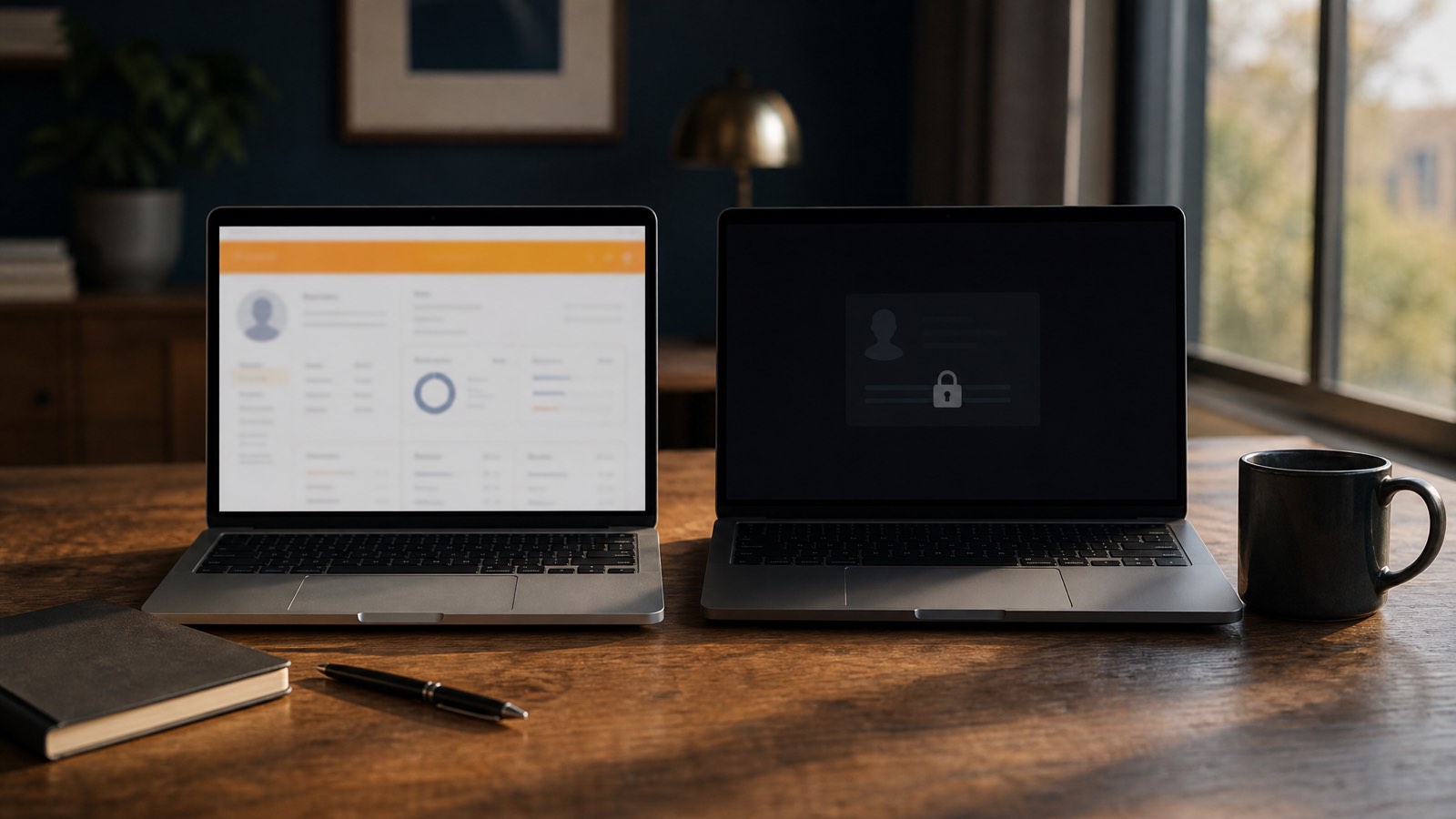
Suspended vs disabled: the 30-second diagnosis
Answer these four questions in order:
- Can you log into your Business Profile Manager dashboard? If no, you’re either soft-suspended, hard-suspended, or disabled. Keep going.
- Does your business listing still appear when you Google your exact business name? If yes, it’s a soft suspension or you’ve been disabled. If no, you’ve been hard-suspended, Google has removed you from Search and the maps database entirely.
- Did you receive an email from Google citing a specific policy violation? That’s a suspension.
- Did you get an email saying your Google account was suspended, or that “your business profiles don’t follow our guidelines”? That phrasing usually means disabled, and it’s often account-level, not just profile-level.
Same logic, in a table:
| Feature | Suspended Profile | Disabled Profile |
|---|---|---|
| Visibility | Hard suspension: removed from Search & Maps. Soft: still visible. | Usually still visible to the public |
| Dashboard Access | None (hard) or unverified (soft) | None |
| Customer Reviews | Soft: preserved. Hard: may disappear with the listing. | Reviews remain intact and visible |
| Most Common Cause | Guideline violations (categories, name, address) | Google believes the business isn’t operating as represented |
| Recovery Focus | Fix the violation, then submit an appeal | Prove legitimacy with evidence |
| Google’s Stated Timeline | 3 business days, up to 14 | 3 business days, up to 14 |
| Our Typical Timeline | 24–72 hours from appeal | 24–72 hours from appeal |
If you read that and you’re still not sure, the dashboard is the tiebreaker. Suspended profiles show a “suspended” status banner inside Business Profile Manager. Disabled profiles often won’t let you in at all, or the listing simply doesn’t appear on your accounts page anymore.
What “suspended” actually means
A suspension is Google saying: we think you’ve broken a rule. The rule could be small (categories that don’t match your services) or large (fake reviews). Either way, Google has flagged your business profile and now wants you to either fix it or prove they’re wrong.
Suspensions come in two flavours.
Soft suspension
Your listing still appears on Google Search and Maps. Customers can still find you. Reviews are still there. But you’ve become unverified, the verified-owner badge is gone, you can’t edit the profile, and Business Profile Manager shows a “Claim this business” link where your dashboard used to be.
Soft suspensions don’t usually wreck rankings on their own. They are, however, a warning shot. Google has noticed something and is signalling that it wants a closer look.
“A soft suspension is when your profile still shows up in Google’s search results but appears to no longer be verified.”, Liz Linder, Kick Point Playbook
Hard suspension
This is the version most people mean when they say “my GBP got suspended”. Your listing is removed from Google Search and from the maps database entirely. Customers searching your business name, your category, or your address get nothing. Calls dry up. Direction requests vanish. Reviews can disappear along with the listing. Our breakdown of 300 Australian suspensions shows how common each pattern is.
For a service-area business, a hard suspension can wipe out most of your lead flow overnight. For a storefront with no other discovery surface, it’s worse again.
The fix for either flavour is the same in shape: identify the violation, fix it, submit an appeal. The detail is where it gets messy. We’ll cover the full process below. If you want the appeal workflow on its own, our Google Business Profile appeal guide walks through it.
What “disabled” actually means
A disabled Google Business Profile is a different animal. Google isn’t questioning one rule, it’s questioning whether the business itself is real. Or, sometimes, whether the Google account managing the profile is trustworthy.
Disabled profiles usually stay visible to the public on Search and Maps. Customers still see your listing. Reviews remain. But the owner and managers can’t access the profile at all, and any edits, photos, posts, or replies you used to publish are now frozen out.
Sterling Sky’s Joy Hawkins has written about this distinction at length, and the short version is straightforward: a suspended profile means Google has flagged a violation; a disabled profile means Google has flagged the business. Disabled is usually more serious because the burden of proof shifts from “fix the rule break” to “prove the business exists and operates as claimed”.
A few patterns we see trigger disablement:
- Mass account actions where Google sweeps a network of profiles tied to one Google account
- Recently created Google accounts managing a high-value listing
- Profiles that recently changed ownership, name, or address all at once
- Industries Google watches closely, locksmiths, towing, garage doors, plumbing, addiction services, financial services
- Profiles where the address has been used for multiple businesses
If you’re disabled, you usually need to do two things in parallel: prove the business exists with stronger documentation than a suspension would require, and possibly contact Google account support if the action is account-level rather than profile-level. The Google Business Profile Help Community is the right forum to confirm which type of action you’re dealing with.
Account-level vs profile-level disablement
This is the distinction that decides which door you knock on.
A profile-level action means Google has flagged this specific listing. Your other Google products (Gmail, Drive, Ads, YouTube) work normally. Other GBPs you manage are unaffected. The recovery path runs through the standard appeal flow inside Business Profile Manager, with the AU evidence pack attached.
An account-level action means Google has flagged the Google account that owns or manages the profile. Symptoms differ. You may find you can’t sign in at all, or a Google account suspension banner appears across multiple products. Other GBPs the account touches go down at the same time.
In our intake data, cluster suspensions (three or more unrelated listings going dark in the same week, all sharing one manager Gmail) almost always point at account-level action.
The order of operations matters. When both the account and the profile are restricted, you lift the account restriction first via My Account → Restrictions (or g.co/recover), then appeal the profile. Google’s own suspension documentation and practitioners like ALM Corp make the same point: the account has to be in good standing before the profile appeal can be evaluated. Submitting a profile appeal while the account is the actual problem just burns one of your attempts.
A quick read on which you’re dealing with:
- Only this profile is offline, other GBPs you manage are fine, Gmail and Drive work normally → profile-level
- Multiple listings down at once, or you can’t access other Google products on the same account → account-level
- You can sign in but the dashboard simply doesn’t show your profile anymore → usually profile-level disablement, occasionally an ownership-removal incident
Mike Blumenthal and Sterling Sky have both written about cluster disablements where an agency Gmail with hundreds of clients triggered a sweep, the pattern is well-documented at the higher tier of the GBP suspension landscape. The access best practices guide covers the prevention side.
Why Google suspends or disables profiles
Most suspensions and disablements trace back to a short list of triggers. We’ve worked through 300 of them since early 2025 and the same patterns keep appearing.
Categorisation mistakes. Picking a category that doesn’t match what you actually do is the number-one cause. A “lawyer” profile that’s really an “immigration consultant” gets flagged. A “general contractor” profile that’s really a “deck builder” gets flagged. Google reads categories as truth claims about your business. Profiles that have been flagged for quality issues almost always have a category mismatch sitting underneath.
Keyword stuffing in the business name. “ABC Plumbing, Emergency 24/7 Plumber Sydney” is not your registered business name. It’s a name field padded with keywords. Google’s spam filters have been catching this for years and the tolerance is dropping every quarter.
Address issues. PO boxes are banned. Virtual offices and mail-forwarding services are banned. Coworking addresses get flagged. A service-area business displaying a storefront address gets flagged. If you operate from home and don’t serve customers at your address, the address must be hidden.
Big NAP changes on a verified profile. The 5 Kings (NAPUC) of a Google Business Profile are Name, Address, Phone, URL, Categories. If a verified profile suddenly changes all five at once, Google reads that as a fresh business in disguise.
Fake reviews or review gating. Buying reviews, swapping reviews with other businesses, or offering discounts in exchange for reviews are all violations. So is filtering customers so only happy ones get asked.
Multiple businesses at one address. Sometimes legitimate (a medical centre with three practitioners), often not. Google’s algorithm treats clusters of profiles at one address with suspicion.
Recent ownership change. Buying a business and immediately editing the profile from the new owner’s account, without re-verifying, can trigger a soft suspension or worse.
Dashboard edits to the 5 Kings. A known trigger, and the reason we only recommend front-end edits on the 5 Kings rather than touching them in the dashboard.
There’s a longer, drier version of this list in Google’s own policy documentation. If you’re trying to work out exactly what tripped you up, our piece on decoding Google’s compliance guidelines goes section by section.
How to reinstate a suspended Google Business Profile
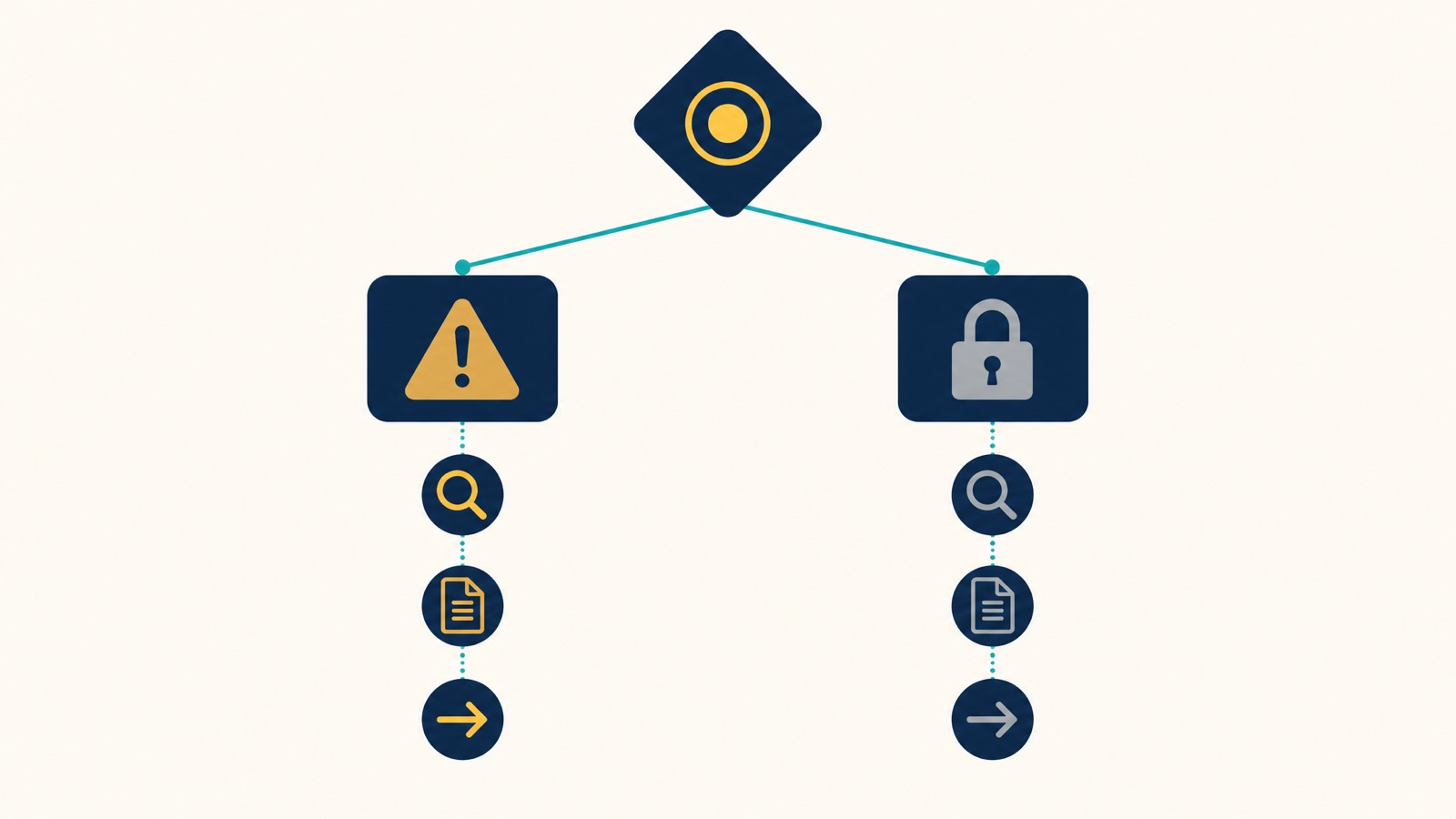
The order matters. Most failed reinstatements I see happen because the owner submitted an appeal before fixing the underlying violation. Google rejects, the appeal counter resets to harder mode, and now you’re playing the game with one hand tied behind your back.
Do this in order.
1. Find your Business Profile ID
Inside Business Profile Manager, the profile ID is a long alphanumeric string attached to your listing. You’ll need it for the appeal form. If you can’t get into the dashboard, the public-facing URL of your old listing (cached, or via Google search) sometimes contains it.
2. Identify the violation before you appeal
This is the step everyone wants to skip. Don’t. Walk through the trigger list above and audit your profile against every item. Categories matching what you actually do? Name field clean of keywords? Address compliant? No fake-looking review activity? If you can’t honestly identify what changed or what’s wrong, the appeal will fail.
3. Fix the violation
Edit the profile to comply. If the name was stuffed, strip it back to your registered business name. If the address was a virtual office, hide it and reconfigure as a service-area business. If reviews look fake, you can’t make them disappear, but you can disclose history and demonstrate a change in pattern.
4. Gather your Australian evidence pack
For an Australian business, the documents that consistently work:
- ASIC business name registration: the foundation document
- A recent utility bill at the listed address (gas, electricity, water, under 90 days old)
- Industry licence if your trade requires one, builder’s, electrical, real estate, security
- Commercial lease if you operate from a storefront
- Photos of signage, the storefront, branded vehicles for service-area trades
This is the canonical Australian evidence pack. Ignore American checklists that demand IRS documents, BAS filings, photo ID, or public liability certificates, those don’t apply here and they sometimes hurt the appeal by introducing irrelevant noise.
5. Submit an appeal via the evidence form
In Business Profile Manager, the appeal flow is now built into the dashboard. You’ll be asked for the business profile ID, a reason category, and an evidence form where you upload your documentation. Submit, then wait. Google’s official guidance is three business days, occasionally up to fourteen. Our experience: appeals filed properly inside 24 hours of suspension tend to resolve in 24–72 hours.
Have everything on disk before you open the evidence form. Google’s own appeal docs say it plainly: once you open the evidence upload, you have 60 minutes to attach everything; after that the link expires and the evidence isn’t tied to your appeal. Most owners we see waste that window because they start the form before the PDFs are renamed, scanned, or downloaded from the ASIC portal. Have the five documents named, dated, and saved to one folder before clicking through, then it’s a 10-minute upload, not a panic.
6. If you need help
This is the bit we do. Since early 2025, we’ve reinstated 295 of 300 suspended Google Business Profiles, a 98% success rate. Our done-for-you reinstatement service is $550, reinstated or refunded: the fixed fee is paid upfront to begin the work and fully refunded if we don’t get the profile reinstated. If you’d rather drive the appeal yourself with expert guidance, consulting is $350/hr. Complex cases that need full agency handling sit at $999/hr. Dorian personally supervises every case.
, or start the onboarding form and we’ll diagnose what happened on the call.
How to recover a disabled Google Business Profile
A disabled profile takes a different shape of appeal. The evidence is weighted more heavily toward proving the business exists and operates as represented, rather than fixing a specific guideline violation.
The mechanics:
- Use the disabled-profile recovery flow, not the same form as suspension. The system asks you to submit an appeal for “business profile reinstatement” specifically.
- Provide the full Australian evidence pack listed above. Disabled appeals need stronger evidence than suspensions, so don’t trim it.
- If the disablement is account-level (Google has flagged your entire Google account, not just one listing), you may need to address that separately via Google’s account recovery. The Help Community is the right place to confirm.
- Do not create a duplicate profile. This is the single most expensive mistake we see. A second listing won’t replace the first, won’t inherit your reviews, and gets caught by Google’s duplicate-detection within hours, usually killing both profiles in the process.
The success rate on disabled-profile recovery is lower than on suspension recovery, even good appeals get rejected if the underlying account or business has unresolved issues elsewhere. That’s part of why we charge consulting time on the more complex ones.
What if your appeal is denied
A denied appeal isn’t the end. You get one more attempt at an additional review, and that second appeal needs to be materially different from the first, new evidence, clearer explanation, properly fixed violation. Submitting the same appeal again with different wording almost never works.
Common reasons for denial:
- Evidence didn’t match the listing (utility bill in a different trading name, lease at a different address)
- Underlying violation wasn’t actually fixed
- Appeal was submitted by a manager rather than the primary owner
- Address or name was changed during the appeal process
- Multiple appeals submitted across multiple Google accounts (Google reads this as gaming)
If your reinstatement request is denied twice, the realistic options narrow. You can post the case to the Google Business Profile Help Community for a product expert to escalate. You can wait six months and try again with a clean account and a properly compliant profile. Or you can bring in someone who works on these full-time. We’ve handled cases that other agencies had already failed on, and the win rate is still high, provided the underlying business is genuinely legitimate.
How to prevent another suspension or disablement
Once you’re reinstated, the next ninety days matter more than the previous nine months. Most repeat suspensions happen because nothing structural changed, and rebuilding the visibility you lost is post-reinstatement local SEO rather than more appeal work.
Run this checklist quarterly:
- 5 Kings audit (NAPUC). Verify Name, Address, Phone, URL, and Categories match your registered business documents exactly.
- No keyword stuffing in the name field. Ever. Strip service descriptors and city names out.
- Address compliance. No virtual offices, no PO boxes, no coworking spaces unless your business genuinely operates there full-time.
- Front-end edits only. Make changes through the public-facing dashboard, not the back-end account settings.
- No review manipulation. No incentives, no gating, no swap arrangements.
- Evidence file ready. Keep a folder with your ASIC registration, current utility bill, lease, and licence saved and updated. If a future suspension hits, you appeal the same day.
- One Google account per business. Don’t manage the profile across multiple accounts unless you’ve added them properly as managers.
Our longer prevention guide on avoiding GBP suspension before it happens covers the full audit framework. If your profile keeps disappearing from search and you’re not sure why, this troubleshooting guide is the next read.
When DIY stops making sense
Three signs it’s time to bring in help:
- You’ve already submitted one appeal and it failed.
- You can’t work out what triggered the suspension or disablement.
- The business is your primary lead source and you can’t afford the days a back-and-forth with Google takes.
If any of those is you, the engagement options are in the “If you need help” step above. The full recovery service walks through how each tier works, or and we’ll diagnose what happened on the call. You can also reach us at seo@searchscope.com.au.
The short version: suspension is Google flagging a rule break, fix the rule break, appeal, get back on. Disabled is Google flagging the business itself, prove legitimacy with stronger evidence, appeal, get back on. Both are recoverable in most cases. Most resolve faster than you’d expect. The mistakes that turn a recoverable suspension into a permanent loss almost always come from rushing, appealing before fixing, creating duplicates, submitting mismatched evidence.
One move to make right now. Read the diagnosis. Pick the path. If you want backup, we’re a click away.