
Why Isn't My Google Business Profile Showing Up? (Australian Diagnosis Guide, 2026)
A missing profile is one of five things: unverified, suspended, de-listed, filtered or out-ranked. Work out which, because the fix differs for each one.

If your Google Business Profile has vanished from Google search or Maps, the fix depends entirely on which kind of vanished you’re dealing with. There are really only four versions of this problem, unverified, suspended, de-listed or merged, or just out-ranked, and they all look the same from the outside (your customers can’t find you), but each one needs a completely different response. Get the diagnosis wrong and you’ll burn a week filing the wrong appeal, editing the wrong field, or triggering a fresh round of verification on a listing that was already fine.
We run GBP reinstatement work every week, 295 of the last 300 Australian reinstatements recovered since early 2025, so this guide is built around the four states we actually see in client dashboards, not a generic “10 reasons why your business isn’t showing up” list. Start at the top, work through the diagnostic, then go straight to the section for your bucket.
First, Make Sure Your Profile Is Actually Nowhere to Be Found
Before anything else: search properly. A surprising number of “my profile disappeared” calls turn out to be personalised search playing tricks. If you’re searching from your office Wi-Fi, on a laptop logged into the Google account that manages the listing, near the verified address, Google often hides or rearranges your own listing in unhelpful ways.
Do this instead:
- Open an incognito or private window.
- Use mobile data, not your office Wi-Fi.
- Search from a phone you’re not signed into Google on, or sign out first.
- Try the exact business name plus your suburb (e.g. “Smith Plumbing Cottesloe”).
- Then drop the business name and just search the service plus suburb (“plumber Cottesloe”) to see whether you appear in the local 3-pack.
If the profile loads on Google Maps but doesn’t appear in search results, that’s a different problem from “gone everywhere”. If it loads under a competitor’s brand name in Maps, you’ve been merged. If it loads only when you type the exact business name, you may be marked permanently closed. Each of these is a separate bucket below.
The Four States Your Profile Can Be In
Almost every “why is my Google Business Profile not showing up” call we take maps to one of four states. Identify yours before you do anything else.
| State | What you see | What’s happened | Where to go in this guide |
|---|---|---|---|
| Unverified | Profile exists in dashboard with a “Get verified” button; nowhere to be found in public Maps or Search | Verification never finished, or a recent edit triggered re-verification | State 1 below |
| Suspended | ”Suspended” notice in the dashboard; listing pulled from Maps and Search | Google flagged a guideline breach (hard) or restricted editing only (soft) | State 2 below |
| De-listed or merged | Listing gone or absorbed into a different (often competitor) profile; appears only when you search the exact business name | Algorithmic de-list, user-report cascade, or two listings merged into one canonical version | State 3 below |
| Out-ranked | Listing is live and findable by exact name, but invisible for the searches that actually bring potential customers | You’re losing on relevance, distance, or prominence, not missing, just beaten on the SERP | State 4 below |
If you’re not sure which bucket applies, and we’ll work through it on screen with you. The wrong fix in the wrong bucket is the single most expensive mistake we see.

Which State Is Your Profile In?
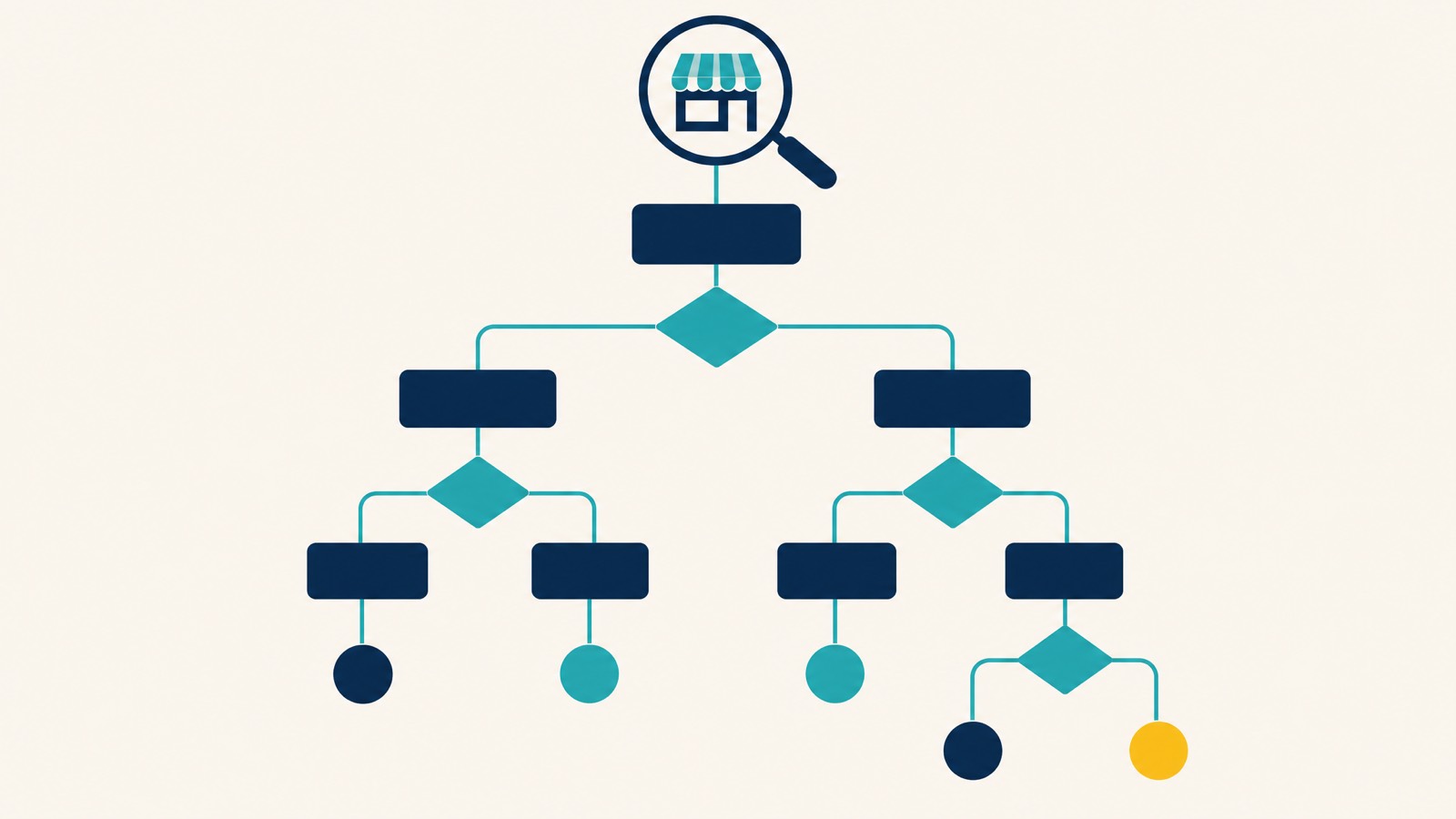
Answer these three in order and the tool routes you to the right bucket, so you fix the actual problem instead of the wrong one.
Profile state diagnostic
State 1, You Haven’t Verified It (or Re-verification Got Triggered)
Verification is the gate. Until Google confirms three things, that the address exists, that your business operates from it, and that you are entitled to manage the listing, your profile isn’t going anywhere near the public side of search and Maps. According to Google’s verification documentation, the methods you’re offered are picked by Google, not chosen by you, and review takes up to five business days.
In 2026, the default for most new profiles and almost all service-area businesses is video verification, one continuous, unedited clip showing your signage, your premises, and proof you run the business, recorded and uploaded from a mobile device through your Business Profile (Google’s video requirements). Postcards still exist for some bricks-and-mortar businesses, but they’re rare and slow: five to fourteen business days in metro areas, longer in regional WA, NT and Tasmania.
What most owners miss: verification isn’t just for new profiles. Sterling Sky has documented that verification methods can change between rounds if a listing needs re-verifying, and in our own reinstatement casework, edits to the business name, address, primary category or URL are the most common trigger we see for a previously stable listing dropping back into re-verification. You can have a profile that’s worked fine for three years, change one field, and watch it drop off the map until a new video passes.
If you’re stuck verifying your profile, the step-by-step guide to verifying your Google Business Profile covers what passes and what fails on the current system. Don’t fight Google for an “easier” method, if you’re offered video, shoot it properly the first time. (Sidenote for owners who still call it Google My Business: the platform was renamed to Google Business Profile in 2022. Same listing, same dashboard, just different name.)
State 2, Your Listing Has Been Suspended
A suspension is the loudest version of “not showing up”. A hard suspension removes the listing from Maps and Search entirely. A soft suspension keeps the listing visible to the public but restricts your ability to manage it from the dashboard. Both need handling fast, and the difference matters, which is why our separate guide on suspension vs disabled and the key differences covers how to tell which one you are in and what each needs next.
“Getting your Google Business Profile suspended can be a frustrating challenge because Google generally doesn’t provide any useful details about what you did wrong.”, Stefan Somborac, Sterling Sky
The most common reasons we see for suspensions in Australian accounts:
- Keyword stuffing in the business name (“Smith Plumbing | 24/7 Emergency Hot Water Burst Pipes Perth”), fastest way to a suspension we know.
- Service-area businesses with the wrong setup: showing a street address when you should have a service area only, or vice versa.
- P.O. boxes, virtual offices, mailbox drops: Google can’t verify physical operations and will pull the listing.
- Manager account suspended: if the Google account you use to manage the listing is itself suspended for any reason, profiles attached to it cascade-suspend.
- Edits that look suspicious to the algorithm: multiple edits to address, category, or URL in a short window, especially in a high-risk category.
- Fake reviews on the profile: Google removed more than 240 million policy-violating reviews in 2024 alone. Profiles caught up in those sweeps frequently catch a suspension as well.
- User reports through “Suggest an edit”: a competitor or disgruntled ex-employee can flag the listing and tip the algorithm into a review.
To resolve the issue:
- Log into the dashboard and confirm the suspension type. The wording matters.
- Read Google’s Business Profile guidelines and identify the specific breach. Don’t guess. Don’t appeal blind.
- Fix the breach before you submit the appeal, don’t appeal with the violation still live.
- Gather evidence: ASIC business name registration (the official Record of Registration, not an extract), a recent utility bill in the business name at the listed address, an industry licence if your trade requires one, a commercial lease if you operate from a storefront, and clear photos of permanent signage. Skip ABN extracts, tax invoices/BAS, and photo ID, those aren’t what Google’s reviewers want on Australian appeals.
- Submit through Google’s Business Profile appeals tool, one appeal only, multiple appeals can lock the case.
- Do not edit the profile during the appeal review.
If you’ve already burned an appeal, or the suspension is on a high-revenue listing, this is the point to bring in help. We run GBP reinstatement work on a reinstated-or-refunded basis ($550 done-for-you, paid upfront and fully refunded if we don’t get the profile reinstated), most appeals submitted within 24 hours of intake and typical reinstatement in 24 to 72 hours. Full pricing and the track record are in the “When to Call In Help” section below.
For the appeal-walkthrough version of this, see steps to appeal a Google Business Profile suspension. For prevention next time, how to avoid GBP suspension before it happens is worth a read once the dust settles.
State 3, You’ve Been De-listed, Merged, or Marked Permanently Closed
This is the most confusing state because nothing in your dashboard tells you what’s happened. The profile looks fine on your end, verified, no suspension notice, all fields filled, but it’s gone from public Maps and Search, or it shows up under a different business’s name, or it’s flagged “Permanently closed” without anyone at your end touching the setting. That last one is usually a suggested edit someone else submitted, and you can reverse a false permanently closed flag yourself.
Three things tend to be going on:
Merged listings. Sterling Sky has covered this pattern extensively: Google sometimes consolidates two profiles it believes represent the same business, and the version it keeps isn’t always the one you control. The result, your verified listing effectively disappears into a canonical version owned by no one (or worse, owned by a competitor who claimed it). To detect it: search the exact business name. If a different listing with similar details surfaces, or your reviews show up on a profile you don’t own, you’ve been merged.
Algorithmic de-listing. Google’s local algorithm can drop a listing from search results without suspending it, particularly if the business is flagged for low quality signals, suspicious behaviour, or low engagement. The listing still exists; it just won’t surface. Our deeper guide on Business Profile flagged for quality issues covers what triggers this and how to reverse it. There’s also a related pattern around suspicious activity flags that catches a lot of service-area businesses.
“Permanently closed” by mistake. If a competitor or a few users submit “this place is closed” reports via Suggest an Edit, Google can flip the status on your profile. Sometimes a business genuinely moves and the old address gets flagged as closed, then the closure misapplies to the new location. To check: open the profile in your dashboard, look at the Hours section. If “Permanently closed” is ticked and you didn’t tick it, untick it, save, and wait for re-review. If it won’t unstick, you need support intervention.
The fix for all three usually involves Google support directly, with evidence. The GBP suspension and recovery guide walks through the support pathways for each scenario. If your listing has been merged into a competitor’s, this is also a reinstatement-tier situation, the unwind requires the same kind of casework as a suspension appeal, and we handle these as part of our reinstatement service.
State 4, It’s Showing, You Just Can’t Find It (You’re Out-Ranked)
This is the bucket most owners are actually in when they ask “why is my Google Business Profile not showing up”. The profile is live. Verified. Findable when you search the exact business name. It just doesn’t appear in search results when someone searches “plumber Subiaco” or “physio near me”, and that’s the search that matters.
This isn’t a visibility problem in the technical sense. It’s a ranking problem, and the fix is local SEO, not a suspension appeal. That’s good news, actually, out-ranked is the friendliest of the four buckets to fix yourself.
Google’s local ranking documentation breaks ranking into three factors: relevance, distance, and prominence. If you’re losing in the local search rankings, you’re losing on one or more of those three.
- Relevance: your primary category and your services list have to match the language your customers actually search. If you’re a “Building contractor” listed under “General contractor”, and the SERP rewards “Builder”, you’re handing the relevance signal to the competitor.
- Distance: proximity matters more than most non-local SEOs realise. The classic experiment: search the same query while walking down the street. Results re-rank every couple of blocks. Our piece on Google Maps proximity ranking covers this in detail, including why the radius is suburb-scale rather than city-scale.
- Prominence: review volume and velocity (including positive reviews from real customers), photos, posts, citations, backlinks, and the broader signal that the business is well-known and active.
If you’ve got six reviews and the business above you has 240, you haven’t disappeared, you’ve just been outworked on the fundamentals. The honest answer is: catch up. Review-generation cadence, complete primary and secondary categories, posts every fortnight, photos uploaded fresh weekly, services list expanded, a clean business website with local schema, and citations consistent across the directories that still matter in Australia (TrueLocal, Yellow Pages, Hotfrog, plus the industry-specific ones). This is how you improve your local visibility and increase your chances of landing in the 3-pack.
For the full ranking play, Google Maps SEO and local SEO on our pillar pages cover what we actually do for clients in this bucket.
The diagnostic most owners miss: the zoom test
There’s a fifth flavour of “not showing up” that doesn’t fit neatly into the four states, and it’s worth naming: you’re being filtered. The profile is live, verified, ranking somewhere, but Google is actively hiding it from certain searches because it judges you too similar to another business close by. As LocalDominator documents the test, the way to confirm is the zoom test:
- Search your category and city on Google Maps from a wide zoom (whole-metro view). Note where you rank.
- Slowly zoom in toward your actual address. Watch the map pins re-rank as you zoom.
- If your listing was visible at the wider zoom and disappears as you zoom in (especially when a near-neighbour competitor stays visible), you’re being filtered.
The single most common trigger for the filter is multiple businesses at the same address sharing the same primary category, common in shared offices, suburb cluster strips, and medical centres with multiple practitioners. The fix is the cheapest you can run: change your primary category to a more specific variant your direct neighbours aren’t using (“Lawn mowing service” instead of “Gardener” if everyone in the strip is a Gardener; “Family lawyer” instead of “Lawyer” if you share an address with two other firms). Sterling Sky’s ranking-drop diagnostic covers the same mechanic from the opposite direction. If primary-category differentiation isn’t possible because the category really is the only one that fits, the longer-term fix is geographic separation, a different address.
Your Business Information Is Inconsistent Across the Web
NAP, name, address, phone number, has to match across your profile, your business website, and every directory listing Google can find. The Australian Business Register, your ABN listing, your Facebook page, your TrueLocal entry, your industry association directory, your old Yellow Pages listing from 2014, all of it.
“Multiple profiles for the same business may mislead your customers and are against our policies. If a profile is considered a duplicate, it won’t show on Google Search or Maps.”, Google Business Profile Help
Inconsistencies degrade prominence and can trigger a quality review. Common Australian-specific traps:
- The business name on the ABR is the trading name in legal records, but you’ve listed a slightly different brand on Google. Google cross-checks.
- Old listings on directories that no longer exist still appear in citation crawls (TrueLocal is sunset but citations linger; Yelp Australia is sparse but indexed).
- “Street” vs “St”, “Suite” vs “Unit”, “Level 1” vs “L1”, small format differences pile up across 30 directories and degrade the signal.
How to audit: pick one canonical version of your NAP and write it down. Make sure your website matches it exactly. Then search Google for your business name and every old phone number you’ve ever used. Anywhere it appears, the format should match. Fix the directories you can claim; report the ones you can’t.
Recent Edits Are Still Under Review
If you’ve just edited your profile, give it time before assuming something’s broken.
| Edit type | Typical review time |
|---|---|
| Hours of operation, phone, minor field tweaks | 10 minutes to 48 hours |
| Description, services, photos | Hours to a few business days |
| Business name, address, primary category | Days to several weeks |
| New listing verification | Up to 5 business days |
| Reviews from customers | 1-2 hours; up to 5 days if flagged |
During the review window, the listing might not show as frequently in search results or might display stale details. That’s normal. Don’t pile additional edits on top, every fresh edit resets the review clock and increases the odds of an algorithmic re-flag. Wait. If you’re past the windows above and nothing’s moved, escalate through Google Business Profile support with the dates and edits documented.
Duplicate Listings Are Splitting Your Signal
Duplicates create a different version of the “not showing up” problem: the listing exists, but the version with all your reviews and prominence isn’t the one Google surfaces.
How duplicate business listings appear:
- You rebranded and the old name still has an unclaimed listing floating.
- You moved address and the old address generated a “Permanently closed” listing that’s still indexed.
- Google auto-generated a profile from data it scraped, and you created a second one without realising the first existed.
- Two staff members each created a listing during the chaos of setup.
How to spot them: search Google Maps and Google search with variations of your business name, address, and phone number. Look for “Own this business?” buttons, those are unclaimed profiles that may be duplicates of your verified one.
How to fix: claim the duplicates you can, mark them permanently closed, then contact support to merge or remove. Google typically processes merges within 2 to 7 business days. In our own reinstatement casework, consolidating duplicates restores prominence faster than almost any other single fix.
Common Reasons Why Your Business Profile Disappears (Industry Risk)
Not all categories carry equal risk. Service-area businesses in high-spam categories get pulled disproportionately often. The categories Google scrutinises hardest, based on the patterns we see across reinstatement casework and Sterling Sky’s published research:
- Locksmiths
- Plumbers
- Electricians
- Tow truck and roadside assistance
- Garage door services
- Water damage and restoration
- Rubbish removal and skip bins
- Pest control
- Carpet cleaning
If you’re in one of these, expect more verification requests, longer review cycles, and a lower tolerance for edits that look algorithmically suspicious. The defensive playbook: keep your profile boring to the algorithm, keep edits to a minimum, never stuff keywords in the business name, set your service area properly, hide the address if you don’t take customers on-site, and document everything. The aim is to keep your profile obviously legitimate to a human reviewer and unremarkable to the automated one.
When to Call In Help
The self-fix bucket, most owners can handle these in an afternoon:
- NAP cleanup across directories.
- Adding the missing photos, posts, services.
- Asking for more reviews.
- Verifying a brand-new profile.
- Removing a “Permanently closed” you accidentally set.
- Out-ranking work (slow but doable in-house).
The get-help bucket, where doing it wrong costs more than the fee:
- Suspensions, especially repeat suspensions.
- De-listings and merge problems.
- Profiles where the original Google account is locked or lost.
- High-risk categories with a tight reinstatement window.
- Listings worth tens of thousands a month in leads where every day off Maps is a real cost.
We sit in that second bucket. Search Scope’s reinstatement service is built around the situations DIY can’t unstick. The numbers we work from: 295 reinstatements completed out of 300 Australian cases taken since early 2025, a 98% success rate. $550 done-for-you, reinstated or refunded (paid upfront, fully refunded if we don’t get the profile reinstated, covers manual escalation too), from $650 for post-second-denial escalation if you’ve already burned both appeal attempts yourself, $350/hr advisory for a single location or $999/hr for agencies and multi-location accounts (all incl. GST). Most appeals submitted within 24 hours of intake. Typical reinstatement 24 to 72 hours. Dorian Menard personally supervises every case, in SEO since 2013, and we’ve been running this kind of work through Search Scope since 2021.
For ambiguous cases, where you’re not sure whether you’re suspended, de-listed, or just out-ranked, and we’ll diagnose it on screen with you. No charge for the call. We’d rather tell you it’s a self-fix than sell you a service you don’t need.
Questions About Google Business Profile
Why is my Google business account not showing up? The profile is either unverified, suspended, de-listed/merged, or out-ranked. Run the diagnostic at the top of this guide to identify which state applies, then follow the section for that state. Searching from your office Wi-Fi or your own logged-in Google account can also distort what you see, always test in incognito on mobile data.
How long does it take for my Google Business Profile to show up after verification or edits? Verification review takes up to 5 business days per Google’s documentation. After that, minor edits typically appear in search results within 10 minutes to 48 hours. Major edits (name, address, primary category) can take days to several weeks to fully propagate.
Why did my Google Business Profile disappear? Most common causes: a suspension you weren’t notified about clearly, an algorithmic de-list, a merge with another listing, or a “Permanently closed” status someone (or something) toggled on. Less commonly, a technical bug on Google’s side. The diagnostic in this guide separates them.
Can I pay to make my business show up on Google Maps? No. Beyond Google Ads (which surface as sponsored results, not organic Maps rankings), there’s no way to pay Google for organic visibility. Anyone claiming they can pay to fix your profile is misrepresenting how the system works.
How do I make my listing visible again after a suspension? Identify the specific guideline breach, fix it before appealing, gather evidence (ASIC registration, utility bills, photos, lease), and submit a single, well-documented appeal through Google’s appeals tool. Don’t edit the profile during review. Don’t submit multiple appeals. If the case is complex or the listing is high-value, we handle reinstatement work on a reinstated-or-refunded basis.
Will my business show up for all Google searches related to my industry? No, and it shouldn’t. Google’s algorithm weights relevance, distance, and prominence per Google’s ranking documentation. A business in Fremantle won’t show up in Joondalup searches for the same service, and a business with 6 reviews won’t beat one with 240 unless other signals compensate. Showing up everywhere isn’t realistic; showing up for the right searches is.
The Honest Bottom Line
Almost every “my Google Business Profile isn’t showing up” call we take maps to one of four buckets: unverified, suspended, de-listed or merged, or just out-ranked. Diagnose the bucket first. Don’t appeal a suspension when you’re actually out-ranked. Don’t redo your NAP audit when you’re actually de-listed. Don’t shoot another verification video when you’ve been merged.
If you’re in the suspended or de-listed bucket and the listing is worth anything to your business, start with our recovery service or start the onboarding form, that’s what it’s built for. If you’re not sure which bucket you’re in, and we’ll work through it together.