
Google Business Profile Guidelines: The Australian 2026 Compliance Guide
What Google's representation guidelines mean in practice, which clauses suspend Australian profiles most often, and how to read your own case against them.

Google’s Business Profile guidelines aren’t long. You can read the canonical document in fifteen minutes. The problem is that most Australian business owners read them once during setup and never look again, then wonder why the profile gets suspended two years later after a routine edit. The guidelines didn’t change. The enforcement did.
This is a section-by-section translation of Google’s own published guidelines into plain Australian English, with the regulator overlay (ASIC, ABR, ACMA, ACCC) the US-default explainers skip, and the patterns we’ve seen across 300 reinstatement cases since early 2025. If your profile is offline right now, skip the read and head to our Google Business Profile reinstatement service. The appeal walkthrough lives there.
Everyone else, this is the compliance guide.

What Google’s Business Profile guidelines actually are
The formal name is Guidelines for representing your business on Google. Google publishes them in the Google Business Profile Help centre. They sit alongside a broader Business Profile policies and quality guidelines index that covers prohibited and restricted content, fake engagement, harassment, regulated goods, and impersonation. Together those two documents are the ground truth. Everything Google enforces against your profile in Google Search and Google Maps lives in there somewhere.
Google Business Profile is the current name. You’ll still see the old “Google My Business” or “GMB” acronym in older guides and forum posts. The product is the same. Only the branding has changed.
The guidelines themselves haven’t moved much in 2026. What’s moved is how aggressively Google’s automated systems enforce them. Mike Blumenthal documented a suspension wave starting in March 2025, with appeal queues blowing out from Google’s quoted five days to closer to five or six weeks. Sterling Sky’s most recent playbook confirms the same range across early 2026. Then in March 2026 came the fastest spam update in Google’s history, rolled out in under 24 hours. The published rules stayed the same. The detection threshold quietly dropped.
We’ve supervised 300 Australian reinstatement cases since early 2025. 295 were successful, five were not recovered. That’s a 98% success rate, but the more useful number is the pattern recognition. Almost every case we see traces back to a guideline the owner either didn’t know about or had forgotten existed. So the value of this article isn’t in the rules themselves. It’s in knowing which rules Google currently enforces hardest, and what the Australian regulator overlay adds on top.
Who can have a Google Business Profile?
Google’s eligibility rule is short. To be eligible to represent your business on Google, your business must “make in-person contact with customers during its stated hours.” That’s the test. Everything else, categories, names, addresses, is downstream of that one requirement.
In-person contact can happen in two ways. You operate from a physical location customers visit (a shop, clinic, office, restaurant, salon). Or you travel to customers (tradies, mobile mechanics, home cleaners, mobile vets, in-home allied health). Both are permitted. What’s not permitted is a business that exists only online and never makes any in-person contact at all.
| Allowed on Google Business Profile | Not allowed |
|---|---|
| Retail shops with a storefront | Online-only businesses (ecommerce with no physical contact) |
| Restaurants, cafes, takeaways | Lead generation sites or affiliate marketing sites |
| Allied health, medical, dental practices | Rental properties without on-site staff or hosts |
| Tradies and mobile service businesses | Virtual offices without permanent staff |
| Professional services (legal, financial, accounting) | Coworking desks used as a postal-only address |
| Service-area businesses (cleaners, mobile mechanics) | Vacant properties or “future location” placeholders |
| Schools, universities, training providers | Hat-stand offices set up purely to obtain a listing |
| Government and community services | Businesses that don’t yet exist or have closed |
One profile per business is the default. Multi-location businesses (a retailer with three shops across Perth, for example) get one profile per physical location, not one master profile. We dig into how to verify your Google Business Profile properly in the linked guide.
The 5 Kings: the fields Google’s guidelines police hardest
Across our 300 reinstatement cases we keep coming back to the same five fields. We call them the 5 Kings, by the acronym NAPUC: Name, Address, Phone, URL, Categories. These are the fields where the guidelines are strictest, the fields Google’s automated systems weight most heavily, and the fields that cause almost every suspension we see in the queue.
| King | What the guidelines say | What gets profiles suspended |
|---|---|---|
| Name | Must reflect your real-world business name, as used consistently on storefront, website, stationery | Adding services, locations, taglines, ALL CAPS, trademark symbols, contact info |
| Address | Must be a precise physical address with in-person customer contact | PO boxes, virtual offices, unstaffed coworking, mismatched ABR record |
| Phone | Must be a direct phone number for the specific location | 1900 premium numbers, external call-centre redirects, off-business numbers |
| URL | Must lead to a dedicated landing page for the business or location | Link shorteners, social profiles, third-party booking platforms, broken URLs |
| Categories | Must accurately describe the primary business activity | Stuffing irrelevant categories, switching primary for ranking purposes |
The 5 Kings framework, the full risk table for each field, and the order in which to edit them safely all live in our prevention playbook. The short version: edit them one at a time, never in batches, and read the next section before you touch any of them.
Business name guidelines (with Australian translation)
Google’s policy on business names is one of the most-quoted rules and the most-broken one. The published guideline:
“Your name should reflect your business’ real-world name, as used consistently on your storefront, website, stationery, and as known to customers.”
What that means in practice. The name on your Business Profile should match what’s on the front of your shop, your website header, your business cards, and the name customers actually use when they refer to you. Nothing else.
What Google explicitly bans from the business name:
- Marketing taglines (“Australia’s #1 Plumber”, “Voted Best Cafe 2025”)
- Services or product descriptors (“Smith Plumbing, Hot Water and Gas”)
- Locations as suffixes (“Joe’s Pizza Bondi”, unless “Bondi” is genuinely part of the registered name)
- Trading hours (“Coles 24/7”)
- Phone numbers or websites in the name
- Trademark and special characters used for emphasis (™, ®, *, ⭐)
- All-caps spelling unless that’s how the registered name is styled
- Marketing call-to-actions (“Call Now”, “Book Today”)
The Australian translation is where this gets interesting. Your Google Business Profile name should align with three Australian records:
- Your ASIC business name registration (if you trade under a name that isn’t your personal legal name)
- Your ABR record (the registered business name and trading name attached to your ABN)
- Your physical signage (the actual letters on the door, awning, or vehicle)
When all three align, you’ve got a clean evidence chain. When they don’t, you’ve got a suspension waiting to happen. The most common pattern we see in our reinstatement queue: a sole trader registered the ABN to their legal name (“John Smith”), started trading as “Smith Plumbing” without registering it with ASIC, then set up GBP as “Smith Plumbing Perth, 24/7 Emergency Service.” Three different names across three records. Google’s systems can cross-reference public ABR data, and the mismatch becomes a flag.
The fix order matters. Update ASIC first, then ABR, then GBP, with at least a week between each. Don’t change all three on the same afternoon. And when you do change the GBP name, use Google Maps’ “Suggest an edit” front-end, not the dashboard. The reasoning is in our piece on the front-end edits doctrine.
Address rules: storefront versus service-area
The guidelines split address rules into two paths depending on how customers interact with your business.
Storefront businesses, customers come to you:
- Provide a precise, verifiable street address
- Permanent signage showing your business name must be visible at the address
- Staff must be present during the trading hours you publish
- The location must be visible on Google Maps (a non-CBD strip mall storefront, for example, must show up at street level)
Service-area businesses, you travel to customers:
- Set up one profile for your main office or operating address
- Define a service area, and Google’s published guidance is explicit: up to 20 service areas, no more than about two hours of driving time from your business location
- If you operate from a residential address, hide it (the profile shows the service area instead of the home address)
- Create separate profiles only if you have genuinely distinct locations with their own staff and service areas
What Google bans from the address field, regardless of which path:
- PO boxes (explicit ban)
- Virtual offices with no permanent staff on site
- Coworking desks used as a registered address but not a working location
- Unstaffed warehouses listed as customer-facing premises
- Addresses for “future” locations not yet operating
The Australian regulator overlay matters here. business.gov.au’s guidance on updating business details confirms the main business address on your ABR record must be a physical street address, not a postal box. If your ABR says one address and your GBP says another, you’ve got a mismatch Google can detect against public data. Match them.
A practical AU note for home-based sole traders. Set the profile up as service-area. Hide the residential address. Make sure the address you hide still matches your ABR record. We see many home-based businesses with an ABN registered to a different home address than the one on the GBP, usually because the operator moved house and updated GBP but forgot the ABR. That’s the kind of mismatch that becomes a suspension trigger.

Phone number and website URL standards
Two of the 5 Kings, often overlooked. They sit at medium-high risk because they’re the easiest to get wrong by accident.
Phone number
Google’s guideline asks for “a direct phone number that connects to your specific business location.” In Australian terms:
- A real local landline (02, 03, 07, 08) or a 04 mobile (acceptable for sole traders and small businesses)
- 1300 numbers are acceptable but local landlines are preferred, and the local landline matters more in the small-business and trade categories where Google expects to see a regional number
- 1800 numbers are acceptable for genuine multi-location businesses
- 1900 premium numbers are banned outright
- External call-centre redirects (you publish a number that routes through an offshore answering service) are an explicit policy violation
- The phone number must match the one on your website and ideally on your signage
ACMA maintains the Integrated Public Number Database in Australia. Your business number is registered against your ABN through your telco. Switching to a number that doesn’t appear anywhere else against your business, no website mention, no signage, no Yellow Pages-equivalent record, looks suspicious to both Google’s systems and to anyone running a basic NAP audit against your business.
Website URL
The September 2025 update is where this got stricter. Search Engine Land covered the new business links policy when it landed. The primary website URL on your Business Profile must now be:
- A dedicated landing page for the business or location
- On your own domain
- Returning a 200 status (not 404, not a permanent redirect chain)
- Accessible to Google’s crawler
What’s now banned as a primary URL:
- Link shorteners (bit.ly, t.co, custom redirects)
- Social media profiles (Facebook, Instagram, LinkedIn as primary)
- App store links
- Third-party booking platforms (Cliniko, Calendly, Halaxy, Power Diary, Booksy as primary)
- URLs that 404 or chain through more than one redirect
This update caught out a lot of Australian allied health practices, beauty businesses, and tradies who had been pointing GBP at their booking platform because that’s where the customer flow was actually happening. The fix is to publish a proper landing page on your own domain, with the booking platform embedded or linked from there. Use the booking link field on GBP for the actual booking platform URL, that field exists separately.
Business categories, description, and photos
The middle tier of the guidelines, less likely to cause an outright suspension but absolutely capable of dragging down visibility or triggering a soft review.
Categories
Choose one primary category that genuinely completes the sentence “This business IS a…”, not “This business HAS a…” or “This business OFFERS…”. A bakery that does coffee is “Bakery” first. A car dealership that has a service centre is “Car dealer” first. You can add up to nine secondary categories (a long-documented GBP limit; Google’s own guidance just says to use the fewest that describe your core business), but in practice three closely related secondaries is the sweet spot. More than that dilutes the signal and risks looking like keyword bait.
What we see suspended in this area:
- Switching primary category for ranking purposes (“Locksmith” to “Garage door supplier” because the locksmith category has higher scrutiny)
- Adding categories you don’t genuinely offer (a hairdresser listing “Tattoo studio” as secondary)
- Selecting categories that contradict the business name (“Plumber” with the name “Smith Electrical”)
Business description
Roughly 750 characters (the widely-reported limit; Google doesn’t publish an official figure). No URLs (Google strips them). No promotional language. No hashtags. No phone numbers. Describe your business in a factual paragraph, what you actually do, who you serve, and where you operate. Match the language to your real customer communications, not an SEO keyword brief. The description is a small ranking signal at best, and a much larger suspension signal if it’s stuffed.
Photos
Real photos of your real business. Exterior signage, interior layout, products, staff at work, branded equipment or vehicles. Stock photos are not banned outright but they’re a weak trust signal, Google has gotten very good at recognising obvious stock. Heavy editing beyond colour correction starts to look manipulative. Geo-tagged photos taken on-site are fine. Photos with the geo-data spoofed (taken in Sydney and tagged in Perth) are detectable and risky.
The 2026 reality: Google is increasingly pulling photos into Google AI Overviews and SERP-level visual answers. The quality of your photos now affects how your business shows up well beyond the Map Pack. Treat them as a primary asset, not an afterthought.
Content policies: what Google bans from your profile entirely
The category-by-category index of prohibited and restricted content lives at support.google.com/business/answer/7667250. The summary version, with our notes on what gets flagged most in Australia:
Prohibited (don’t appear on the profile at all):
- Deceptive content (misrepresenting what the business does, where it operates, or who runs it)
- Fake engagement (paid reviews, incentivised reviews, fake check-ins)
- Sexually explicit content
- Hate speech, harassment, threats
- Dangerous or illegal goods (firearms outside licensed dealers, recreational drugs, counterfeits)
- Sensitive event exploitation (using a natural disaster or tragedy to drive engagement)
- Impersonation of another person, business, or organisation
- Copyright infringement
- Personal or confidential information about others
- Content that promotes terrorism or violent extremism
Restricted (allowed under specific conditions):
- Alcohol-related businesses (must comply with state liquor laws)
- Gambling (must hold a relevant AU gambling licence)
- Financial services (information must be accurate; misleading claims attract both Google and ASIC attention)
- Healthcare claims (cannot promise outcomes; must comply with TGA advertising rules)
- Adult-oriented goods and services (must comply with state classification rules)
The Australian overlay here is the Australian Consumer Law (ACL), administered by the ACCC. ACL prohibits “misleading or deceptive conduct” in trade, and the wording aligns almost directly with Google’s anti-deceptive-content policy. A profile that lists services you don’t offer, or claims qualifications you don’t hold, isn’t just a Google policy violation. It’s an ACL exposure. We’ve seen ACCC enforcement actions reference Google reviews and Business Profile content as evidence in misleading-conduct cases against Australian businesses.
If your profile has been flagged for content reasons rather than a structural NAP issue, the recovery path looks different. Our piece on profiles flagged for quality issues covers the appeal pattern.
Review policy: legitimate versus gaming
The review section of the guidelines is where Google’s enforcement has tightened most in 2025-2026, and where ACCC enforcement runs in parallel.
What’s banned outright:
- Incentivised reviews (offering discounts, gifts, or services in exchange for a review)
- Reviewing your own business or asking staff to review
- Fake reviews from accounts you control
- Soliciting reviews in bulk (mass texting, mass emailing identical review-request prompts)
- Review gating (only asking happy customers to leave a public review while routing unhappy customers to a private feedback form, this is a specific banned practice)
- Filtering or hiding negative reviews via third-party widgets
- Using review responses for promotional content (turning a thank-you reply into a discount offer)
What’s legitimate:
- Asking every customer (not just happy ones) for a review after service
- Training staff to mention your Google presence naturally
- Responding to every review, positive and negative, professionally and promptly
- Addressing concerns raised in negative reviews publicly and constructively
- Using user-generated content (customer photos, reviews, check-ins) within the platform’s intended frame
For the longer treatment, our piece on handling negative Google reviews covers the response patterns and escalation paths.
The ACCC angle: fake and misleading reviews are an ACCC enforcement priority. Its 2023 online reviews sweep found more than a third of the businesses reviewed showed concerning conduct, and it has since issued infringement notices and penalties (for example, PhotobookShop paid $39,600 in 2026 over undisclosed paid reviews). Google’s policy and the ACL run in the same direction here, and a profile suspended for review manipulation often carries a regulatory tail beyond the Google penalty itself.
What happens if Google Business Profile guidelines aren’t met
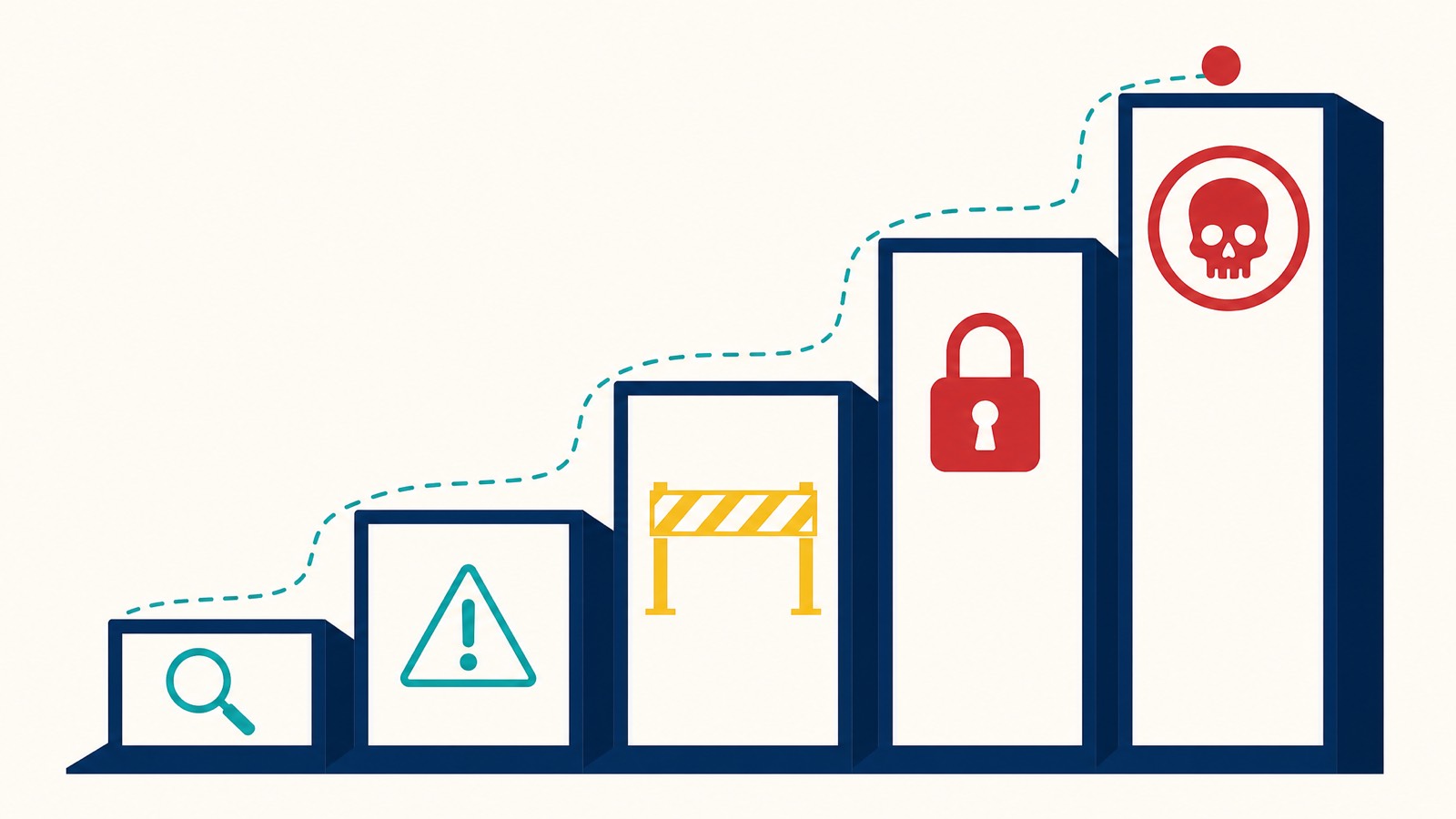
Three states your profile can land in. Each behaves differently.
| State | Customer visibility | Owner access | Typical cause |
|---|---|---|---|
| Pre-suspension warning | Visible, may show a warning banner | Full | Google has flagged a guideline issue, gives you a chance to fix |
| Soft suspension (disabled) | Visible but flagged as unverified | Owner loses dashboard access | Google needs to re-verify something specific |
| Hard suspension | Completely removed from Search and Maps | Owner loses all access | Material policy violation or ineligibility |
Joy Hawkins at Sterling Sky explains the underlying mechanics well. Your profile lives across two databases: the GBP database (what you edit) and the Maps database (what customers see). A suspension breaks the connection between them. That’s why you can’t edit your way out, your edits aren’t reaching the public listing anymore.
A few facts worth holding:
- Reviews are hidden during a suspension, not deleted. When the profile is reinstated, the reviews come back.
- Your website can still rank in organic Google Search results during a suspension. What you lose is the Map Pack, the local three-pack and Maps results, which is usually the higher-converting placement for service businesses. That’s part of why proper local SEO matters as an organic fallback even when the profile is healthy.
- Pre-suspension warnings sometimes arrive by email before the suspension itself. Check every inbox attached to every owner and manager account.
- The Google-direct appeal queue is currently 4-6 weeks based on what Sterling Sky and Mike Blumenthal have both tracked across 2025-2026. Google still quotes “5 business days” publicly; that hasn’t been accurate in two years.
If you’re navigating a suspended Google Business Profile right now, the appeal walkthrough covers the steps. If the suspension reason cites suspicious activity, that’s a different pattern with its own evidence requirements.

The Australian regulator overlay nobody else writes about
Every other guide to GBP compliance is written for the US market. Their “business license” doesn’t translate. Their “tax ID” isn’t your ABN. The Australian compliance reality involves four bodies whose records intersect with how Google validates your profile.
ASIC: your business name registration
If you’re a sole trader trading under any name that isn’t your personal legal name, ASIC business name registration is mandatory under Australian law. It’s also the strongest piece of evidence you can hand Google in a reinstatement appeal. The ASIC business name registration costs around $42 for one year or $98 for three years as of 2026. We see sole traders skip this step constantly, then face an uphill battle in appeals when they can’t prove the trading name is theirs.
ABR: Australian Business Register
Your ABR record publishes, as public data, your registered business name, trading name, entity legal name, postcode and state of your main business address, ABN status, and GST registration. Google’s systems can cross-reference this. When your GBP says “Smith & Co Plumbing, 42 Murray Street Perth” and your ABR says “John Smith trading as Smith Plumbing, postcode 6101”, that’s a triangulation gap. The fix is to align them, usually by updating the trading name on the ABR record, then matching GBP to it.
ACMA: telecommunications register
The Australian Communications and Media Authority maintains the Integrated Public Number Database. Your business phone number is registered against your ABN through your telco. Premium 1900 numbers are restricted under ACMA’s rules and also banned by Google’s guidelines, the two regulators are aligned on this. Off-business numbers (a personal mobile that doesn’t appear anywhere else in your business records) raise a soft flag for Google’s automated systems.
ACCC: Australian Consumer Law
The ACCC enforces the Australian Consumer Law, which prohibits misleading or deceptive conduct in trade. Where Google’s review policy and content policy line up with ACL provisions, you’re facing two enforcement layers, not one. Fake reviews, fabricated qualifications, misrepresented services, and misleading geographic claims all expose you to ACCC scrutiny on top of any Google penalty. The ACCC’s guidance on false or misleading claims is worth a read for any owner managing a profile in a regulated category.
The single most useful thing you can do for ongoing compliance, Australia-specific, is run an annual cross-check across ASIC, ABR, your signage, your website, and your GBP. When all five carry the same business name, address, and phone number, your trust signals stack. When one of them drifts, the whole stack weakens.
NAPUC alignment cross-check (interactive)
Paste the business name as it appears on each of the five records below. The tool normalises spacing, punctuation, and case, then tells you which records are aligned with ASIC (the source-of-truth record) and which need to be updated first.
Cross-check your business name across the 5 records
The widget compares normalised forms (lowercase, punctuation-stripped, with corporate suffixes like “Pty Ltd” ignored) so a difference in casing or trailing commas doesn’t read as a mismatch. A real mismatch (different business name across records) is the gap to close first. The fix order is always upstream first: ASIC → ABR → signage → website → GBP. Never start at GBP.
Ongoing compliance: maintaining your Google Business Profile
Compliance isn’t a one-time setup. It’s a maintenance rhythm. The audit cadence we recommend across our GBP optimisation clients:
| Audit element | Frequency | What to do |
|---|---|---|
| Customer-facing hours of operation | Monthly | Update for public holidays, school terms, daylight savings |
| Phone numbers and email addresses | Quarterly | Verify the number still routes to the right person |
| Service area radius | Bi-annually | Adjust if you’ve changed your travel range |
| Business categories | Quarterly | Make sure they still reflect what you actually do |
| Photos and media | Monthly | Add fresh photos, update seasonal hero shots |
| Owner and manager list | Quarterly | Remove old agency access, retired staff, anyone you don’t actively work with |
| ABR/ASIC/signage cross-check | Annually | Confirm the trading name and address still align across all records |
| ”Updates by Customers” tab | Weekly | Check for user-submitted edits via Maps “Suggest an edit” |
That last item, monitoring user-submitted edits, is the most overlooked compliance task. Any Google Maps user can suggest changes to your profile. As Whitespark notes, “Google doesn’t always let you know when they accept searchers’ changes to your Profile, so you can go months without detecting it and wonder why your rankings are suffering.”
Two flavours to watch for. Accidental: a well-meaning local guide updates an address or phone number to a slightly wrong version. Malicious: a competitor flags your business as closed or moves the pin. The defence is weekly monitoring and a willingness to revert via the front-end as soon as you spot something.
For multi-location businesses, layer in cross-location consistency. Same business name unless branding genuinely differs. Location-specific phone numbers, not a central call centre. Same primary category for locations offering the same services. Separate profile per location with its own staff and operating hours.
If your profile is already suspended
Brief, because the reinstatement money page handles the depth.
Stop editing the profile. Every additional change complicates the appeal. Don’t create a duplicate or a new profile, that triggers a permanent removal of both. Gather your evidence pack:
- ASIC business name registration (Record of Registration, not an “extract”)
- Recent utility bill in the business name, dated within 90 days
- Industry licence where applicable (Builders Practitioners Board, Migration Agents Registration Authority, ASIC AFS licence, etc.)
- Commercial lease if you operate from a storefront
- Photos of permanent signage, premises, and any branded equipment or vehicles
Submit the appeal through Google’s Business Profile Appeals Tool. Be factual. Reference the documentation by name. Avoid emotional language. Expect 4-6 weeks if you’re going direct via Google’s standard queue.
Or work with us. Search Scope has supervised 300 Australian reinstatement cases since early 2025, with 295 successful, a 98% success rate. The done-for-you tier is $550 incl. GST on a reinstated-or-refunded basis (the fixed fee is paid upfront and fully refunded if we don’t get the profile reinstated). Consulting is $350 per hour. Agency-tier work for franchises and multi-location operators is $999 per hour. Typical timeline through us: appeals submitted within 24 hours of intake, reinstatement landing 24-72 hours after that. Dorian personally supervises every case.
Full process on the Google Business Profile reinstatement page.
Frequently asked questions
What are the requirements for a Google Business Profile?
Your business must make in-person contact with customers during stated hours, either from a physical location they visit or by travelling to them. The profile must reflect your real-world business name, address, phone number, and category, matching your signage, website, ABR record, and ASIC business name registration where applicable. One profile per business, or one per location for multi-location businesses.
Which details should NOT be included in my Google Business Profile name?
Marketing taglines, store codes, trademark symbols, ALL CAPS spelling, trading hours, phone numbers, website URLs, special characters, or location additions that aren’t part of your registered name. The name should match exactly what’s on your signage and your ASIC/ABR records.
What is Google’s “20% rule” for Business Profiles?
There’s no published “20% rule” for Google Business Profiles. The phrase is a misconception, it usually surfaces from an older Google Ads policy about text overlay on image creatives, which has since been deprecated. Don’t worry about a 20% rule. Worry about the actual guidelines on name, address, phone, URL, categories, and content.
Is a Google Business Profile free?
Yes. Creating, managing, and verifying a Business Profile is free of charge from Google. There are no fees for any of the guideline-aligned features. Be wary of third parties offering “verification services” for a fee, most are scams.
Do I need a physical address to have a Google Business Profile?
Yes, but it can be hidden. If customers visit you, you need a real storefront address with permanent signage. If you travel to customers, you can use a home or office as your registered address and hide it on the profile, then declare a service area instead.
What happens if my business doesn’t meet Google’s guidelines?
The progression usually runs: pre-suspension warning by email, soft suspension (profile visible but flagged), then hard suspension (profile completely removed from Search and Maps). Reviews are hidden during suspension, not deleted. The Google-direct appeal queue runs 4-6 weeks in 2026. Through a professional reinstatement service, the typical resolution is 24-72 hours.
How often does Google update its Business Profile guidelines?
The published guideline document is updated quietly, with no version log. Major shifts (like the September 2025 business links policy update) are usually covered in trade press before Google formally posts the change. The enforcement threshold shifts more often than the rules themselves, usually around broader spam updates.
Can I have one Google Business Profile for multiple Australian locations?
No. Each physical location with its own staff, hours, and customer-facing presence needs its own profile. Multi-location operators use Google Business Profile Manager (formerly the GMB bulk tool) to manage them. Service-area businesses with one main office and multiple service zones can stay on one profile, but the service area must stay within Google’s guidance of about two hours of driving time.
Will my reviews disappear if my profile is suspended?
No. Reviews are hidden from public view during a suspension but not deleted. They reappear once the profile is reinstated. Permanent loss only happens if Google removes the profile entirely, which is rare for genuine businesses with proper evidence. If reviews vanish while your profile is perfectly healthy, that is a different problem, and our guide to missing Google Business Profile reviews covers the filters behind it.
How do Australian regulators intersect with Google’s guidelines?
Four touchpoints. ASIC business name registration backs up your trading name. ABR records (public via abr.gov.au) cross-reference your business name and main address. ACMA registration covers your phone number. ACCC enforcement of the Australian Consumer Law runs parallel to Google’s content and review policies, misleading conduct attracts penalties from both Google and ACCC. Aligning these records is the single most useful AU-specific compliance task.
The next compliance review
If your profile is in good standing today, you have a window. Use it.
This week: open Google’s canonical guidelines document alongside your live profile. Read each section. Compare it to what’s actually on your listing. Note anything that’s drifted.
This month: run the ABR/ASIC/signage cross-check. Confirm the trading name matches across all three. Update the upstream records first (ASIC, then ABR) before touching the profile. Audit the manager and owner list. Remove anyone you don’t actively work with.
Ongoing: check the “Updates by Customers” tab weekly. Treat any King-field edit (Name, Address, Phone, URL, Category) as a high-care change. Use the front-end where possible. One edit at a time. Document everything.
If any of this raises a specific question about your profile, or start the onboarding form and we’ll work through it with you. If you’re past prevention and the profile is already down, our Google Business Profile reinstatement service is built for exactly that situation.
The guidelines aren’t difficult. Staying aligned with them, across Google, ASIC, ABR, ACMA, and the real world your customers see, is the work.