
Why is Google Rejecting My Google Business Profile Photos? An AU Diagnostic Guide for 2026
GBP photos getting rejected or vanishing? Diagnose the reason, fix it, and re-upload safely, AU diagnostic guide from an SEO operator working since 2013.

You upload thirty photos on Sunday night. By Monday morning, three are gone. No email. No notification. No reason given. Just a quietly thinner photo grid and a creeping suspicion that you’ve done something wrong.
If that’s where you are right now, this is the guide. Google rejecting business profile photos is one of the most maddening parts of running a local listing, partly because the rejection is usually silent and partly because Google almost never tells you which rule you broke. BrightLocal’s research has shown that businesses with 100+ photos receive 520% more calls than those with fewer images, so leaking photos to silent removal directly costs you leads.
The good news: every photo rejection has a cause, and once you know the ten Google enforces, you can diagnose your own profile in about fifteen minutes. Rejection is mechanical, not personal, Google isn’t out to get your listing. Let’s walk through what’s actually happening, why your photos are getting rejected, and exactly what to do about it.
What “rejected” actually means on Google Business Profile
When people say “Google rejected my photo,” they’re usually describing one of three different things, and the fix depends on which one it is.
Explicit rejection. You get a “not approved” notification in the Google Business Profile dashboard or via email. Rare, but the cleanest case. Google has decided your photo violates a policy and tells you so.
Silent removal. You upload, the photo appears on your Google Maps listing, and then days or weeks later it’s quietly gone. No notification, no flag. This is the most common form of rejection on GBP and the hardest to diagnose because nothing tells you it happened, you only notice when you do an audit.
Stuck in pending review. Photos uploaded showing as “processing” or simply not appearing publicly for an extended period. Sometimes these get approved. Sometimes they silently fail. Google rarely surfaces which.
All three are the same underlying mechanism: an automated system reviewing every business profile photo against content, quality, and authenticity rules, with a secondary human or model review that can pull a photo days later if it slipped through the first pass.
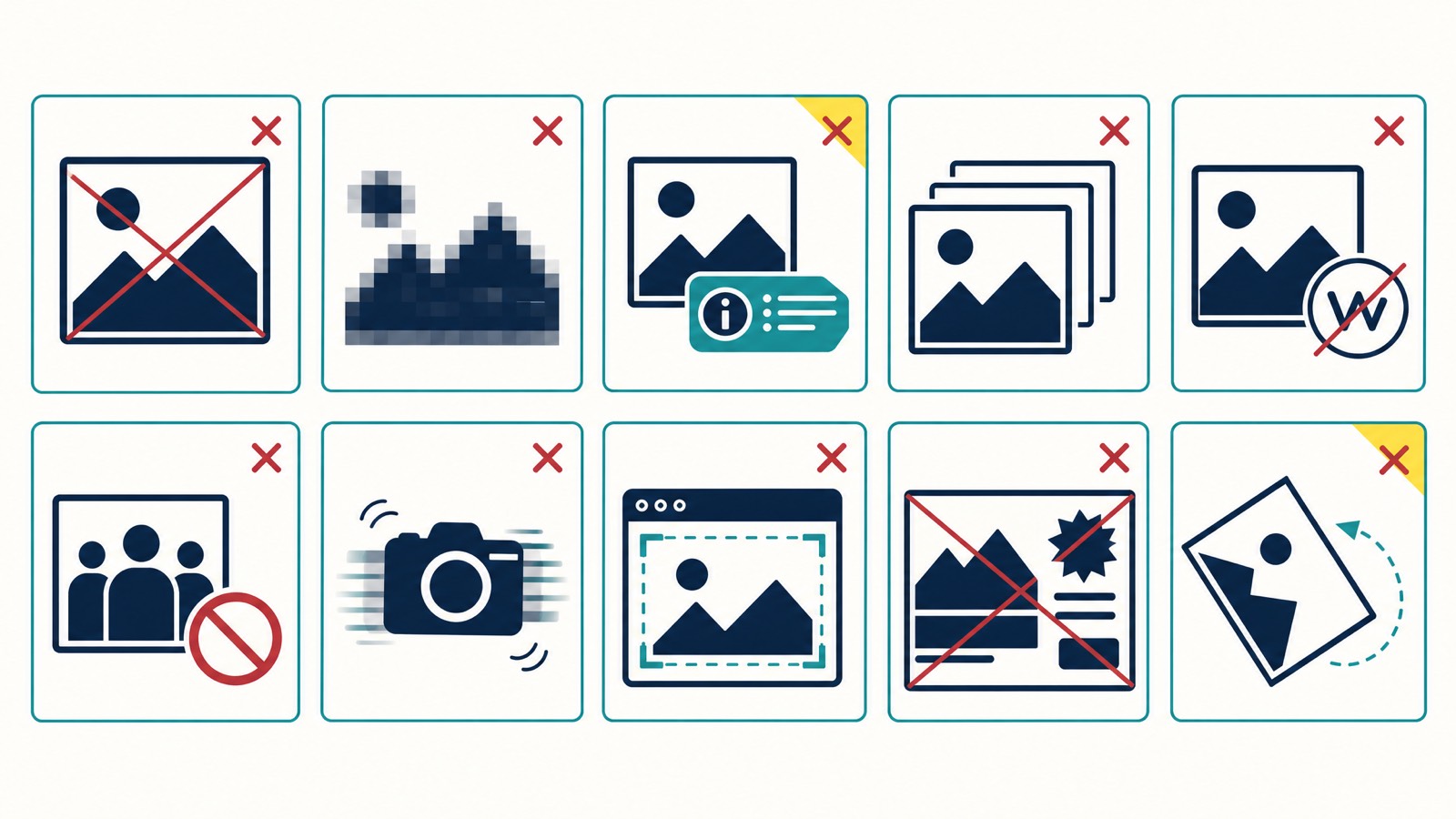
The 10 reasons Google rejects business profile photos
Google may reject photos for any of the reasons below. These show up in roughly the order I see them on client audits, low quality and stock photos together account for maybe 60% of removals in my experience. Work through them in order; the early ones are far more common than the last few.
1. Low quality (blur, pixelation, poor lighting)
The single biggest cause. If a photo is blurry, dark, noisy, or out of focus, Google’s image classifier flags it as low quality and refuses to show it. Phone photos taken in low light, screenshots of screenshots, or anything pulled from a tiny thumbnail will trip this.
I worked with a Newcastle salon last year that lost every interior photo because the only shots they had were taken at night with fluorescent strip lights on, everything came out washed orange and slightly out of focus. We re-shot in daylight through the front window with the door propped open. All approved.
Fix: Re-shoot in daylight or with proper interior lighting. Crop tightly. Don’t zoom digitally, move closer instead.
2. Stock photos or AI-generated images
Google’s whole local product runs on the assumption that the photos on your profile show your actual business. Stock photos and AI-generated images fail that test, and Google’s Cloud Vision API is getting better at spotting both. Reverse-image fingerprints catch stock libraries. Synthetic-image classifiers catch AI generations. Even a “generic enough” stock shot of a coffee cup is risky if your café is in Subiaco and Google can see the same image on a New York lifestyle blog.
Fix: Replace with original photos shot on your phone. Originality also helps when optimising your full photo strategy.
3. Watermarks and logos in the image
Google’s photo policy treats watermarks, logo bugs in the corner, and obvious branding overlays as promotional content rather than authentic business photos. A Brisbane plumber whose every photo has his phone number and ABN watermarked in the bottom right will see most of them quietly removed.
Fix: Upload clean, unbranded photos. Keep your logo as your logo photo. Don’t stamp it on everything else.
4. Text overlays and promotional graphics
Same logic, slightly different rule. Photos with “BOOK NOW”, “30% OFF”, phone numbers, prices, URLs, or large blocks of text overlaid on the image read as ads to Google’s classifier and get rejected. This is also why much text on a photo (think Instagram-style quote tiles) tends to fail.
Fix: Save promotional graphics for Google Business Profile posts, which are designed for that. Photos stay clean.
5. Copyrighted images
If you uploaded an image that exists elsewhere on the web with a verifiable copyright owner, a press photo, a magazine spread, a competitor’s website image, Google’s IP filter will pull it. Sometimes immediately, sometimes after a DMCA-style complaint. Either way it doesn’t stay up.
Fix: Only upload photos you took or commissioned. If you used a photographer, get written permission in your contract.
6. Inappropriate content
Hate speech, adult content, violence, or anything else flagged by Google Cloud Vision’s SafeSearch will be rejected on upload. The Vision API scores every image across five categories, adult, spoof, medical, violence, racy, and high-confidence flags pull the photo. “Spoof” is the trickiest because it catches photoshopped or heavily edited photos, not just genuinely fake ones.
Fix: Upload natural, unedited photos. If you have to crop or correct exposure, that’s fine. Heavy filters and composites are not.
7. Wrong format
Google accepts images in JPG or PNG format. Upload a HEIC straight from an iPhone, a WebP, a GIF, or a TIFF and the upload either fails outright or gets rejected silently after processing.
Fix: Convert to JPG before upload. On iPhone: Settings → Camera → Formats → Most Compatible captures JPG instead of HEIC by default.
8. File size out of range
GBP requires file sizes between 10 KB and 5 MB. A massive 12 MB DSLR shot won’t upload cleanly. A tiny 4 KB thumbnail will fail the lower bound.
Fix: Resize before uploading. Most phones already produce files in the right range. For DSLR or drone shots, export at 1920px on the long edge and save with quality around 85%, that lands you well under 5 MB.
9. Resolution below the pixel minimum
Google’s minimum is 250 pixels on each side, and the recommended size is 720 pixels. Anything smaller looks bad on the map pack thumbnail and gets rejected as low quality even if technically the image isn’t blurry. The image size matters, both file size and pixel dimensions.
Fix: Shoot or export at 1080×1080 or larger. Crop in post, don’t resize down past 720.
10. Mass uploads, duplicates, or unrelated content
Upload fifty photos at once from a brand new profile and Google’s anti-abuse system will throw a hold on most of them. Upload near-duplicates (slight angle changes of the same scene) and only the best one will stay. Upload a photo that has nothing to do with your business, a sunset, a family photo, your dog, and Google’s relevance classifier will pull it.
Fix: Upload 1-3 photos per week, ideally spaced across days. Each photo should clearly show something about your business: premises, staff, work in progress, finished work, products.
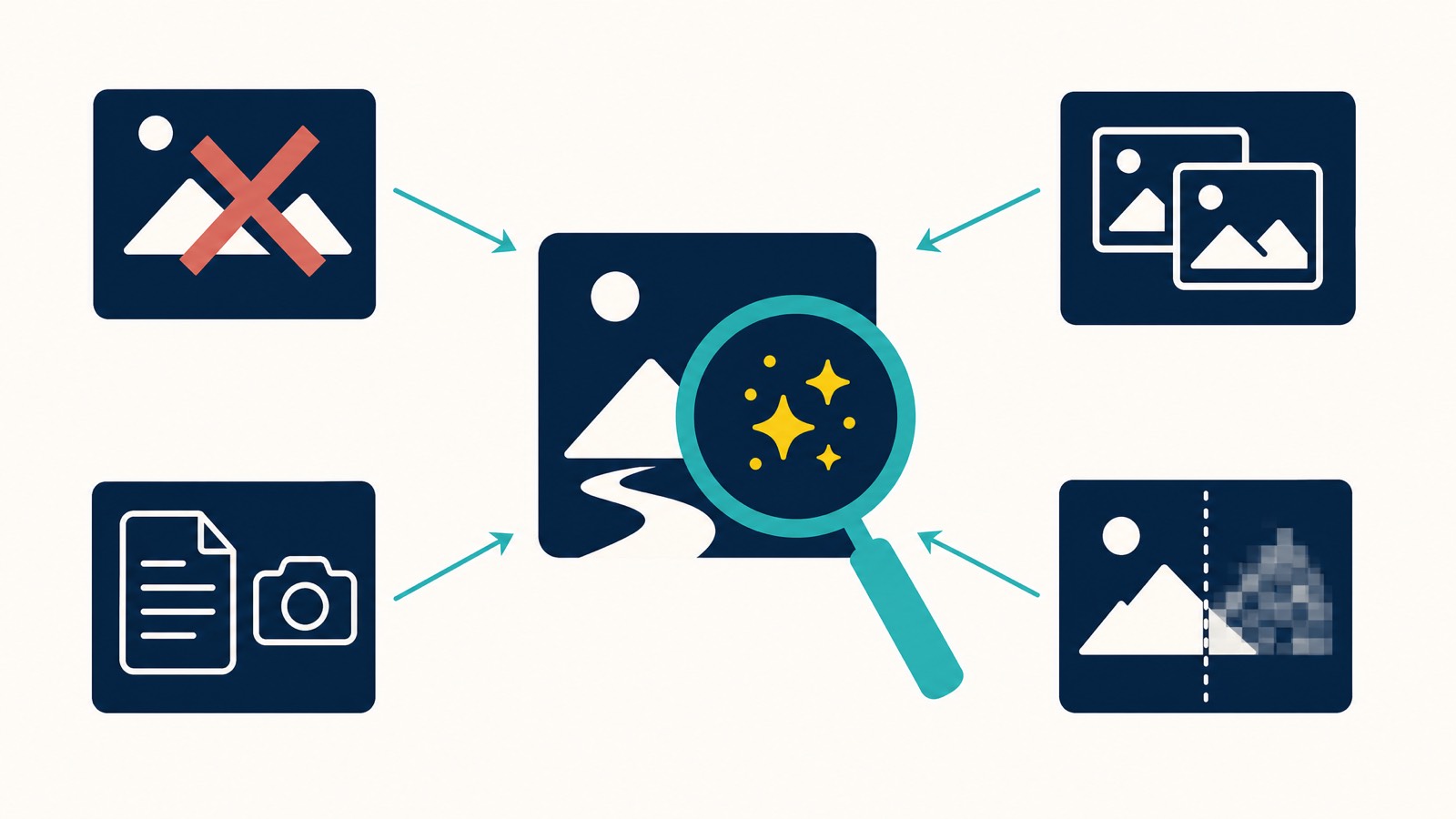
How Google actually scans your photos (Cloud Vision API)
Every photo you upload to GBP runs through Google’s Cloud Vision API within seconds. SafeSearch is one part of that scan, it returns likelihood ratings (VERY_UNLIKELY through VERY_LIKELY) across the five categories I mentioned: adult, spoof, medical, violence, racy.
Anything that scores LIKELY or VERY_LIKELY on adult, spoof, violence, or racy will be pulled automatically. The same Vision pipeline also runs object detection (is there a building? a person? text? a logo?), text recognition (OCR, reads any text in the image), and image similarity matching (is this stock? does it exist elsewhere?).
Once that automated pass completes, a secondary review queue catches edge cases, and this is the layer that pulls photos days later. So if a photo went live and then disappeared four days afterwards, the secondary review caught something the first pass missed.
How long does it take for photos to get approved on Google Business Profile?
Typical timeline is 24-48 hours for the first review to complete, with secondary review possible up to a week later. New profiles, profiles with recent verification changes, or accounts that just uploaded a large batch can sit in pending review for up to 72 hours before anything shows.
The new-profile sandbox is longer than most people realise. Practitioners on the GBP Help Community and Local Search Forum have documented a roughly two-week sandbox period for profiles that were just verified or recently reinstated, where Google holds or rejects most photo uploads regardless of how compliant they are. There’s no official Google acknowledgement of this and the duration varies, but the pattern is consistent enough that the first thing to check on rejection #1 is “how old is this profile?” If under two weeks, wait the sandbox out, don’t keep retrying.
A few practical signals:
- Photos that appear within minutes and stay up for a week are almost certainly approved.
- Photos that appear within minutes and disappear after a day or two were caught by secondary review.
- Photos that never appear and show as pending for more than 72 hours have likely failed silently.
If you’re still waiting after 72 hours, treat the photo as rejected and start the diagnosis below.
What to do when your GBP photo shows as rejected
Most owners I see do exactly the wrong thing: they upload the same file again immediately, get the same result, upload it a third time, and conclude Google is broken.
Two recovery paths work, depending on the cause. Try them in order.
The “wait 24-48 hours and re-upload the exact same file” workaround. This is the first thing practitioners try, and it’s well-documented across the GBP Help Community, Near Media’s analysis and Brandon Leuangpaseuth’s writeup. If your photo genuinely meets Google’s guidelines and the rejection looks like a Vision API false positive, just wait a day or two and upload the same file again. Often goes through on the second or third attempt. Two beers and a re-upload, as the saying goes.
The “modify the file meaningfully” path. If the wait-and-retry doesn’t work, the cause is probably real (not a Vision API blip) and the file is being matched by Google’s image fingerprinting. Now you change something. Re-export from your editor, change the filename, adjust the crop by 10-20%, change exposure slightly. This produces a new fingerprint and gives the Vision API a fresh look at the content.
Diagnostic: upload as a regular user from Google Maps, not as the owner. If both retries fail and you can’t tell whether the photo or the profile is the problem, this is the cleanest split-test. Sign in to Google Maps with a different Gmail account (an aged personal one works, the Local-Guide-style setup used for front-end edits is ideal), find your business listing, and try uploading the same photo as a user contribution. If it goes through as a user, the photo is fine and your profile is the problem (sandboxed or flagged). If it’s rejected from both accounts, the photo itself is the problem.
Before any retry, run the basics. Make sure the photo is JPG or PNG format, between 10 KB and 5 MB, at least 250 pixels on each side (720 pixels recommended), with no text overlays, no logos, no watermarks, and no obvious composite editing. Identify the most likely reason from the ten above before retrying anything, if your photo has your phone number stamped on the bottom, it’s the watermark rule, not “Google’s being weird.”
EXIF GPS that contradicts your business address can also trigger rejection. This is the flip side of the geotagging myth covered in our photo optimisation pillar. Adding GPS metadata doesn’t boost rankings, Google strips it on upload, but photos whose EXIF GPS coordinates conflict with your registered address can still get flagged on the way in. GMB Briefcase documents the pattern. The cleanest fix: strip EXIF before uploading (ExifTool, online metadata remover, or a screenshot will do it) if the photo was shot off-site. Don’t fabricate coordinates to match your address either, inconsistency across the photo library is what’s being detected.
Can I appeal a rejected Google Business Profile photo?
There is no formal appeal process for individual GBP photos. Google doesn’t run a photo dispute queue. The closest thing to an appeal is a corrected re-upload, fix the cause, upload again.
If you genuinely believe a photo was wrongly rejected (it happens, the Vision API false-positives on certain composition styles), three avenues exist:
- Re-upload a meaningfully modified version. This works in about 80% of legitimate cases.
- Post in the Google Business Profile community. Other owners and product experts sometimes flag genuine false positives that get escalated.
- Contact Google support through your Business Profile dashboard. This is slow and usually fruitless for individual photos, but worth trying if the same photo keeps being rejected across multiple modification attempts.
One regional caveat worth noting. If your business operates in the European Economic Area (EEA), Google does run a formal photo-rejection appeal path through the Business Profile appeals tool, with a “fix the photo that doesn’t show” route. As of July 2026, evidence attaches directly inside the appeal form rather than racing a separate timer, though Google’s own help documentation still references the older 60-minute evidence-upload window, so a reader served the legacy flow may still see it (GMB Briefcase walks through the process). That path doesn’t extend to Australian businesses, so for AU readers the three avenues above are still the realistic options.
Don’t expect Google to tell you why your photo was rejected even after escalation. That information is rarely shared with profile owners.
GBP photo specs cheat sheet
Keep this taped to the wall if you upload often.
| Spec | Requirement |
|---|---|
| Format | JPG or PNG format |
| File size | Between 10 KB and 5 MB |
| Minimum resolution | 250 × 250 pixels |
| Recommended resolution | 720 × 720 pixels or larger |
| Cover photo aspect ratio | 16:9 landscape (1080 × 608) |
| Logo / profile photo | Square 1:1, minimum 250 × 250 |
| Content rules | No watermarks, no text overlays, no stock images, no AI generations, no copyrighted images, no inappropriate content |
If you only do one thing: make sure every photo you upload is shot on your phone, in good light, of your actual business, under 5 MB, in JPG format, with no text or logos on it. That alone clears 80% of rejection causes.
How to prevent future GBP photo rejections
Once you’ve fixed the immediate issue, the prevention checklist is short:
- Shoot original photos on your phone, with location services on (this embeds EXIF data that helps authenticity signals).
- Keep files between 10 KB and 5 MB, with at least 250 pixels on each side (720 pixels recommended).
- No text, no logos, no watermarks. Save those for GBP attributes and posts.
- Upload 1-3 photos per week, not 50 at once.
- Mix photo types: interior, exterior, team, products, work-in-progress.
- Avoid screenshots, collages, and before/after composites as single uploads.
- Geotag your photos where possible.
- Do a quarterly audit, compare what you’ve uploaded to what’s currently visible. Anything missing has been silently removed.
When repeated rejections signal something bigger
A single rejection is usually a single photo issue. A pattern of rejections, five or ten or twenty photos failing in succession, is sometimes a profile-level signal.
If you’re seeing widespread silent removals across previously-stable photos, paired with a sudden drop in map pack visibility or calls, your whole profile may have been flagged. That’s a different problem and a different fix. Read Business Profile flagged for quality issues for the diagnostic flow. If your profile gets suspended on top of it, our Google Business Profile reinstatement service handles the appeal, 98% success rate, 295 of 300 reinstatements since early 2025, reinstated or refunded.
For everyone else: most photo rejections are fixable in fifteen minutes with the ten-reason diagnostic above.
FAQ
Why are my GBP photos stuck in “pending review”? Most photos clear pending review within 24-48 hours. Up to 72 hours is still normal, especially for new profiles or after a batch upload. If a photo sits in pending for more than three days, treat it as silently rejected and re-upload a modified version.
Does Google reject AI-generated business profile photos? Yes, with increasing accuracy. Google’s Cloud Vision API now includes synthetic-image classifiers that flag many AI-generated photos. Even when they slip through the first pass, secondary review catches them within days. Use original photos.
Can a competitor get my GBP photos removed? Indirectly, yes. Competitors can flag your photos via the “Suggest an edit” or “Report a problem” links on your listing. If they claim copyright infringement and Google can’t immediately verify ownership, the photo may be pulled while reviewed. Best defence: keep the original RAW or HEIC source files of every photo, with EXIF metadata intact. That’s your evidence if Google ever questions ownership.
Why was my GBP cover photo replaced? Google sometimes selects a different photo as your cover based on engagement signals, clicks, views, dwell time. You can re-set your preferred cover from the dashboard, but Google may override it again if user signals favour another image. Cover photos must also meet a 16:9 aspect ratio to display properly.
Should I contact Google support about repeated photo rejections? Only after you’ve tried meaningfully modifying and re-uploading the same content type 2-3 times. Google support rarely overturns individual photo rejections, but they may escalate if there’s a pattern suggesting a profile-level issue. If you suspect a quality flag, work with a local SEO agency that handles these cases regularly, patterns are easier to spot from the outside.
If your photos keep getting rejected and you’ve worked through the ten-reason diagnostic without finding the cause, there’s usually something deeper going on with the profile. That’s the sort of thing I look at on a , bring your GBP and the photos that have been pulled, and we’ll work out together whether it’s a content rule, a profile flag, or something stuck in Google’s secondary review queue. No prep needed, no hard sell. You’ll leave with a clear next move either way.