
NAP Consistency in Local SEO: Why It Matters
NAP consistency is local SEO hygiene, not a growth lever. Why it still matters in 2026, the 5 places to audit first, and what to skip when fixing it.

Getting your business found online starts with one fundamental truth: if Google can’t verify who you are, where you are, and how to contact you, nothing else in local SEO matters.
NAP consistency, keeping your Name, Address, and Phone number accurate across every online platform, isn’t just a best practice. It’s the foundation that determines whether your business shows up in local search results at all.
Here’s the reality: 62% of consumers would avoid using a business if they found incorrect information online (BrightLocal, September 2023, a panel of 1,138 US consumers, so read it as direction rather than an Australian measurement). Meanwhile, search engines like Google actively cross-reference your business details across hundreds of sources to confirm legitimacy. A genuinely wrong phone number or street name doesn’t earn you a formal penalty, but it quietly erodes Google’s confidence in your business and can suppress your visibility in local search.
Why NAP accuracy matters:
- Boosts local search rankings by helping search engines trust your data.
- Builds customer trust, since incorrect contact details are a leading reason consumers abandon a business.
- Improves user experience, because accurate details help customers find and contact you easily.
- Prevents missed opportunities, since wrong NAP data confuses both search engines and customers and costs you leads.
Quick tips to keep NAP accurate:
- Regularly audit your listings on Google, directories, and social media.
- Use BrightLocal or Whitespark to track listings. Moz Local is worth knowing about but not buying here: it only supports purchased listings management for US, UK and Canadian businesses.
- Implement schema markup on your website to help search engines validate your details.
What Is NAP Consistency? (And Why Google Cares)
NAP stands for Name, Address, Phone number, the three pieces of information that identify your business across the web.
NAP consistency means these details are accurate everywhere your business appears online: your website, Google Business Profile, directory listings, social media, review sites, and industry-specific platforms. Minor formatting differences between directories are normal and acceptable, what matters is that the core information is correct.
Here’s what most business owners don’t understand: Google doesn’t just look at your Google Business Profile to verify your business. The search giant cross-references your NAP data across hundreds of sources, from major directories like Yelp and Yellow Pages to niche industry sites and local business aggregators.
This process, called citation validation, helps Google determine three critical factors:
- Legitimacy: Is this a real business or spam?
- Authority: How established and trustworthy is this business?
- Relevance: Does this business actually serve the claimed location?
Think of NAP accuracy as the difference between eligibility and ranking. Incorrect NAP data might prevent you from appearing in local search results entirely. Accurate NAP data gets you into the game, but reviews, links, and content are what determine whether you rank first or fifth.
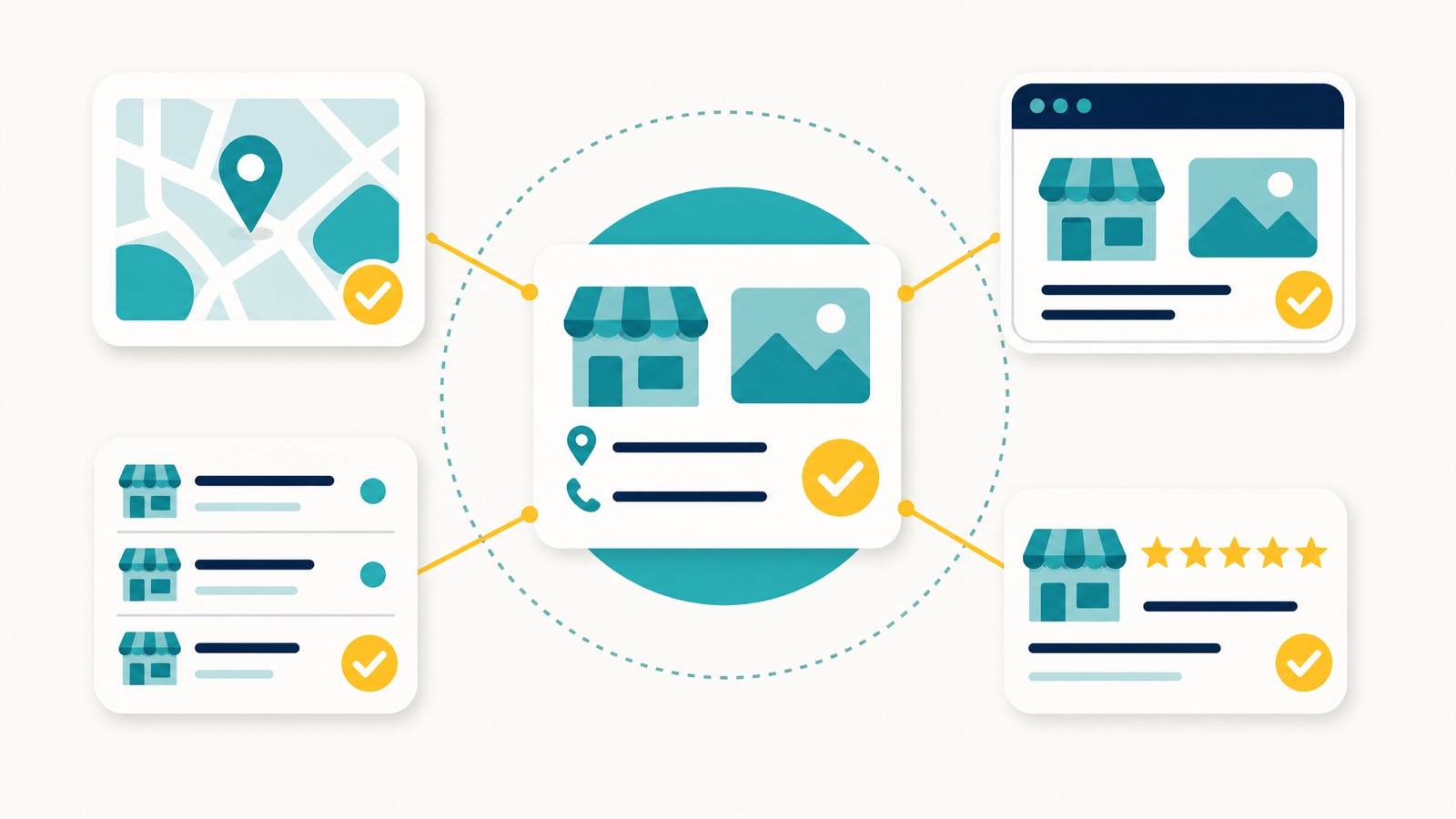
Moz describes structured citations as “believed to underpin local rank”, while cautioning that ranking-factor research is theoretical rather than definitive. Worth knowing the survey behind this moved house: Moz ran the Local Search Ranking Factors study for years and discontinued it, and Whitespark now publishes it, with a 2026 edition covering 187 factors across 47 practitioners. It’s not the factor that moves you from position 5 to 1, but it’s absolutely essential for showing up at all.
The Real-World Impact of Incorrect NAP Data
The damage goes deeper than lost trust. It directly costs you customers.
What Specifically Erodes Trust
According to BrightLocal’s Local Business Discovery & Trust Report (US consumers, 2023), the details that make consumers lose trust in a business are exactly the ones NAP covers. Note the trend runs the other way to what you might expect: both address and phone figures fell sharply from 2021, when they were 60% and 66%:
- An incorrect address makes 46% of consumers lose trust.
- An incorrect phone number makes 45% lose trust.
- Mostly negative written reviews cost the most trust, at 63%.
And the problem is common: the same research found 56% of consumers encounter incorrect business information online at least once every few months. Every one of those moments is a chance for a customer to pick a competitor instead.
Picture it: someone searches “plumber near me”, clicks your listing, and your website shows a different address than your Google profile. They check your Facebook page and find a third address. Within seconds they’ve moved on to a competitor whose details actually line up.
Visual Examples of NAP Problems
Incorrect NAP Example (Real Errors)
Website: “123 Main Street, Suite 45, Perth WA 6000”
Google Business Profile: “125 Main Street, Suite 45, Perth WA 6000” (wrong street number)
Yelp: “123 Main Street, Suite 47, Perth WA 6000” (wrong suite number)
Facebook: “123 Main Road, Suite 45, Perth WA 6000” (wrong street name)
Acceptable NAP Variations (Formatting Differences)
Website: “123 Main Street, Suite 45, Perth WA 6000”
Google Business Profile: “123 Main St, Ste 45, Perth WA 6000”
Yelp: “123 Main Street, Unit 45, Perth WA 6000”
Facebook: “123 Main St, Perth WA 6000”
The first example shows real errors that will harm your local SEO. The second example shows formatting variations that Google can easily interpret as the same business.
These substantive differences in the incorrect example create confusion for both search engines and customers. Google’s algorithm flags actual errors as data quality issues, which can suppress your visibility in local search results and Google Maps.
The impact extends beyond rankings. When customers can’t verify your business information due to real errors, they question your professionalism and reliability. In competitive markets like Perth’s SEO service industry, this uncertainty is often enough to send prospects straight to your competitors.
The Truth About NAP Formatting: Accuracy Beats Perfection
Here is the part that saves you a lot of wasted effort: obsessing over whether every directory shows “Street” or “St” is not where the value is. The consensus among leading local SEO sources is that accuracy matters far more than pixel-perfect formatting.
According to Moz, one of the most authoritative sources in local SEO, “Accuracy is more critically important than consistency these days. Google (and humans) understand, for the most part, that ‘St’ and ‘Street’ are the same or ‘5th’ and ‘Fifth’ are the same.
Accuracy is the key, and consistency is important, but use your common sense, it’s okay if the formatting is a bit different as long as the information is correct”.
BrightLocal, a leading local SEO platform, echoes this sentiment: “Today’s search engine algorithms are very smart, so you don’t need to worry about minor details, such as using slightly different abbreviations in your listings. For example, Google will understand that ‘No.’ and ‘#’ are the same thing.
Ditto for ‘Street’ and ‘St’. Rather than focusing on these formatting matters, concentrate instead on the essential details such as always using your correct business address and phone number”.
Why Directories Format Differently
The reason you see different formatting across directories is that each platform has its own data processing and display standards. Some spell everything out, some accept what you input exactly, and some abbreviate automatically. Some directories don’t even show line 2 of the address. This is completely normal and not something to worry about.
What Actually Matters
The experts agree on what you should focus on instead. Your actual business name, complete street address, city, state, postal code, and working phone number must be accurate everywhere. Problems arise when you have substantive errors like different phone numbers, incorrect street numbers, wrong suite numbers, wrong street names, or variations in your actual business name.
Search engines have become sophisticated enough to recognise that abbreviations, different punctuation styles, and minor formatting variations refer to the same business. Google can parse suite numbers, directional street names (NE, SW), and standard abbreviations without issue.
Since each directory processes data differently, achieving identical formatting across all platforms is neither realistic nor necessary. What matters is that the underlying information is correct.
What to Prioritise Instead
Mark up your NAP with schema markup so search engines can read your details cleanly, and run regular audits that check for real errors (wrong numbers, outdated addresses, incorrect street names) rather than formatting differences. That beats chasing character-by-character matching across every directory.
How NAP Accuracy Affects Local SEO
Building Search Engine Trust
Keeping your NAP accurate across platforms helps search engines confirm your business’s legitimacy. This alignment ties all mentions of your business to a single, trusted entity, which can improve your local search rankings.
This matters more than ever in the AI search era. ChatGPT, Gemini and Google’s AI Overviews cross-reference your business across the web before they will name you in an answer, and a fragmented NAP footprint is one of the fastest ways to get filtered out of those recommendations. Consistent NAP is now a prerequisite for AI search visibility, not just traditional rankings.
Search engines actively cross-check NAP data across various platforms. When the core information matches (even with different formatting), it sends a clear signal of reliability. As highlighted by Search Engine Journal:
“Maintaining a high level of consistency and accuracy reduces the risk of mistakes being made by search engines mechanically processing the data”
But it’s not just about search engines. Accurate NAP details also make life easier for your customers, enhancing their experience when interacting with your business.
Helping Customers, Not Just Crawlers
Accurate NAP also makes life easier for the human on the other end. Whether they find you on Google Maps, your website, or a directory, correct details give them a clean path to call or visit. Outdated addresses and dead phone numbers do the opposite: they frustrate the customer and quietly raise doubts about your professionalism, which costs you the conversion.
Where NAP Accuracy Breaks Down (And Why)
Understanding why NAP inconsistencies occur is the first step to preventing them. Here are the most common culprits that sabotage local businesses:
Business Changes and Updates
- Address changes: Moving locations without updating all listings
- Rebrands: Changing business names but leaving old data scattered online
- Mergers and acquisitions: Multiple legacy listings with different information
- Phone system changes: New numbers that aren’t updated everywhere
Common Formatting Variations (Generally Acceptable)
While these variations are generally acceptable to Google, maintaining a standard format helps with professional presentation:
| Element | Common Variations | Recommended Format |
|---|---|---|
| Street | St, Str, Street | Street |
| Suite/Unit | Ste, Unit, Suite | Suite |
| Phone Format | (08) 1234 5678, 08 1234 5678 | +61812345678 (E.164 format) |
| State & Postcode | WA, Western Australia | WA |
| Address Format | Perth, WA 6000 / Perth Western Australia 6000 | Perth WA 6000 |
Getting web directories to use the same exact formatting is not realistic, as they all have different systems and formatting in place. However, you should always do your best to format your NAP to match your Google Business Profile for professional consistency, even though Google understands the variations.
Real Errors That Hurt Your Rankings
These are the actual problems you need to fix immediately:
- Wrong street numbers (123 vs 125)
- Incorrect street names (Main Street vs Main Road)
- Wrong suite or unit numbers (Suite 45 vs Suite 47)
- Disconnected or wrong phone numbers
- Old business names that no longer exist
- Outdated addresses after relocating
Staff and Vendor Errors
- Marketing team using incorrect information for campaigns
- Web developers not following NAP standards
- Social media managers creating profiles with wrong details
- Third-party services (like call tracking) introducing incorrect numbers
Aggregator Data Issues
In the United States, a handful of data aggregators (Data Axle, Foursquare, and TransUnion’s Digital Business Profile, formerly Neustar Localeze) feed business details to large numbers of downstream directories, so one wrong record can multiply. Acxiom used to be counted as the fourth, but it retired its directory and local search products at the end of 2019.
The most insidious part? These inconsistencies often appear gradually over time, making them harder to detect until they’ve already impacted your rankings.
The Australian Reality: There’s No Magic Upstream Fix
A lot of NAP advice written for the US tells you to “push a correction through the data aggregators and watch it cascade across the web.” That model barely applies in Australia. The big aggregators (Data Axle, Foursquare, TransUnion’s Digital Business Profile, formerly Neustar Localeze) were built to feed the American directory ecosystem, and they have limited reach into the directories Australians actually use.
In practice, building and fixing Australian citations is a manual, directory-by-directory job. Whitespark’s own list of the top Australian citation sources is a hand-curated set of local directories you claim and correct individually, not a single feed you flip a switch on. As Dorian likes to say, the citations that actually move the needle are built by hand, one directory at a time, so each one is correct and properly optimised, with no software shortcuts.
The takeaway for Australian businesses: don’t assume an aggregator push will clean up a wrong address. You (or your agency) generally have to claim and correct each listing at the source, then re-check it. That is slower, but it is also why a clean Australian citation profile is genuinely hard for competitors to replicate.

How to Keep NAP Information Accurate
How to Audit Your NAP: Step-by-Step
Here’s the systematic approach we use at Search Scope to audit NAP accuracy for our clients. This process has helped us identify and fix thousands of citation errors across Perth and Australia-wide businesses.
Step 1: Create Your Master NAP Document
Before auditing anything, establish your official business information:
- Exact business name (as registered with ASIC)
- Complete address with your preferred formatting
- Primary phone number in standard format
- Website URL (with or without www, pick one)
- Document this in a spreadsheet and treat it as your single source of truth.
Step 2: Manual Audit Process
Check these critical platforms first:
| Platform | Purpose | Action |
|---|---|---|
| Google Business Profile | Primary local search listing | Ensure core NAP data is correct |
| Website | Citation reference point | Align contact page, footer, and schema markup |
| Bing Places | Australia’s second most important citation source, and where Bing’s desktop search share reads from | Claim it and match your GBP details exactly |
| Apple Business | Third on Whitespark’s Australian list, and what Siri and Apple Maps read | Claim it and keep hours current |
| Major Directories | High-authority citation sources | Verify accuracy on Yellow Pages, TrueLocal, Hotfrog, Yelp. Note Yellow Pages, TrueLocal and White Pages are all Thryv Australia and share a signup funnel, so they are one relationship rather than three |
| Social Media Profiles | Customer-facing visibility | Check Facebook, LinkedIn, Instagram profiles |
| Review Sites | Reputation and trust signals | Verify Google Reviews, Trustpilot, etc. |
| Industry Directories | Sector-specific local relevance | Ensure accuracy on niche platforms |
Step 3: Use Professional Tools
While manual checks catch obvious issues, professional tools provide comprehensive coverage:
BrightLocal (paid plans): citation tracker that finds incorrect NAP data and duplicate listings against its own database of around 500 million citation pages, plus local rank tracking, review monitoring and white-label reporting for agencies
Whitespark (paid plans, citation finder and tracker): Citation finder and tracker, local pack rank tracking, review response management, citation building services
Whitespark Local Citation Finder (paid plans): finds the citation sources that matter in your country, tracks which you already hold, and pairs with a hand-built listings service. Whitespark also maintains the top 30 Australian citation sources, which is the list worth working through. A note on Moz Local, which most guides recommend at this point: its own pricing page states it “currently supports the purchased management of US, UK, and Canadian business listings”, so it is not an option for an Australian business
Step 4: Advanced Detection Methods
Set up ongoing monitoring to catch new inconsistencies:
Google Alerts for your business name + city
Mention.com for broader social listening
SEMrush Brand Monitoring for comprehensive tracking
The goal isn’t just to fix current issues, it’s to prevent future problems from developing.
Use Tools for Centralised Management
Centralised tools make it much easier to monitor NAP data. BrightLocal and Whitespark both track listings, flag mismatches and report which directories still hold stale details. Be aware the “bulk update” promise is thinner in Australia than the marketing suggests: most Australian directories still have to be corrected at the source, one at a time.
Another powerful method is using schema markup. This structured data tags your NAP details directly in your website’s code, making it easier for search engines to validate and display your business information accurately.
If you’re based in Western Australia, Search Scope offers local SEO strategy for Perth businesses, including NAP accuracy management, to ensure your business details stay correct across all platforms.
Track New Listings
New listings can pop up unexpectedly, so it’s crucial to monitor and address them quickly. Here’s how:
Set up Google Alerts to track mentions of your business
Periodically re-check the major directories and review sites for new or duplicate listings
Keep an eye on new profiles on review sites
Fixing and Standardising Your NAP Everywhere
Once you’ve identified real inconsistencies (not just formatting differences), here’s how to systematically correct them:
Prioritise by Impact
Fix these platforms first (in order of importance):
- Google Business Profile: Highest impact on local rankings
- Your website: Foundation for all other citations
- Major directories: High authority and visibility
- Industry and niche directories: relevant, sector-specific citations
- Social media and review sites: Customer-facing platforms
Handling Different Types of Listings
Owned Listings (You control directly)
Update immediately with correct information
Ensure schema markup on your website matches
Use your preferred formatting across all pages
Claimed Listings (You have account access)
Log in and update information
Verify changes are reflected within 24-48 hours
Monitor for automatic reversions (some platforms reset data)
Unclaimed/Uncontrolled Listings
Claim the listing if possible
Contact the platform directly if claiming isn’t available
If neither works, prioritise the listings customers actually see; in Australia there is no reliable upstream aggregator push, so not every low-traffic directory is worth chasing
Advanced Technical Implementation
Schema Markup Example:
{
  "@context": "https://schema.org", "@type": "LocalBusiness", "name": "Search Scope", "address": {
    "@type": "PostalAddress", "streetAddress": "Unit 1/48 McMillan Street", "addressLocality": "Victoria Park", "addressRegion": "WA", "postalCode": "6100", "addressCountry": "AU"
  }, "telephone": "+61422428584", "url": "https://searchscope.com.au"
}
E.164 Phone Formatting for international consistency:
Australia: +61422428584 (remove leading 0, add country code)
Consistent format across all platforms reduces confusion
Advanced Scenarios: Multi-Location, Rebrands, and Call Tracking
Multi-Location Businesses
Each location needs its own accurate NAP profile:
- Create separate master documents for each location
- Use location-specific landing pages with unique schema
- Maintain separate Google Business Profiles for each location
- Avoid using a single phone number across multiple locations
- Common Mistake: Using the head office address or phone number for all locations
- Solution: Each location must have its own legitimate address
Service-Area Businesses: The Hidden-Address NAP Trap
This is the scenario most NAP guides skip entirely, and it trips up a huge number of Perth tradies, mobile services, and SABs. Getting it right is groundwork for any local SEO for tradies campaign.
If you don’t serve customers at your business address (a plumber, electrician, mobile mechanic, cleaner), Google’s guidelines require you to hide your address on your Business Profile and show a service area instead. Google’s own help documentation is explicit: “You should only choose to not show your address if your business is a service-area business.”
Here’s where NAP consistency gets counter-intuitive. Once you hide your address on Google, the rest of your web presence has to stop broadcasting it too. Google pulls business information from many inputs, including your website and third-party listings, so a street address you hid on your profile can quietly resurface and create a conflict if it’s still sitting in:
- Your website footer or contact page
- Your
LocalBusinessschema markup - Legacy directory listings you set up years ago
When your profile says “service area only” but your citations and schema still publish a physical address, you send Google a mixed signal at exactly the moment it’s trying to confirm where you operate. That mismatch can trigger suggested edits, re-verification requests, and reduced trust.
The fix for SABs is a deliberate, consistent NAP model:
- Hide the address on your Google Business Profile and define the suburbs you genuinely service (Google allows up to 20 service areas).
- Lead with your business name, phone number, and service area on your website and citations. Show the full street address publicly only if you truly receive customers there.
- Keep your schema honest. If the address is hidden on Google, your
LocalBusinessschema should not reintroduce a conflicting public street address. - Never “rent” an address. Unstaffed virtual offices, coworking desks, and PO boxes used purely to rank are a fast track to suspension, not a NAP shortcut.
Because a hidden-address profile gives Google less to anchor to, your other signals (consistent name and phone, reviews, photos, and service-area content) have to carry more weight. Get the NAP model right first, then build on it.
Rebrands and Business Changes
When changing your business name or moving locations:
- Update your master NAP document first
- Prioritise Google Business Profile optimisation (can take 1-3 days to reflect)
- Update your website and schema markup
- Work through directories systematically
- Monitor for old listings that need claiming or correction
Pro Tip: there is no way to redirect a directory listing, and citation equity is not transferable between listings. Claim the existing listing and correct the address in place. For Google specifically, update the profile rather than creating a second one, and expect to reverify: Google states that if you move to a new address after verification, you must verify the business again.
Call Tracking Without Breaking NAP
Many businesses want call tracking for marketing attribution but worry about NAP consistency. Here’s the solution:
- Primary NAP: Always use your main local number
- Call Tracking: Implement on specific campaigns or pages
- Schema Markup: Use your main number, not tracking numbers
- Directory Listings: Stick to your primary local number
The key is maintaining your main number as the “official” contact across all major citations while using tracking numbers selectively for specific marketing initiatives.
Ongoing NAP Management: Don’t Let It Slip
NAP accuracy isn’t a one-time fix, it requires ongoing maintenance. New listings appear regularly, platforms change their data, and business information naturally evolves over time.
| Week | Focus | Tasks |
|---|---|---|
| Week 1 | Google Business Profile | Check suggested edits, verify info, respond to reviews |
| Week 2 | Major Directories | Scan for changes, remove duplicates, update seasonal info |
| Week 3 | Social Media | Review bios, contact info, check new or duplicate profiles |
| Week 4 | Monitoring & Alerts | Check Google Alerts, review your citation tracker report, plan next month’s corrections |
We take care of your ongoing NAP management as part of our Google Maps SEO.
Quarterly Deep Audits
Every three months, run a comprehensive audit:
- Full citation scan using professional tools
- Schema markup validation
- New platform and directory discovery
- Competitive analysis of local businesses
Who Should Own This Process?
- Small businesses: Owner or office manager
- Medium businesses: Marketing coordinator or admin staff
- Large businesses: Dedicated SEO specialist or agency
The key is assigning clear ownership and accountability. NAP management falls through the cracks when it’s “everyone’s responsibility” but no one’s specific job.
Google Business Profile Suspension Appeals: The NAP Connection
Here’s something most businesses don’t know: Google heavily scrutinises NAP accuracy when reviewing suspension appeals for Google Business Profiles. If your profile gets suspended (which happens more frequently than you’d think), incorrect NAP data across the web can significantly delay or even prevent successful reinstatement.
When Google reviews a suspension appeal, their team manually checks:
- Website NAP vs Google Business Profile data
- Directory listings for accuracy verification
- Schema markup for technical validation
- Business registration documents against claimed information
If they find widespread real inconsistencies (not just formatting differences), it raises red flags about business legitimacy. We’ve seen suspension cases take months longer to resolve simply because businesses had genuinely conflicting information scattered across directories.
The lesson: Maintaining NAP accuracy isn’t just about rankings, it’s insurance against losing your Google Business Profile entirely. For Perth businesses competing in competitive markets, a suspended profile can mean weeks or months of lost leads while competitors dominate local search results.
This is exactly why we prioritise NAP auditing and cleanup as part of every Google Business Profile recovery case at Search Scope. Clean, accurate data significantly improves reinstatement success rates and speeds up the appeals process.
NAP Is Your Foundation: Build It Right
NAP accuracy isn’t glamorous, but it’s the bedrock that supports every other local SEO effort you make. Get this wrong, and your investment in content, reviews, and link building won’t reach its potential. Get it right, and every other local SEO investment you make compounds on a stable base.
The businesses that consistently outrank their competitors understand this principle: local SEO success comes from mastering fundamentals first, then optimising for competitive advantage. NAP accuracy is that fundamental.
Your next steps:
- Conduct a comprehensive audit using the process outlined above
- Fix real inconsistencies systematically, starting with highest-impact platforms
- Implement ongoing monitoring to prevent future problems
- Focus on accuracy over perfect formatting consistency
Don’t let incorrect business information sabotage your local search visibility. In competitive markets like Perth’s service industry, the businesses that pay attention to these details are the ones that dominate local search results.
Ready to Fix Your NAP Issues?
If managing NAP accuracy feels overwhelming or you need expert help recovering from existing problems, Search Scope specialises in cleaning up local SEO in Perth for businesses with exactly that problem.
Our NAP audit and cleanup service has helped dozens of Western Australian businesses improve their local search visibility and recover from Google Business Profile suspensions.
Our NAP Management Services Include:
- Complete citation audit and inconsistency identification
- Systematic correction across all major platforms
- Schema markup implementation and validation
- Ongoing monitoring and maintenance
- best GBP reinstatement services in Australia support
Contact Search Scope today for a comprehensive NAP audit and discover what inconsistent data might be costing your business in lost leads and lower rankings.
Frequently Asked Questions
Does NAP have to be 100% identical everywhere?
No, not in terms of formatting. What matters is accuracy of the core data. Google understands that “St” and “Street” are the same, or that different phone number formats refer to the same number. Focus on ensuring your actual information (correct street number, right street name, working phone number) is accurate everywhere rather than obsessing over formatting perfection. Formatting variations are acceptable; wrong information is not.
How often should I check my NAP accuracy?
Perform basic checks monthly and comprehensive audits quarterly. Set up Google Alerts for your business name to catch new listings as they appear. If keeping on top of that yourself is not realistic, ongoing Google Business Profile management folds this monitoring into a monthly service.
What if I find a listing I can’t update or control?
Contact the platform directly to request corrections, and claim the listing if the option exists. In Australia, don’t count on a single data-aggregator push to fix it for you the way US guides suggest. Most Australian directories have to be corrected at the source, one at a time, so prioritise the highest-visibility platforms first and work down the list.
I’m a service-area business. Should I list my home address for NAP consistency?
No. If you don’t receive customers at that address, Google requires you to hide it and show a service area instead. The consistency you’re aiming for is your name, phone number, and service area, not a public street address. Make sure your website footer, schema, and old directory listings aren’t still broadcasting a physical address you’ve hidden on Google, and never use an unstaffed virtual office or PO box just to rank.
Can I use tracking numbers without breaking NAP consistency?
Use tracking numbers strategically on specific campaigns or landing pages, but always maintain your primary local number in schema markup and major directory listings. This approach maintains accuracy while allowing you to track marketing performance.
What happens if I ignore NAP inconsistencies?
Incorrect NAP data (real errors, not formatting differences) can prevent your business from appearing in local search results entirely, reduce your Google Maps visibility, and undermine customer trust. In severe cases, it can contribute to Google Business Profile suspensions.
Related Articles: