
Google Business Profile Suspended for Suspicious Activity (2026 AU Fix)
Google Business Profile suspended for suspicious activity in Australia? Here's what it really means, why Google won't tell you the trigger, and how to fix it in 2026.
If Google has just suspended your Business Profile for “suspicious activity”, here’s the calm version of what’s happening: it’s not an accusation. It’s a label Google’s machine learning attaches when a stack of small signals, a flagged manager email, a coworking address, a fresh edit two days after verification, together cross a fraud-probability threshold. Most of the time you haven’t done anything wrong. You just look risky to a model. The fix is a clean appeal with the right evidence, submitted once, then left alone. Since early 2025 my team has handled 234 of these and reinstated 230. That’s a 98% reinstatement rate, typically within 24 to 72 hours of a clean appeal.
This guide walks through what “suspicious activity” actually means, why Google won’t tell you the trigger, how to diagnose the likely cause for your business, and how to file an appeal in Australia that doesn’t make things worse. If at any point it’s too much to handle yourself, our pay-on-performance reinstatement service is $550 with no result, no fee.
What “Suspicious Activity” Actually Means on a Google Business Profile
“Suspicious activity” isn’t a charge. It’s a category, Google’s catch-all label for behaviour their automated systems can’t confidently classify as legitimate but score high enough on fraud-probability to take down preemptively.
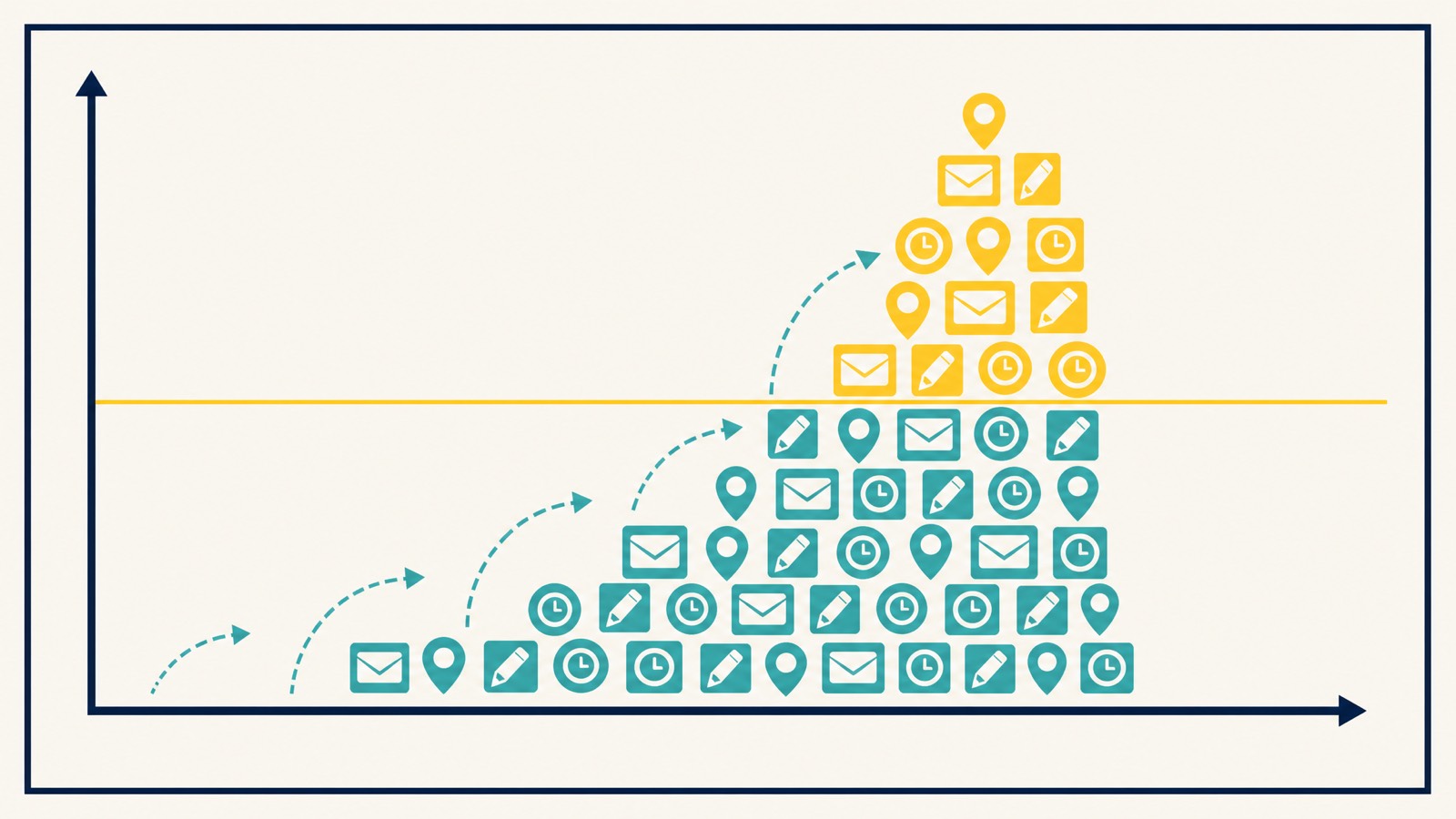
Think of it this way. Google’s algorithm doesn’t see your business. It sees signals: the IP your manager logs in from, how old that Gmail is, whether the address is shared with twelve other listings, how soon after verification you edited the category, whether the phone number appears on a directory page tied to a previously removed listing. None of those signals is damning on its own. Stack three or four and the model flips from “probably fine” to “probably risky”, the profile disappears from Maps and Search, and you’re locked out of public visibility until you can prove the business is real.
This matters because every reader I see in this situation starts in the same place: “What did I do?” Usually nothing. You triggered a probability score. That reframing is the difference between a clean appeal and a panicked, edit-heavy mess that buries the listing for weeks.
Why Google Won’t Tell You the Real Reason
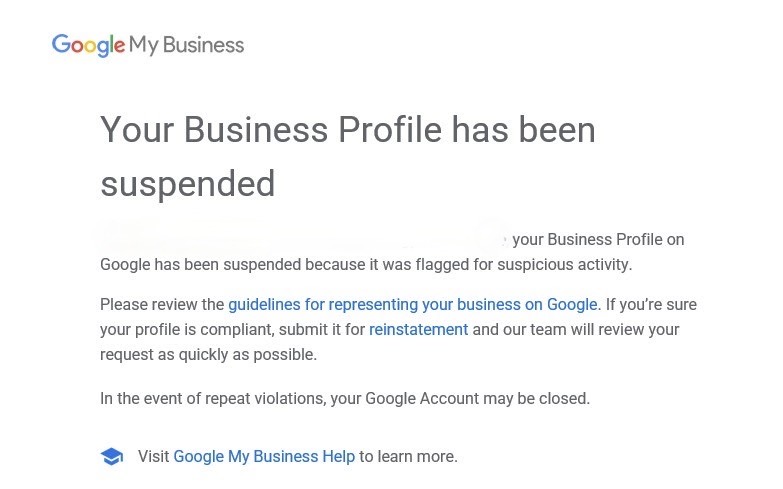
If you’ve read the suspension email, you’ll have noticed Google says nothing specific. The reason field is “suspicious activity” and the email points you at a generic help article. That’s deliberate. Disclosing the actual signal Google’s model used would let spammers reverse-engineer their way around it. So Google’s policy, consistently, is to give a category label and not the trigger.
Practically, that leaves you doing pattern recognition against known triggers. That’s most of what professional reinstatement work actually is, matching your situation against patterns we’ve seen 230 times before and addressing the most likely one in the appeal. See how that plays out in a real reinstatement case study.
The Most Common Triggers We See in 2026 (Australian Context)
These are the eight triggers behind almost every “suspicious activity” suspension landing in my inbox right now. Most suspended profiles have more than one of them in play.
Flagged manager Gmail. The single most common cause in 2026, confirmed by Sterling Sky’s casework and ours. If any Google account with manager or owner access has been flagged elsewhere, on YouTube, in Google Ads, for review spam, that flag can quietly migrate to the Business Profile it manages. You won’t get a notification.
Virtual office or coworking address. Regus, Servcorp, Hub Australia, WeWork, and unlisted residential addresses that show on directory aggregators as “virtual office space” trigger this fast. Google maintains internal lists of repeat-offender addresses. If yours appears on too many other profiles, the model flags new ones using it.
Service-area business with a visible home address. If you’re a tradie or mobile service operating from home, your address should be hidden in the dashboard. If it’s showing publicly, and the home isn’t staffed during stated hours, the model treats it as misrepresented.
A new manager added from a flagged account. You hire a marketing agency, give them manager access, and a week later you’re suspended. Their Gmail was the issue, not yours.
Rapid edits in the first 30 days after verification. Fresh profiles are watched closely. If you change the name, category, or address within four weeks of verification, particularly more than once, the velocity itself reads as suspicious.
Name stuffing. “Bob’s Plumbing - 24/7 Emergency Plumber Perth” is not your real-world business name. Google’s representation guidelines require your business name field to match the actual name on signage, ABN registration, and customer-facing materials. Descriptors and city tags lead to suspension fast.
NAP inconsistency. Your Name, Address, and Phone number across the web, ABR, your website, Facebook, top directories, should match exactly. Variations like “Pty Ltd” on one and “Pty. Ltd.” on another, or “Unit 4” versus “Suite 4”, can stack into a flag.
Categories misaligned with your actual activity. Picking “general contractor” when you’re a roofer, or stacking unrelated categories to capture more searches, reads as manipulation to the model.
Hard Suspension vs Soft Suspension
Quick reference. A soft suspension keeps the profile alive but the listing won’t show in Maps or Search until you fix what triggered it, often a single guideline edit and a request for verification.
A hard suspension removes the profile from public view entirely. Owner access still exists in the dashboard, but customers see nothing. “Suspicious activity” usually means hard suspension. Full breakdown in our suspension vs disabled comparison.
Diagnostic Table: Symptom, Likely Cause, First Fix
Match what you actually noticed before the suspension against this table.
| What changed before suspension | Most likely trigger | First-pass fix |
|---|---|---|
| Added a marketing agency as manager | Their Gmail is flagged | Remove that manager, restore primary owner, appeal from the owner email |
| Edited business name to add keyword | Name stuffing | Revert to legal trading name only, then appeal |
| Changed address recently | Virtual/coworking flag or NAP mismatch | Match to ASIC/ABR registered address, gather AU evidence (below) |
| New profile verified < 30 days ago | Rapid post-verification edits | Stop editing immediately, prepare evidence, wait for the appeal window |
| Hidden home address became visible | Service-area address misconfiguration | Re-hide the address in the dashboard, confirm SAB radius, appeal with utility bill |
| Multiple profiles at the same address | Duplicate-listing flag | Consolidate or close duplicates before appealing the main listing |
| Phone number tied to a removed listing | Phone reuse from prior suspension | Use a new dedicated business number, update everywhere consistently |
| Categories changed multiple times | Category velocity flag | Pick one primary that matches ANZSIC reality, leave it alone |
This is the diagnostic step most DIY appeals skip. Filing an appeal without knowing your likely trigger means defending against the wrong thing, and the reviewer dismisses it.
Stack Your Risk Signals
No single signal usually takes a profile down. The model flips from “probably fine” to “probably risky” when three or four stack up. Tick what’s true and the tool shows how many you’ve stacked and what to fix first.
Risk-signal stacker
Before You Appeal: The Pre-Flight Checklist
The appeal process punishes haste. Read this whole section before you touch anything in your dashboard. Almost every “appeal denied” case I take over started with the owner editing the profile after suspension. Don’t.
- Don’t edit anything in the dashboard. Not the address, not the hours, not the categories, not the photos. Every change adds a signal Google can flag.
- Don’t create a duplicate profile. It will get suspended faster, and Google’s policy explicitly forbids this while an appeal is open.
- Don’t submit a second appeal yet. One in-flight appeal is the rule. Stacked appeals get auto-denied.
- Audit your NAP across ABR (abr.business.gov.au), your website, Facebook, and your top five directory listings. Note any mismatch, you’ll need to fix these before or shortly after the appeal.
- Gather your evidence into one Google Drive folder. AU document list in the next section. Name them clearly:
ASIC-extract-2026.pdf,Energy-bill-March-2026.pdf. Reviewers spend less than a minute on each. - Confirm your appeal email is the primary owner. Not a flagged manager. Not the marketing agency. The actual business owner’s account.
- Re-read your business category and name field. Pick the closest single category match to what you actually do. Make sure the name field is exactly your real-world trading name with no descriptors.
The fresh-Gmail recovery move for account-trigger cases
This one isn’t in most recovery guides and it’s the move that resolves the harder suspicious-activity cases. As Mike Blumenthal has documented via the Local Search Forum and elsewhere, when “suspicious activity” traces back to a manager Google account that’s been flagged for activity on other listings (not yours), no amount of fixing your profile will land the appeal. The trust score on the connected account is what’s flagged, not the listing.
The recovery sequence:
- Create two new Gmail addresses dedicated solely to managing this Business Profile. Not personal Gmails, not the Workspace account used for client work, not an account previously used to leave reviews. Fresh accounts.
- Do nothing else with these accounts. No edits to other GBPs. No reviews left on Google Maps. No Ads sign-ups. No YouTube uploads. They exist only to hold owner/manager access on this listing.
- Add both as owners of the suspended profile through People and Access.
- Remove the previously flagged account. Once the new accounts are confirmed as owners, take the old one off the listing.
- Then file the appeal from one of the new accounts.
This is the cleanest reset of the account-trust signal without abandoning the listing itself. Don’t skip it for the “feels weird to create new accounts” reason, the alternative is keeping a flagged account attached and watching every appeal fail. The longer-term version of this discipline is in our GBP access best practices guide.
This pre-flight is the difference between 48 hours and four weeks. More detail in our front-end-edits-only guide.
How to Submit the Appeal (and the 60-Minute Evidence Window)
The mechanic itself is straightforward once the evidence is ready.
- Open the Appeals Tool from your suspended dashboard. Google routes you there from the suspension notice, also accessible via the Fix suspended or disabled profiles help page.
- Select the affected profile.
- Choose the closest reason from the dropdown. If “suspicious activity” isn’t an exact option, pick “the suspension reason doesn’t match my situation”.
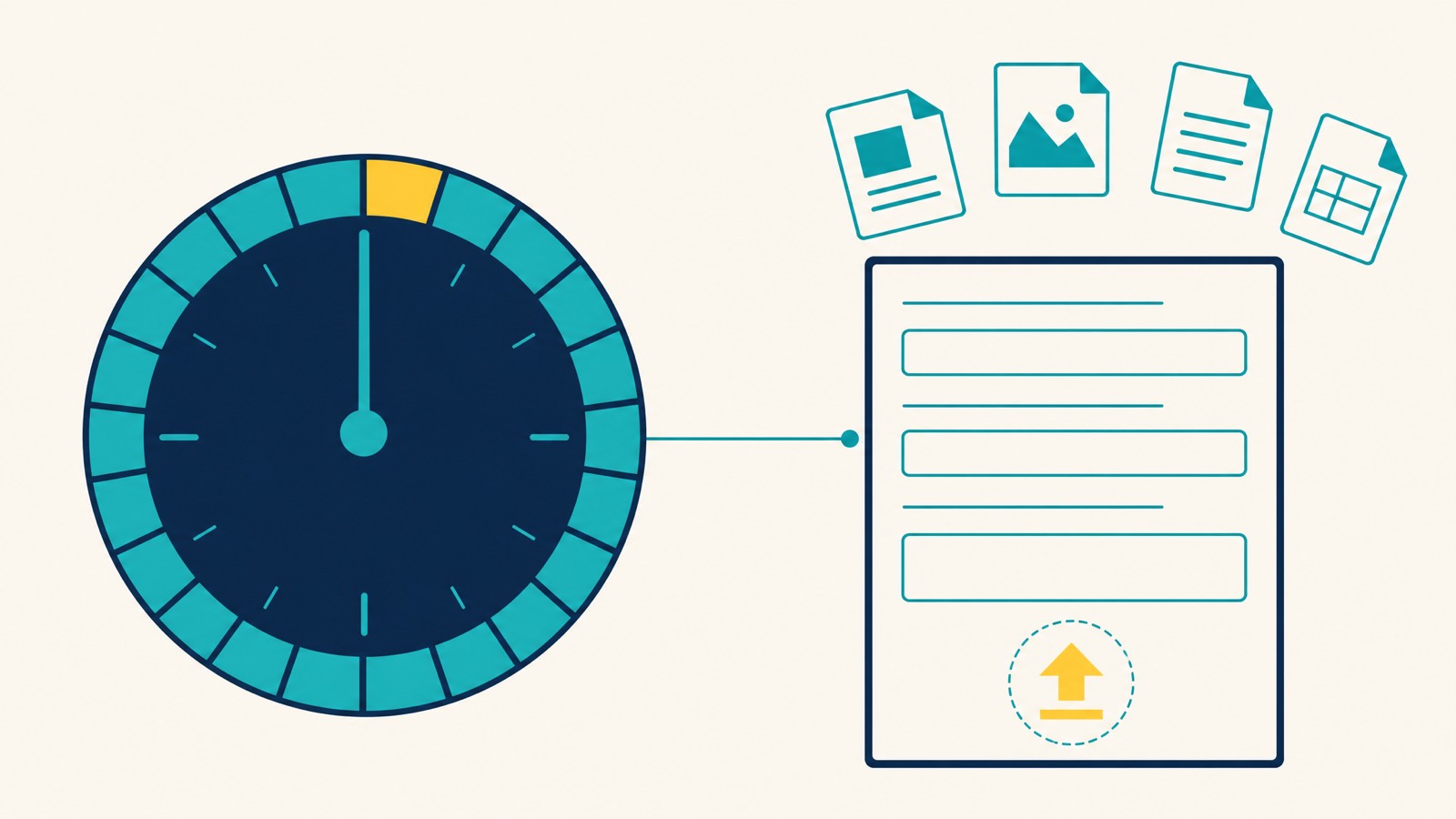
- Once you start the evidence form, you have 60 minutes. The session expires. Have your Drive folder open with files renamed and ready to attach.
- Attach the AU evidence (next section). Two to four documents is the sweet spot, more isn’t better.
- Write your reason in two short paragraphs. Stick to facts. Don’t argue Google’s algorithm. Confirm your real-world operation, address, and the document evidence attached.
- Submit one appeal. Stop touching the profile.
A full breakdown is in our step-by-step appeal guide.
What Evidence Works in Australia
Most US-imported articles will tell you to attach an IRS letter. That document doesn’t exist here, and uploading something irrelevant is worse than uploading nothing. The pack we actually send on Australian appeals is short:
- ASIC business name registration extract, current, showing your registered name. This is the headline document for AU reinstatements.
- Recent utility bill in the business name at the business address, energy, water, gas or telecoms, dated within 90 days.
- Industry licence where applicable, electrical, plumbing, gas, security, real estate, medical, legal, anything regulator-issued.
- Commercial lease if you operate from a fixed storefront or office.
- Photos of permanent signage, premises exterior and interior, branded equipment or vehicles, taken in daylight, ideally including the building or unit number.
Two or three strong documents beat seven weak ones. If you’re a service-area business operating from home, the ASIC extract plus a recent utility bill is usually enough, paired with the dashboard showing your service-area radius rather than a visible address. ABN extracts, tax invoices/BAS, public liability certificates, banking statements and personal photo ID aren’t what Google’s reviewers want on AU cases, leave them out.
Realistic Timelines in 2026
Google’s official line is five to seven business days. The reality varies by case complexity.
From our caseload, 234 reinstatements since early 2025, 230 successful, typical timelines look like this. A clean appeal with strong AU evidence on a single profile: 24 to 72 hours. A messy case (denied first attempt, multiple profiles, address change required): one to three weeks. We’ve had outliers either way, but those bands cover roughly nine out of ten cases. The first 24 hours matter most, getting the evidence right on the first appeal is worth several weeks of difference.
If Your Reinstatement Request Is Denied
A denial isn’t the end. There’s a second-tier “additional review” pathway that opens once a first appeal closes, and the reviewer at that stage is more senior. They expect to see something different from what the first reviewer rejected, though.
The mistake here is resubmitting the same evidence with a longer cover note. Don’t. Read the denial wording carefully. If it cites name violations, your second submission needs to show the legal name with ASIC backing. If it cites address, you need different address evidence than what you sent first time. If it cites ineligibility, you might be on a category Google has restricted for quality reasons, that’s a different fix entirely.
If the second appeal is also denied, you’re into territory where escalation through the Google Business Profile Community, paid support, or a professional reinstatement service is realistic. We’ve taken on plenty of cases at this stage and turned them around.
When to Call Search Scope In
DIY works for most clean cases. Hand it to us when:
- Your first appeal has been denied.
- You manage more than ten profiles and several are suspended together.
- The same Gmail manages multiple flagged profiles and you don’t know which one is the source.
- Your address is on Google’s known coworking/virtual-office repeat list.
- You inherited the listing from a previous owner and the documents are in their name.
- You’re in a high-suspension category, legal, medical, locksmiths, home services, and you’ve already burned one appeal.
Our GBP reinstatement service is $550 done-for-you, pay on performance, no reinstatement, no fee. I supervise every case personally; I’ve been doing local SEO since 2013. Typical turnaround is 24 to 72 hours from intake. We work directly with business owners, if you’ve been sent here by an agency, we’ll still help, but the appeal goes out from the owner’s email, not theirs.
If you want to talk first, email [email protected] or book a call at lunacal.ai/searchscope/gbp-reinstatement, or start the onboarding form if you want help fast.
Preventing Future Suspensions
Once you’re back, lock in the basics so you don’t end up here again. Full breakdown in our prevention guide. Short version:
- One dedicated Google account per profile, used only for GBP. No reviews, no Ads sign-ups, no YouTube uploads from it.
- Real address, staffed during stated hours, or properly hidden if you’re a service-area business.
- Make changes slowly, one edit, wait a week, next edit.
- Audit your managers list monthly. Remove anyone who shouldn’t have access.
- Keep your name field clean, legal trading name only.
For deeper compliance context, our guidelines deep-dive covers the policy text in plain English.
FAQ
What does “suspicious activity” actually mean? It’s a category label, not a specific accusation. Google’s automated systems flagged a combination of signals, manager email reputation, address patterns, edit velocity, NAP consistency, that scored above a fraud-probability threshold. Most of the time the underlying triggers are mundane (a flagged Gmail, a shared address), not actual fraud.
Will I lose my reviews? No. Reviews stay tied to the profile, not to the public listing visibility. Once reinstated, they return intact.
Can I create a new profile while suspended? No. Google’s policy explicitly forbids it, and the new profile will get suspended faster because the system flags duplicate-business-entity behaviour. Wait for the appeal outcome.
How long does reinstatement take in 2026? Clean cases on a single profile, 24 to 72 hours from a strong first appeal. Messy or denied cases, one to three weeks. Google’s official “5-7 business days” is the median expectation; the real number depends heavily on how well the first appeal is built.
Is account-level restriction the same as profile suspension? No. A profile suspension affects one Business Profile. An account-level restriction affects every profile that Google account manages. The appeal path is similar but the evidence is account-focused (driver licence, owner identity) rather than business-focused.
Will Google tell me which trigger caused the suspension? No, by deliberate policy. You’ll only see “suspicious activity” or similar category labels. Diagnosis comes from pattern matching against known triggers, not from Google directly.
Can I appeal more than once? Yes, but not at the same time. Submit one, wait for the response. If denied, the additional review pathway opens, but resubmitting the same evidence will fail. Each appeal needs a different angle.
Do I need a lawyer? Almost never. Reinstatement is a documentation and process problem, not a legal one. The exception is when a third party (a former employee, a competitor, a former agency) is making fraudulent claims about your business to Google. That’s rare.
If you’re still in panic mode and want someone to take this off your plate, our pay-on-performance reinstatement service handles the whole thing, diagnosis, evidence, appeal, follow-up. $550, no result no fee. Email [email protected] or book a call.