
Google Business Profile Questions and Answers: The Hidden Power of GBP Q&A
How to use Google Business Profile Questions and Answers to manage customer queries, boost local SEO, and turn your GBP Q&A into a conversion tool. AU 2026 guide.
Most business owners I talk to in Perth, Sydney and Brisbane treat the Q&A section on their Google Business Profile like furniture in a holiday rental. They know it’s there. They don’t really use it. They hope nothing weird happens to it.
Important 2026 update: Google has retired the public Q&A feature on Google Business Profile. On 3 November 2025, Google deprecated the public Q&A API, and the public Q&A section on listings has been phased out across the months following, replaced by an AI-powered feature Google calls Ask Maps (Gemini-backed answers assembled on the fly from your business info, your website, your reviews, your posts, your attributes, and the wider web).
Practically, this means three things. One: the time you used to spend seeding and policing Q&A is now better spent making the rest of your online footprint cleaner. Two: the question that used to determine whether your Q&A answer surfaced, does the answer actually match the question?, has been replaced by an AI deciding which source to trust. Three: that AI is pulling data from multiple places, so NAP consistency, FAQ schema on your website, and consistent answers across directories, citations and your own pages are now more important than they have ever been. One inconsistent address, one stale phone number, one contradictory opening hours block on a directory you forgot exists, and the AI will pick a wrong answer and surface it confidently inside an AI Overview.
The rest of this guide is preserved as historical context, most of the principles still apply when you redirect them into your own FAQ page with schema, your Google Business Profile posts, and your broader NAP consistency program. A study by SparkToro found nearly 65% of all Google searches end without a single click to a website, which means whichever answer Google chooses to assemble has to do the selling for you. The Q&A surface is gone. The job it used to do hasn’t.
This guide is the playbook we ran for our own clients while Q&A was live, and the parts that still apply in 2026 are flagged clearly. By the end, you’ll know what changed, what to do instead, and how to make sure Google’s AI is pulling the right information about your business when it builds an Overview.
- The change: Public GBP Q&A retired in 2026; replaced by AI-assembled answers drawing on every public signal about your business.
- For: Australian business owners and marketing managers who already have a verified profile.
- The play: Lock down NAP, ship an on-page FAQ with schema, and treat every Google-facing surface (profile, posts, attributes, reviews, citations) as a single, consistent source of truth.
What is the Google Business Profile Q&A section, and why does it matter?
Google Business Profile (GBP) Q&A is the public forum inside your listing where anyone, customers, competitors, you, can ask and answer questions about your business. It shows up on the profile, in Google Maps, and inside the knowledge panel that displays for branded searches. Increasingly, it can be pulled into Google’s AI Overviews when someone asks a question Google thinks your business can answer.
That’s a bigger deal than it sounds. With 46% of all Google searches having local intent (Google’s own figure, still widely cited), your profile is doing more sales work than your homepage. Q&A is the only part of that profile where you can publish long-form answers in your own words, in customer language, on demand. Anyone with a Google account, customers can ask, you can ask, your staff can ask, and the resulting thread becomes part of how Google understands your company.
You have two ways to approach it:
- Reactive: Wait for customers to post questions and respond when they appear.
- Proactive: Seed your own common questions and answers to control the narrative.
The proactive approach wins every time. When you seed the section yourself, you address customer concerns upfront, surface key selling points, and build a rich, relevant profile. This is a core part of the Google Business Profile optimisation work we run for clients because it touches both rankings and conversions.
How do Google Q&A answers help your local SEO?
This is the part most articles dodge. The honest answer: yes, Q&A content influences your local rankings, just not in the way you might expect.
Q&A copy is part of the content Google indexes against your listing. The phrases, suburbs, services and product names you use in your answers feed the relevance signal Google uses to decide which businesses to show in the local pack and on Google Maps. The Whitespark Local Search Ranking Factors survey lists Q&A keywords among the on-profile signals that contribute. Local search practitioners at Sterling Sky have publicly documented Q&A content tied to keyword relevance lifts in the Maps pack. Mike Blumenthal at Near Media has repeatedly described the Q&A feature as one of the most underused conversion surfaces on the profile.
There’s a newer factor too. Google’s AI Overviews, the generative answers now appearing above traditional results for many local queries, sometimes pull directly from Q&A content. A well-written answer can effectively become the first thing a searcher reads. If you want a broader picture of how relevance interacts with distance, Google Maps proximity ranking is the companion read.
Q&A doesn’t replace local SEO fundamentals. It does, however, give you a content surface that costs nothing and that almost none of your competitors are touching properly.
How to find and access the Q&A section on your Google Business Profile
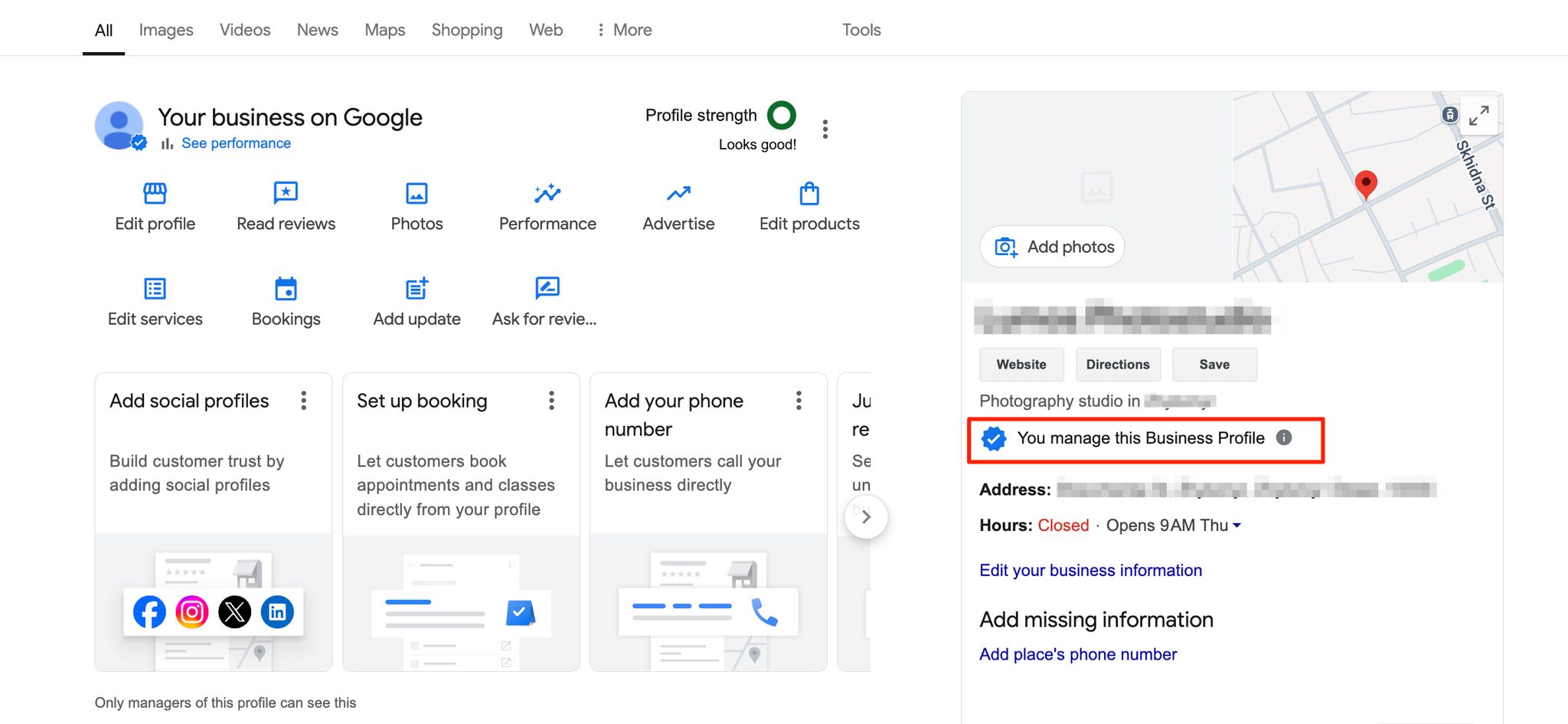
Before anything else, your profile needs to be verified. You can’t manage Q&A, or do anything else useful, until that’s done. Verification in Australia usually takes 3–7 business days and may require a video walk-through showing your business signage and your evidence pack: ASIC certificate, utility bill, industry licence, lease, and photos of the premises. If your website is already verified in Google Search Console under the same domain, you might be eligible for instant verification.
Once verified, here’s where to find the Q&A:
- On desktop: Sign into the Google account that manages your business and search for “my business” or your business name. The Google Business Profile dashboard appears at the top of the results.
- On mobile: Open the Google Maps app, tap your profile icon in the top-right, and select “Your Business Profiles”. Choose your listing, then tap “Questions & answers”.
Turn on notifications in the Google Maps app while you’re there. Without them, you won’t be alerted when a new question is posted, and a slow response is worse than no response. The dedicated Google Business Profile app was discontinued in 2022, so the Maps app is the only mobile route now.
How to add your own questions and answers to Google Business Profile
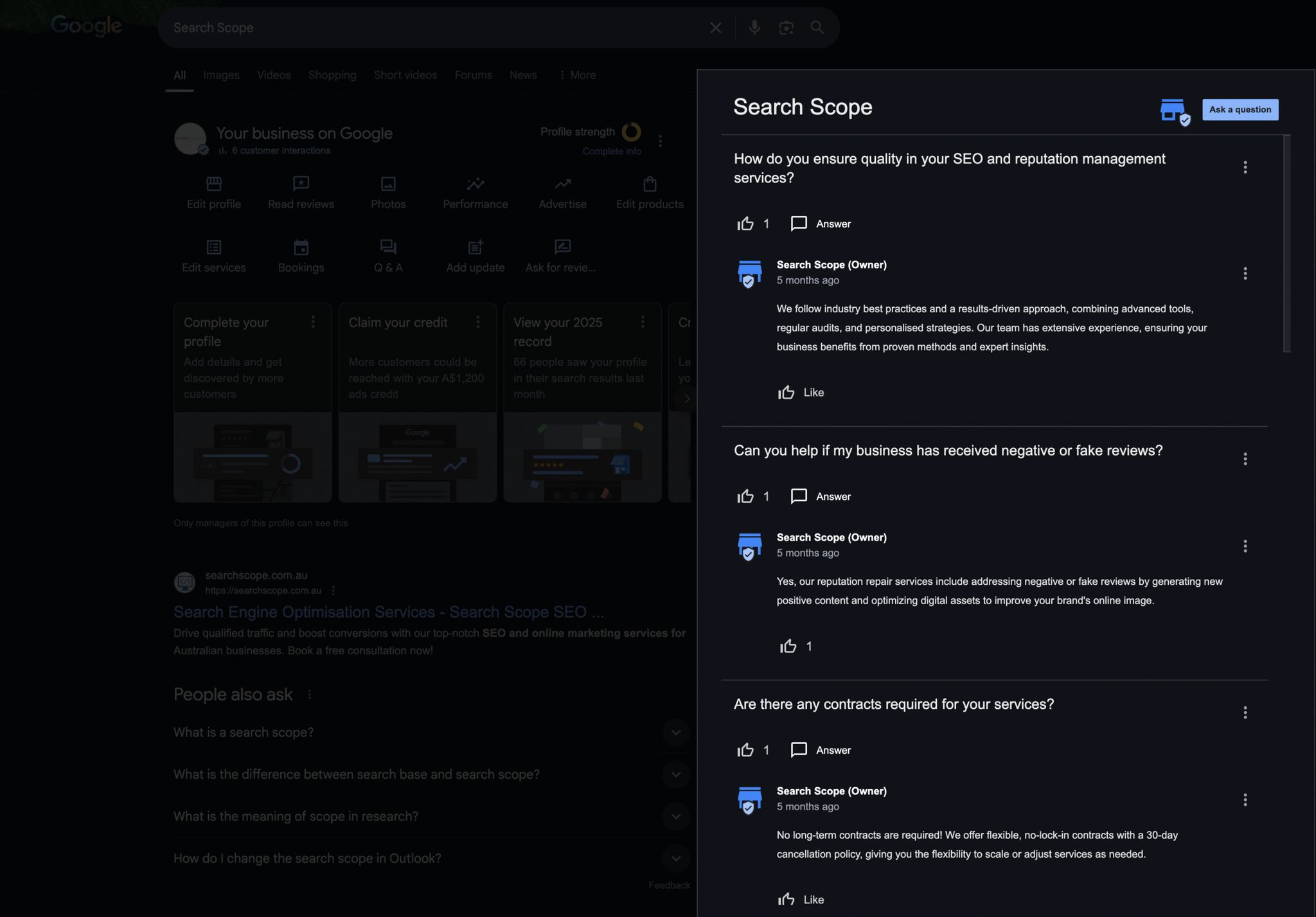
Seeding your own questions is allowed and encouraged. Anyone signed into a Google account can post a question, that includes you, your staff, and your customers. The owner label only appears when you reply as the profile manager. The cleanest workflow:
- Pull together the top 5–10 questions you actually get from emails, phone calls and walk-ins.
- Sign into a personal Google account (not the manager account) and post each question on your own profile. Keep the wording how a customer would actually phrase it. A quick trick: type the start of the question into Google’s search bar and let autocomplete show you the real phrasing people use.
- Switch to the manager account and reply with the correct answer. Your reply gets the “Owner” tag and is more likely to be displayed first.
- Wait 24–48 hours. If the question or answer hasn’t appeared, review it for filter triggers (we’ll cover those in a moment) and try again.
Avoid asking and answering in the exact same phrasing across multiple business listings if you run a chain. Google’s filters notice templated patterns and will quietly remove duplicates.
For categories to seed, this structure works well:
| Question category | Focus areas | Business impact |
|---|---|---|
| Location details | Parking, public transport, wheelchair access | Removes barriers to visiting |
| Service specifics | Booking process, wait times, cancellation policy | Sets clear customer expectations |
| Payment options | EFTPOS, Amex, Afterpay, payment plans | Reduces friction at point of sale |
| Operating hours | Public holiday hours, after-hours appointments | Prevents missed opportunities |
| Pricing and call-out | Service area fees, minimum charges | Filters out unqualified leads |
If you’ve got a strong Google Business Profile Posts cadence already, mirror the topics. Posts and Q&A reinforce each other.
How to write Q&A answers that convert (and rank)
Your answer is a 30-second sales pitch with a public audience. Treat it like one.
- Be prompt. Reply to new questions within 24 hours. A 2024 BrightLocal survey of local consumer review behaviour found 88% of consumers are more likely to use a business that responds to all feedback. The same logic applies to public Q&A.
- Be complete. Answer the question in the Q&A itself. “See our website” is a wasted answer, most users won’t click through, and Google’s AI Overviews can’t pull useful content from a redirect.
- Be Australian. Use metric units, local terminology, suburb names, and 24-hour time (“Open 09:00–17:30”). It signals the answer is locally relevant, both to the customer and to Google.
- Be sales-focused. Every answer should help customers take the next step, a call, a booking, a visit.
Customer questions are also a goldmine of the exact phrases people are searching for. Weaving those terms into your answers naturally, never stuffed, is one of the simplest ways to lift relevance.
| Keyword type | Example usage |
|---|---|
| Location-specific | ”Yes, our Fremantle workshop is fully equipped…” |
| Service-related | ”We offer emergency plumbing services 24/7…” |
| Product categories | ”Our organic skincare range is suitable for sensitive skin…” |
| Industry terms | ”All our electricians are fully licensed and insured…” |
We watched a Perth electrician’s call-out fee question shift from being asked twice a month over the phone to being answered upfront on the profile and almost never asked again, and the qualified lead rate moved with it. If you’ve already invested in Google review response templates, borrow the same voice rules for Q&A to help customers across both surfaces. Consistency between channels matters.
Want this done for you? We seed, write and defend Q&A for clients as part of our local SEO retainers. If that sounds useful, book a 30-minute strategy call and we’ll walk through your profile together.
How to optimise the Q&A section: keywords, upvotes, and AI Overviews
Three levers move the needle here.
Keywords. Google indexes Q&A copy alongside the rest of your profile. Use natural keyword phrasing in answers, but don’t repeat your service-plus-suburb phrase eight times. One mention per answer is plenty.
Upvotes. The answer with the most upvotes shows first in the Business Profile Q&A section and is the version most likely to be quoted in AI Overviews. After you post your official answer, ask a couple of trusted customers or staff (acting as customers, on their own Google accounts) to upvote it. That’s legitimate, Google’s policy is fine with upvotes as long as they’re not bought or generated by fake accounts. According to a 2024 Stackla report, 79% of people say user-generated content highly impacts their purchasing decisions, and a well-upvoted answer reads like UGC to a casual viewer. Ensure your official answer is the most upvoted one and the others fall in behind it.
AI Overviews. Google’s generative AI summaries now sometimes surface Q&A content directly inside the answer. If your Q&A reads like a clear, factual response to a real question, you increase the odds of being quoted. Stiff, promotional, keyword-stuffed answers get filtered out of AI Overviews even when they survive in the Q&A section itself.
The combined play: seed, write a useful and on-topic answer, ensure your reply is the most upvoted, and review again in three months to update anything that has changed.
How to manage challenging, fake, or disappearing questions
Bad questions will appear. Sometimes they’re genuine complaints, sometimes they’re fake, sometimes they’re competitor mischief. Your response is public, so it matters.
When a challenging question appears:
- Act fast, within the 24-hour window.
- Thank the user for raising it, even if you disagree.
- Be helpful and solution-focused.
- Never be defensive or emotional.
- If it’s inappropriate, spam, or off-topic, flag it via the three-dot menu and report it to Google support.
The pattern is similar to the one we use when handling negative Google reviews, calm, factual, professional. The audience reading your response isn’t the angry person; it’s the next 100 customers deciding whether to trust you.
What about a competitor seeding a hostile question on your profile? Don’t engage emotionally. Post a clear, professional answer addressing the substance, flag the question if it crosses into spam or harassment, and move on. Most readers will spot the pattern themselves once your calm response sits next to it.
Then there’s the disappearing content problem. You write an answer, it appears, then quietly vanishes a few hours later. Check the triggers in this order:
- The answer contains a URL or a phone number (Google often filters these to prevent spam).
- The wording is promotional or keyword-stuffed.
- The Q&A is identical to content posted on another listing in your group.
- Another user flagged it as irrelevant or inappropriate.
- The content violates Google’s content policy (restricted goods, harassment, off-topic).
If your answer disappears, rephrase it as a neutral, helpful response without links or phone numbers and try again. If it keeps getting pulled, the question itself may be flagged at the source, move on to a different one.
A note on suspension: if your profile is suspended, none of this works. You lose access to Q&A management until the listing is reinstated. Get the listing back online first, then return to this guide.
How to use Q&A data for business growth
Beyond rankings and conversion, Q&A is free market research. The questions customers ask reveal gaps in your service, your pricing transparency, or your website.
If you’re a Perth tradie and keep getting “do you charge a call-out fee south of the river?”, that’s a website update, not just a Q&A reply. Add a service areas and pricing page. If you’re a regional clinic getting repeat questions about telehealth, your homepage probably doesn’t make it clear enough that you offer it.
“If customers frequently ask the same question, that indicates a service gap you must address.”, Bob Brennan, Local SEO Tactics
Brennan’s point is dull but correct: recurring questions are unpaid market research. The pattern is your roadmap.
| Recurring Q&A pattern | Website fix | Business impact |
|---|---|---|
| Product specs | Detailed product pages with spec sheets | Reduces pre-purchase friction |
| Pricing | Clear pricing table or service packages | Improves conversion rate |
| Service areas | Interactive map with suburbs covered | Generates more qualified leads |
| Booking process | Step-by-step guide or online booking form | Simplifies the path to purchase |
For tracking, add UTM parameters to any links you do include in answers (sparingly, since URLs can trigger filters). A template that works:
yourwebsite.com.au/service?utm_source=google&utm_medium=gbp&utm_campaign=qa
In Google Analytics 4, that traffic will appear isolated under source google / medium gbp, which lets you regularly compare Q&A-driven sessions against the rest of your local channels. Watch the Performance tab in your Google Business Profile dashboard and the GBP Insights view for an uplift in website clicks, direction requests and phone calls after you’ve been managing Q&A regularly for 60–90 days. The signal is rarely dramatic. It’s compound, a few extra clicks a week, sustained.
Best tools for managing Google Q&A across multiple business listings
For a single location, the native Google dashboard is enough. For multi-location businesses, doing this manually breaks down fast. A few tools worth knowing about for complex Q&A management at scale:
| Software | Key features | Best for |
|---|---|---|
| SOCi | Bulk Q&A seeding, sentiment analysis, location-specific answer templates | Franchises and multi-location enterprises |
| BrightLocal | Q&A monitoring, local rank tracking, white-label reporting | Agencies and SEO consultants |
| dbaPlatform | Multi-listing management, upvote monitoring, post scheduling | Enterprise listings at scale |
If your company is doing Q&A manually across more than three or four locations, you’re already losing money on time. Either centralise with software or hand it to a Google Maps SEO team that manages it effectively as part of a retainer.
A note on consistency: if multiple staff are writing answers, give them a one-page brand-voice document. Define the tone (professional and friendly), how to sign off, and the pre-approved answers for your top 5–10 most frequently asked questions. Google states that customers are 2.7 times more likely to consider a business reputable if they have a complete, well-managed profile. Consistency across Q&A is part of “complete”.
Your 30-day Q&A action plan
This week:
- Verify your Google Business Profile if you haven’t already.
- Turn on notifications in the Google Maps app.
- Write a list of your top 10 most frequently asked questions.
This month:
- Seed those 10 questions on your profile, posting from a personal account and replying from the manager account.
- Assign one person to check for new questions daily.
- Set up UTM tracking for any links you include.
Ongoing:
- Review Q&A content once a quarter and update for changed hours, prices or services.
- Flag inappropriate or spammy questions immediately.
- Use recurring questions as input for website and Posts updates.
With 84% of Google Business Profile views coming from discovery searches (people typing things like “cafe near me” rather than your business name), your Q&A is often the first impression. Treat it like a storefront window, visible, current, and pointed at the next sale. Done consistently, it strengthens your local search presence in a way most competitors won’t bother to match.
If you’d rather someone else run this work properly, book a 30-minute strategy call and we’ll show you what we’d seed, defend and optimise on your profile.
Frequently asked questions
Can I ask my own questions on my Google Business Profile? Yes, and you should. Anyone with a Google account can post a question on any profile. Seeding your own questions and answering them from the manager account is one of the most effective ways to control your business narrative and surface key information upfront.
Do Google Q&A answers affect Google Maps rankings? Q&A content is indexed as part of your profile and contributes to keyword relevance signals in the local pack and on Maps. It’s not a primary ranking factor like reviews or proximity, but it’s listed among on-profile signals in the Whitespark survey and is one of the few content surfaces you fully control.
Why did my Google Q&A answer disappear? The usual triggers are URLs or phone numbers in the answer, overly promotional wording, identical content posted across multiple listings, a flag from another user, or a content policy violation. Rephrase as a neutral, helpful answer and try again. If it keeps disappearing, the question itself may be filtered at the source.
Should I include links in my Google Q&A answers? Sparingly. Google’s spam filters often remove answers containing URLs, so each link is a risk. If you do add one, make sure it’s highly relevant, use UTM tracking, and don’t include a phone number in the same answer.
How do I get my answer to appear first in the Q&A? The answer with the most upvotes generally displays first. After posting your official owner-tagged answer, encourage genuine upvotes from staff (on their personal Google accounts) and satisfied customers. Don’t buy upvotes, Google’s spam systems will catch and remove them.
Is Google Q&A the same as Google Reviews? No. Reviews are star-rated feedback from customers about their experience. Q&A is a public forum for asking and answering specific questions about the business. Both are public and both feed your profile’s relevance and trust signals, but they live in separate sections.