
Anyone Can Edit Your Google Business Profile: How to Catch and Stop Bad Changes
Anyone can suggest edits to your Google Business Profile, including competitors. How to spot unauthorised changes, reject them, and protect rankings.

A financial firm we work with lost a large share of their local search traffic over a few weeks at the end of 2025. Not from an algorithm update. The phone number on their Google Business Profile had been changed to a number that was not theirs, and nobody noticed until the calls dried up. We never found out who submitted the edit, and that is the point: Google does not tell you.
You cannot switch off the “Suggest an edit” button. Anyone can submit changes to your listing: customers, competitors, Local Guides, even Google’s own AI. What you can control is how rarely a bad edit gets approved, how fast you catch the ones that do, and how quickly you put it right.
- You cannot disable suggested edits. The realistic goal is fast detection and recovery.
- Google sometimes trusts third-party edits over your own, especially when your business data is inconsistent across the web.
- Address, map pin, business name, and phone are the highest-damage fields.
- A weekly dashboard check plus email alerts is the baseline. Multi-location businesses need automated monitoring.
- If your fix keeps reverting, the real problem is usually conflicting directory citations, not Google ignoring you.
Why Google lets anyone edit your listing
Google allows public edits because it wants listings to stay accurate through community input. If a business moves or changes its hours, a nearby customer often knows before the owner has updated anything. Google bets that crowd data improves quality across millions of listings.
The trouble is that Google sometimes trusts those third-party edits over your own updates. That happens most when:
- Your business information is inconsistent across the web.
- The profile has sat inactive for months.
- The edit comes from a high-trust Local Guide account.
Who can change your profile:
- General users and Maps contributors.
- Local Guides, though not for the reason most guides claim. Google has never documented preferential treatment by Local Guide level, and Sterling Sky’s testing found the opposite: whether an edit sticks depends on how much Google trusts the listing, not who submitted it.
- Google’s AI, pulling from third-party sites and directories.
- Third-party apps with API access you granted.
- Former employees or agencies who still hold manager permissions.
Some of these go live with no notification at all. Google does not always warn you before applying a change, especially when it has reason to trust the source over your own data.
The fields that do the most damage
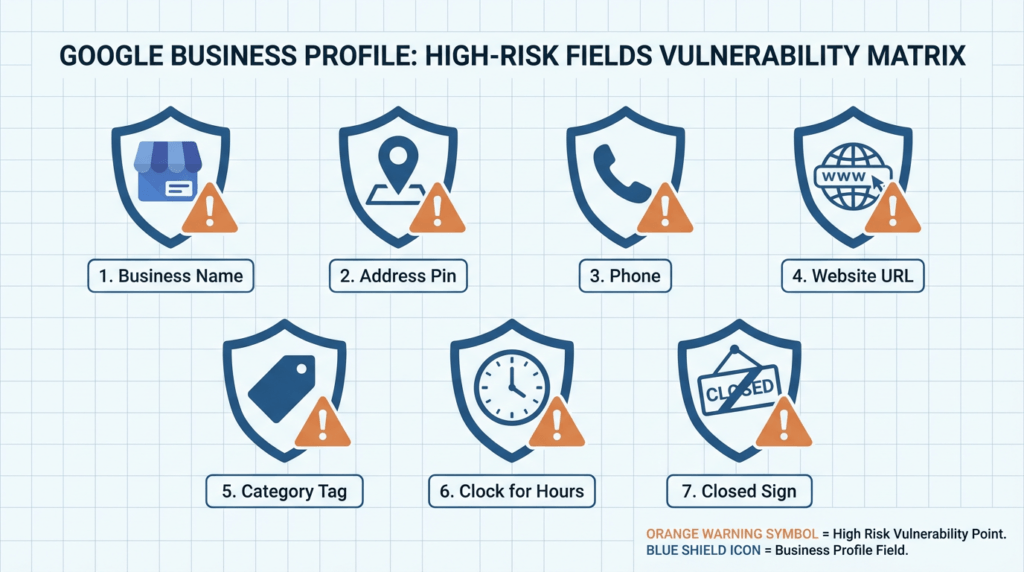
Some fields cause far more damage than others when they change without your knowledge.
| Field | Risk | Impact |
|---|---|---|
| Business name | Spam keywords, brand misrepresentation | Visibility drop, or a suspension |
| Address / map pin | Redirected to a wrong location | Local pack removal, re-verification |
| Phone number | Calls diverted to a number that is not yours | Direct lead loss |
| Website URL | Traffic sent elsewhere | Traffic theft |
| Primary category | Wrong industry classification | Reduced keyword relevance |
| Operating hours | Customers arrive when closed | Bad reviews, lost foot traffic |
| ”Permanently closed” | False closure published | Catastrophic if undetected |
The address and map pin are the most dangerous. A competitor can shift your pin a few streets and effectively pull you out of the local pack for your real service area. Keyword-stuffed name changes are the next most common problem we see. A false “permanently closed” flag is the one that does the most damage if it sits live for more than a day or two, and undoing a permanently closed status is a profile edit rather than an appeal.
How a bad edit actually hurts you
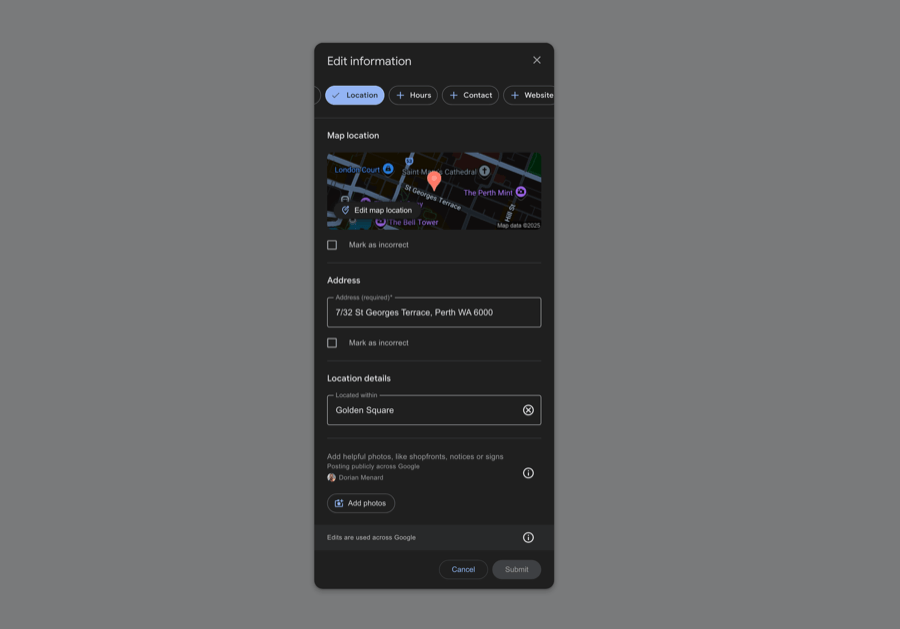
An incorrect edit is not just customer confusion. It is a ranking problem.
Google weighs consistency across your website, social profiles, directories, and the profile itself when deciding how much to trust the listing. When the profile shows a different address than your website, or a citation shows a different phone number, that inconsistency reads as a trust issue, and the listing gets deprioritised in local results.
Malicious changes can also tip a profile into suspension territory. If the address or category suddenly shifts, Google’s systems may flag it as suspicious. A suspension can take time to resolve, and if the profile gets pulled you may need to appeal the suspension before anything else can be fixed. Protecting the profile is a rankings and revenue issue, not a tidiness one.
Checking for edits in your dashboard
Most owners now manage the profile straight from Google Search or Maps rather than a separate dashboard. Search your own business name while signed in, open Edit profile, and work through the sections that matter: contact details, location, hours, categories. Google labels the state of any edit as Accepted, Not approved, or Pending, and says a pending edit usually clears in about ten minutes but can take up to 30 days.
Managing notifications
This improved in April 2026. Google now runs its Gemini models over suggested edits and blocks policy-violating ones before they publish, and it began rolling out proactive email alerts so owners can review important edits before they go live. For scale: Google says it blocked 79 million inaccurate or unverified edits in 2025.
Read the eligibility wording closely, because it is the argument for everything else on this page. The alerts go to “verified and active owners”. A claimed, verified, regularly maintained profile now gets an early warning that a dormant one does not. Note also that the alerts cover important edits, not every edit, and were still rolling out through 2026.
- Verify every listing and keep it active. That is now the price of admission for pre-publication alerts.
- Switch on email notifications and make sure they land in an inbox somebody actually reads.
- Keep checking manually anyway, weekly at minimum.
- Act on an alert within a day, and keep a dated note of every change so you can show a pattern later if you need to.
Rejecting and reverting changes
Be clear about what you can and cannot do here, because most guides describe a button that does not exist. There is no owner-facing control to reject a third-party edit before it publishes. What you can do is overwrite the field back to your value, which is exactly how Google’s own API defines rejecting an update. For pin and address changes specifically, read the warning below first. If the correction will not hold, escalate through the Google Business Profile support community, which works better than waiting on email.
Protection strategies that actually work
Claim and verify every listing
An unverified listing is open season. Claim and verify every location you operate. A verified profile gives you a stronger position to reject edits and makes ownership-transfer attempts much harder. Every unverified location is a liability.
Lock down profile access
Open Business Profile settings, then People and access, and review everyone on the list. Remove ex-employees, former agencies, and anyone whose current role you cannot confirm. Lingering access from a previous agency is a common hole most owners never check. Review third-party app permissions in your Google Account security settings every quarter as well.
Fix your NAP consistency
NAP consistency, your name, address, and phone number, is a core trust signal. When the profile says “Suite 4”, the website says “Unit 4”, and a directory says “4/”, Google notices. Inconsistency gives it a reason to override your profile with what it thinks is more accurate, which makes the listing easier to manipulate with third-party edits. Clean the citations and the vulnerability shrinks.
Keep the profile active
Active profiles resist unwanted changes better than dormant ones. Google treats regularly updated listings as more authoritative and is less likely to apply third-party edits to one showing clear, ongoing owner engagement. Post updates, add photos, and respond to reviews on a consistent schedule.
Set up monitoring
Weekly dashboard checks are the floor. Enable email notifications, but do not rely on them, since some edits push through silently. For multi-location businesses, or any case where local search downtime costs real money, dedicated monitoring is cheaper than people expect. Local Falcon’s Falcon Guard is $0.10 per location per month with a $1 minimum, and alerts you when a monitored field changes. Whitespark’s Local Platform is about $1 per location per month and is the one that actually reverts: one-click revert of a Google update, plus bulk reject. Localo bundles profile protection into its $39 to $49 per month plans, though it does not document a revert mechanism. Watch the distinction, because most of these tools alert rather than roll back, and rollback, roughly $50 to $150 per month at the time of writing, so check current pricing. That is small against what weeks of wrong listing data does to rankings and leads.
A protection mechanic worth knowing: activity reduces vulnerability. Synup documents the pattern: a listing with consistent recent owner activity, fresh photos, two posts a week, prompt review replies, replied-to Q&A, is less likely to have a third-party suggested edit auto-approved. Google’s edit-acceptance algorithm weighs the listing’s own activity level alongside the suggester’s Local Guide trust. An inert profile reads as a less-cared-for listing where the algorithm is more willing to take a stranger’s word for it. So the routine that lifts your local rankings, weekly posts, monthly photo refresh, review replies inside 48 hours, is doing double duty as edit-defence.
Agencies and developers managing many locations can go a level deeper with the Google Business Profile API. Worth knowing this route needs an application: Google requires a verified profile active for 60 days or more plus a business website before granting API access, so it is not a switch a single small business can flip. The getGoogleUpdated method returns exactly which fields Google has changed (a “diff mask”), and a Cloud Pub/Sub subscription fires a real-time GOOGLE_UPDATE notification the moment a change is ready to review, so you can flag or revert it programmatically instead of checking dashboards by hand (Google for Developers). If you would rather not build that, Local Falcon’s Falcon Guard offers a similar always-on monitoring layer at a few cents per location per month.
When a bad edit goes live
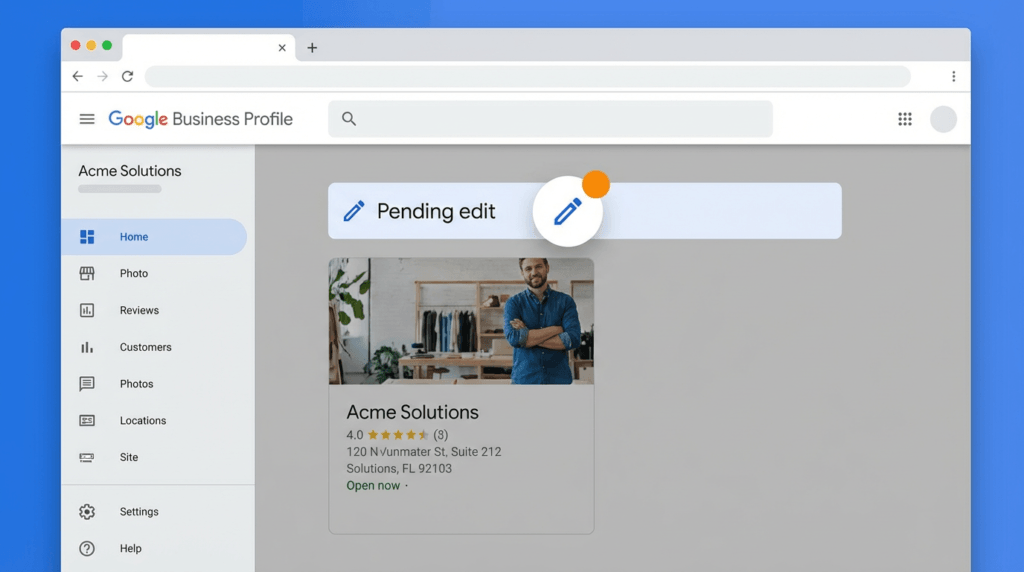
Speed matters. The longer an incorrect edit stays live, the more it compounds.
Reverting a moved pin or address? Do not just drag it back in your own dashboard. This is the counter-intuitive part most guides get wrong. If a competitor moves your map pin or address, the natural reaction is to fix it inside your Business Profile dashboard, but moving a pin a large distance from the owner account can itself trigger re-verification or even a suspension (Sterling Sky). The safer route is to correct it in Google Maps using “Suggest an edit” from a different Google account (not the one that manages the listing), and contact support only if that does not hold. For lower-risk fields like hours or website, editing in the dashboard is fine.
- Screenshot the wrong listing first so you have documentation.
- Use “Suggest an edit” to push the correction, with supporting evidence where you can: business photos, street view, documents, or citation references that confirm your real details.
- For misleading changes to your name, phone or website, the dedicated escalation is Google’s Business Redressal Complaint Form, which sits above the general support community for exactly this kind of fraudulent edit. Google’s own caveat is worth setting expectations by: it “cannot guarantee that any action will be taken”. It is also not the route for an ordinary data correction.
- If Google does not act within a few days, escalate through the support community.
Edits to the core fields are not the only vector. Fake photos are a quieter form of sabotage that bypasses the fields entirely, so flag bad ones for removal. Google retired public Q&A on Business Profiles through late 2025, so the old advice to police your Q&A thread no longer applies. The exposure moved rather than disappeared: Google’s AI now answers questions by reading your reviews, your profile and your website, which means poisoned source data surfaces in an answer nobody moderates on your behalf, and that becomes part of how customers read your business.
If your correct information keeps reverting after you fix it, the cause is almost always conflicting citations. Google is pulling from an outdated directory it trusts more than your own edits. Find those sources and update them. It also helps to add LocalBusiness schema to your own website, since a clear, machine-readable statement of your name, address and phone gives Google a high-confidence source that agrees with your profile. Until the data is consistent everywhere, you will keep losing this fight. In 2026, with AI systems pulling business data from many places, that digital-footprint audit matters more than it used to.
Common GBP scams
Unauthorised edits are one threat. Organised scams are a separate one.
Ownership-transfer scams are the most dangerous. Someone claims to be from Google or a marketing company, gets you to add them as a manager, then transfers ownership away. Google does not call and ask for access to your profile. Any unsolicited request for manager access is a scam.
Fake Google support calls target owners who have had suspension issues before, offering a paid “fix”. Legitimate Google support does not cold-call businesses.
The pattern worth watching is repeated edits hitting the same fields: address, category, or hours, each looking like a minor correction. Whether that is someone working against you or a stale data source feeding Google the same wrong answer, the response is identical. Document each instance with dates and screenshots, and escalate with evidence. Knowing how to audit competitor Google Business Profiles can also tell you whether a competitor is manipulating their own listing in ways that affect your relative position.
Building long-term protection
One-time fixes do not hold. Clean, high-performing profiles are an ongoing job, not a set-and-forget task, and the monitoring sits inside a wider local SEO program rather than beside it.
The setup that works:
- A verified listing with tight access control.
- Consistent business information everywhere it appears.
- Regular profile activity.
- Email notifications on.
- A weekly check built into someone’s calendar.
For businesses where local search drives real revenue, automated monitoring and managed oversight earn their cost. Our Google Maps SEO management includes proactive monitoring, edit management, citation consistency, and profile activity as standard. If you want to understand what drives rankings beyond a clean profile, the top Google Maps ranking factors guide breaks down what Google actually weighs.
FAQ
Can you block suggested edits on your Google Business Profile?
No. The feature is built into how profiles work for all users and cannot be disabled. You can only reduce how often edits get auto-approved and catch the ones that go live quickly.
How often should I check for unauthorised changes?
Weekly at minimum. In a competitive local market, or after a previous malicious edit, daily is worth it.
What happens if I miss one?
Outcomes range from minor confusion, like wrong hours, to severe ranking damage, like a moved pin, a listing dropped from the local pack, or calls redirected. The longer it sits live, the harder the recovery.
Can Google change my profile without telling me?
Yes. Google’s AI and third-party data can trigger automatic updates, especially when it detects inconsistencies between your profile and other sources. That is the strongest argument for NAP consistency across the whole web.
My information keeps reverting after I fix it. Why?
Almost always conflicting directory citations telling Google your old details are correct. Find and update those listings. Until the data is consistent everywhere, Google may keep overriding your edits.
The bottom line
You cannot lock the door on suggested edits, so the win is detection and recovery: a verified, active, tightly controlled profile, consistent data everywhere, and someone actually looking each week. For most businesses that is enough. For the ones where Maps drives the leads, it belongs in monthly operations.
If Google Maps is a real source of enquiries and you would rather it was monitored properly than hoped over, . Straight advice, no agency theatre.