
Google Business Profile Suspended? Here’s Why It Happens and What to Do
Suspended Google Business Profile? Rank your likely trigger against all 12 documented causes, then fix it before you appeal. Free diagnostic, no sign-up.

One day your profile is live and generating calls. The next, it is gone, with no warning, no specific explanation, just a vague email about a “policy violation” and a button to appeal. This happens to far more businesses than most people realise. Google’s automated systems flag profiles for dozens of different reasons, and they do not distinguish between a spam operation and a legitimate business that made a minor configuration error.
This guide covers the most common reasons a Google Business Profile goes offline, how to diagnose your specific situation, and the steps involved in fixing it. The information here is based on handling hundreds of cases across Australia and internationally, Search Scope reinstates suspended profiles with a 98% success rate, 295 of 300 Australian reinstatements since early 2025.
If you want to understand what happened and how to respond, start here. If you have already identified your issue and need professional help with the appeal, our Google Business Profile reinstatement service is reinstated or refunded: the fixed fee is paid upfront and fully refunded if we don’t get the profile reinstated.
What Google Expects You To Do When You Face a Suspension
Google doesn’t owe you visibility. Their platform is free, and they enforce their rules to maintain the integrity of their results. Suspensions happen because something triggered their systems or violated their guidelines.
It’s on you to identify what went wrong, fix the underlying issues, and bring your profile back into compliance before expecting reinstatement.
Hard vs Soft: What Type of Restriction Do You Have?
Not all restrictions look the same. Before you do anything else, check Google Maps and search for your business name directly. This tells you which type of issue you are dealing with.
Hard Restriction
Your profile has been completely removed from Google Search and Google Maps. Customers searching for your business name directly cannot find your listing. Existing reviews may still be visible on a ghost-like profile, but you have no ability to manage it.
A hard restriction is typically triggered by a significant policy violation, a duplicate profile issue, or a business type that Google has determined does not meet its eligibility requirements.
A hard restriction is the more serious scenario. It requires a formal appeal with supporting documentation and, in some cases, manual escalation to get resolved.
Soft Restriction
Your listing is still visible on Google and Maps, but you have lost the ability to manage, edit, or respond to reviews through the dashboard.
Customers can still find you and see your information, but the profile is effectively frozen. Soft restrictions are more common after an account-level issue, for example, if a manager on your account has had their personal Google account flagged for unrelated activity, or after certain types of verification failures.
A soft restriction is still serious because an unmanaged profile is vulnerable. Anyone can suggest edits, including competitors, and those edits may go live without your approval.
| Feature | Hard Restriction | Soft Restriction |
|---|---|---|
| Visible on Google Maps | No | Yes (but unmanaged) |
| Visible in Google Search | No | Yes |
| Dashboard access | No | No (read-only or locked) |
| Can receive suggested edits from others | Not applicable | Yes, and they may go live |
| Typical resolution time | 5-21+ days | 5-14 days |
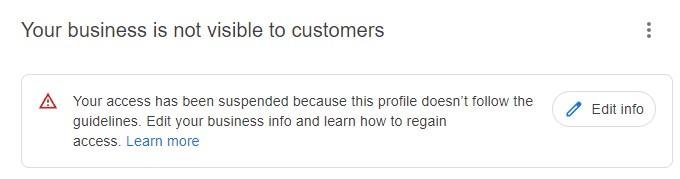
The Most Common Reasons a Google Business Profile Goes Offline
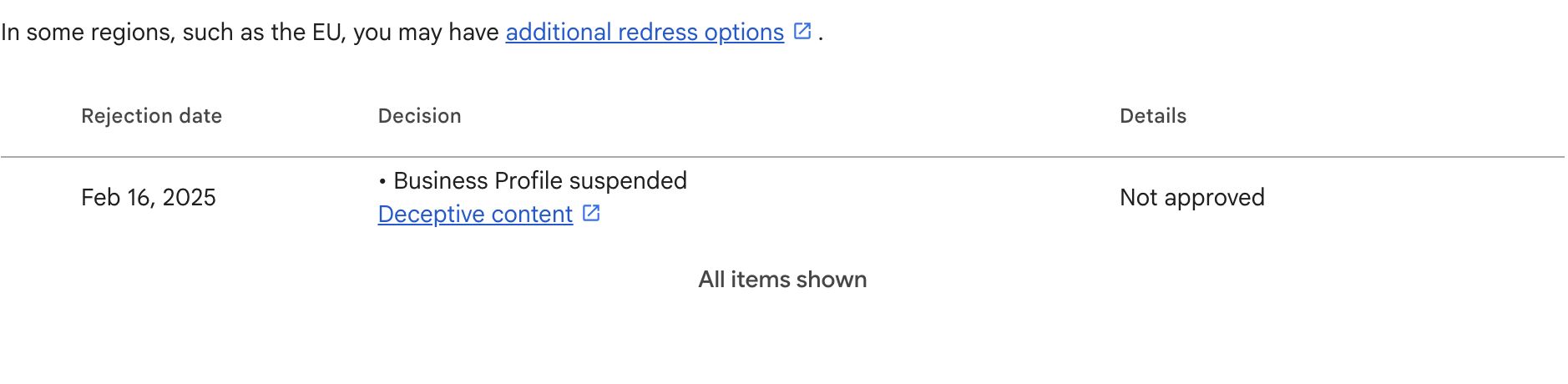
Google’s automated systems do not tell you specifically what triggered the action. They provide a category, “policy violation”, “deceptive content”, “inauthentic activity” (which does not mean much), but identifying the specific trigger is your responsibility.
Here are the most common ones, in rough order of how frequently we see them.
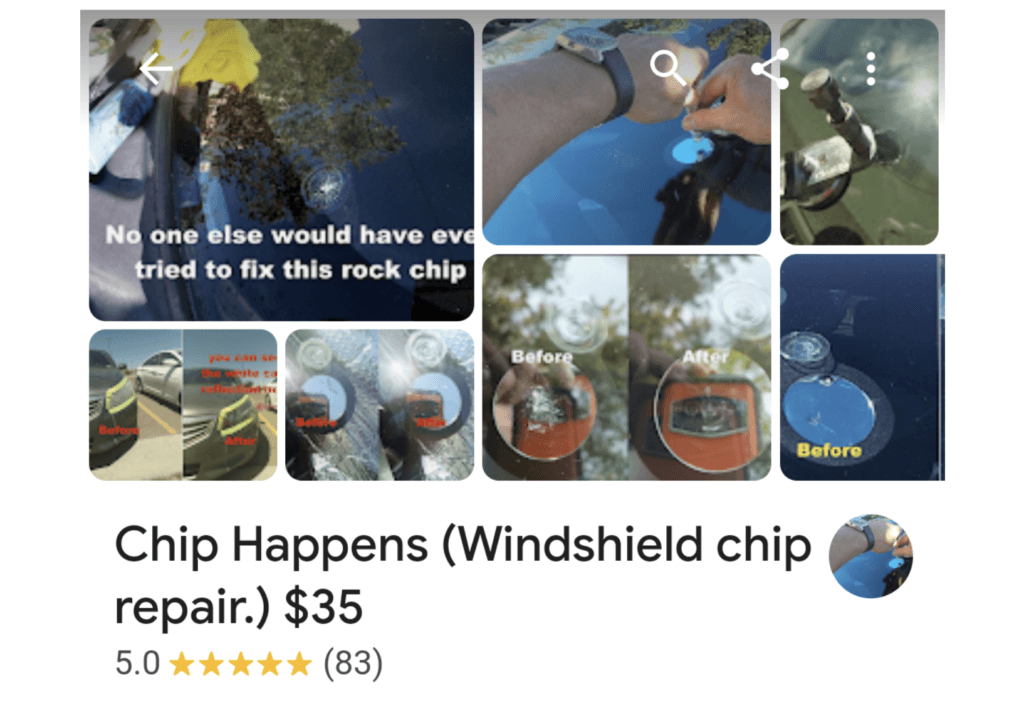
1. Incorrect or Inconsistent Business Name
Your business name on Google must match the name your business trades under, the name on your signage, your ABN registration, your business cards. If you have added location keywords (“Best Plumber Sydney”), service keywords (“24/7 Emergency HVAC”), or any text that is not part of your legal trading name, this is a direct violation of Google’s guidelines.
This is one of the most common triggers we see in Australia. The fix appears simple, remove the keywords, but you need to do it correctly before submitting any appeal, not during or after. Making the change at the wrong point in the process can actually reset review timelines.
Google’s guidelines are explicit: “Your name should reflect your business’s real-world name, as used consistently on your storefront, website, stationery, and as known to customers.” Adding extra keywords is prohibited and can result in the profile being taken offline entirely. A legitimate rename can trigger the same review, see how business name changes can trigger a suspension if you’re planning one.
Yes, keywords in your business name can boost visibility in Google Maps but abusing this is exactly how you get suspended. If you’re going to include keywords, they must be part of your legally registered trading name and consistently used across your real-world branding. Google will check. Don’t stuff keywords or create a name that sounds fake or spammy. Verify it against the ABN register, make sure you’re not stepping on trademarks, and keep it aligned with how your business actually operates.
2. Address Issues: Virtual Offices, P.O. Boxes, and Home Addresses
Google requires that a physical business address be a real location staffed during stated business hours. The following configurations consistently trigger restrictions:
P.O. boxes
Not permitted under any circumstances.
Virtual offices
Only permitted if you have a dedicated, permanently staffed office with your own signage at that location. A mail-forwarding service or hot-desk arrangement does not qualify. Most businesses using virtual office addresses are not compliant and will face restrictions.
Home address displayed for a service-area business
If you run a business from home but your customers never visit your premises, a plumber, an electrician, a cleaner, you must set up your profile as a Service Area Business and hide your home address from the public listing. Displaying a residential address as a business storefront is a fast route to a hard restriction.
Co-working spaces
High risk unless you have a dedicated, private office with your company name visible at the entrance. A shared hot-desk arrangement is not eligible.
| Address Type | Compliant? | Notes |
|---|---|---|
| Physical business premises, staffed during listed hours | Yes | Must match official registration |
| Virtual office with dedicated staffed space and permanent signage | Conditionally | Requires strong documentation. High risk. |
| Home address, service-area business with hidden address | Yes | Address must be hidden from the public listing |
| P.O. Box | No | Never permitted |
| UPS Store / Regus / mail forwarding service | No | Not eligible regardless of the arrangement |
3. Duplicate Profile
Having more than one Google Business Profile for the same physical location is against the rules. This happens more often than people expect, a profile is created for a rebrand while the old one is still live, an employee creates a new listing without knowing one already exists, or a second profile auto-generates when a website using the same address gets indexed.
Duplicate profiles cause two problems. First, they are a direct policy violation that can trigger a restriction on your primary listing. Second, they split your reviews, authority, and ranking signals between two profiles, weakening both.
If a duplicate exists before you submit an appeal for your primary listing, it must be removed first. Attempting to use a duplicate as a replacement for a taken-offline listing is treated as circumvention of Google’s policies and can result in a permanent account restriction. Do not do this.
If you find duplicate listings or citations, you must claim them, try to delete the most recent one and contact Google Business Profile support to request they be merged. We offer a professional citation cleaning service to find and resolve citation issues as part of our local SEO campaigns.
If your profile is new and has little to no reviews, deleting it and starting fresh can be a quick short-term fix. But it’s a shortcut, not a solution. If you don’t identify what triggered the suspension, there’s a high chance the new profile gets hit again. For established profiles with history, authority, and reviews, this is a bad move. You risk losing everything you’ve built. Fix the root issue instead of trying to reset the problem.
4. Inconsistent NAP Data Across the Web
NAP stands for Name, Address, and Phone. When Google’s crawlers find conflicting versions of your business information across your website, directories, social profiles, and other online listings, it creates trust uncertainty. Combined with another minor violation, this inconsistency often contributes to a profile being flagged.
The most common examples we see: a business changes its address and updates its Google profile but does not update its ASIC registration, its major directory listings, or its website footer. Or a business abbreviates “Street” differently across platforms, “St.” in one place, “Street” in another, and accumulates dozens of minor discrepancies over time.
NAP inconsistency alone is rarely the direct cause of a restriction, but it is almost always a contributing factor and it weakens your appeal if left unresolved before you submit.
5. Sudden or Multiple Profile Changes
Google’s systems interpret a pattern of rapid changes to core profile information, business name, address, primary category, phone number, as a potential signal of account hijacking or spam activity. If you log into your profile after months of inactivity and update multiple fields in the same session, you are significantly increasing the probability of triggering an automated review.
The risk level by field type:
- Business name, very high risk when changed
- Primary category, high risk
- Address/location, high risk, typically triggers reverification requirement
- Phone number, moderate risk
- Website URL, moderate risk
- Business hours, low risk
If you need to make multiple changes, spread them across separate sessions over several weeks.
From experience, it is now safer to make changes to core information via the “Suggest an edit” feature on Google Maps rather than directly through the backend dashboard, it reduces the automated suspicion that often comes with bulk backend edits. Read more on this in this article.
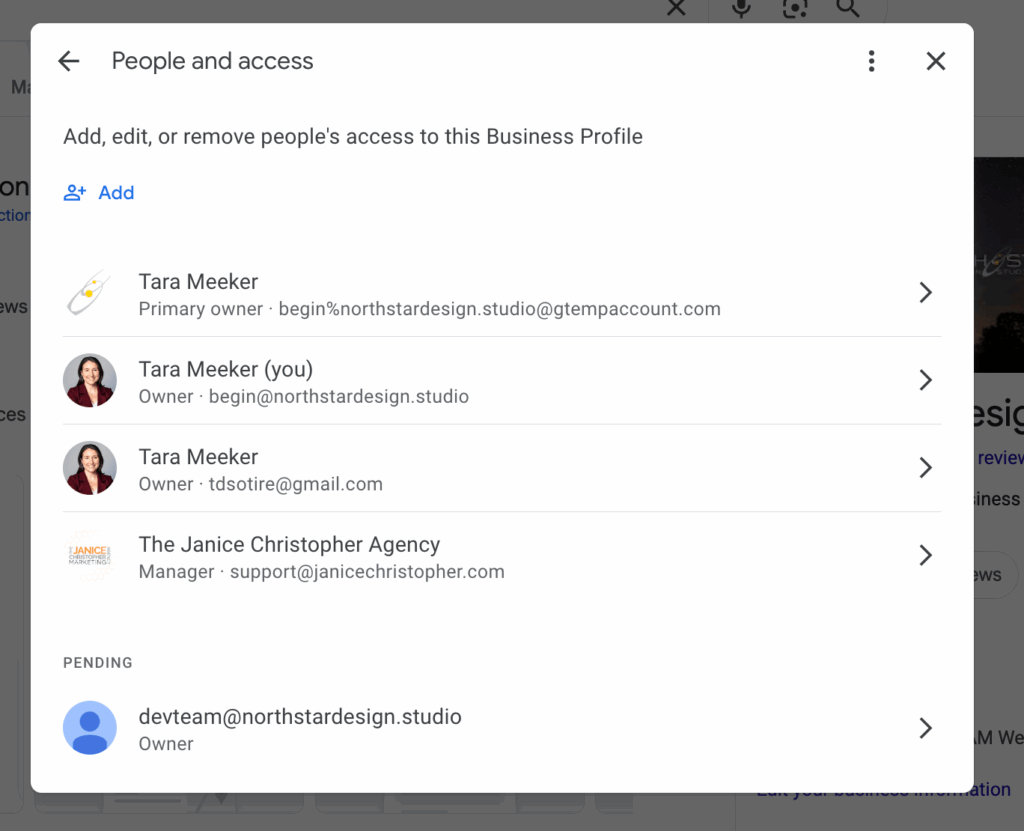
6. Account-Level Issues from a Profile Manager
Your Google Business Profile is tied to a Google account. If any account that has manager access to your profile has been flagged or restricted by Google for unrelated reasons, spammy activity on other profiles, violations in Google Ads, other Google product issues, that flag can cascade to your business listing.
This is one of the least understood causes of profile restrictions. A marketing agency that manages your profile alongside a portfolio of other clients, where one or more clients are running manipulative tactics, can put your legitimate profile at risk. If your notice mentioned “suspicious activity” specifically, see our dedicated guide to that trigger, it usually points to an account flag like this rather than the profile itself.
Audit your profile managers regularly. Remove access from anyone whose account status you cannot verify. Do not use the Gmail account controlling your business listing to leave reviews. Only use it to manage your business profile!
7. Inauthentic Reviews or Review Manipulation
Buying reviews, soliciting reviews in exchange for discounts, or posting fake negative reviews on competitor profiles are direct violations of Google’s terms of service.
Google’s detection systems look for specific patterns: sudden spikes in review volume, geographic mismatches between reviewer locations and your business location, multiple reviews from accounts with no prior history, and identical review text appearing across multiple businesses.
If a restriction is triggered by review manipulation, Google may remove all reviews from the profile, including legitimate ones, and the reinstatement process requires proving the authenticity of your business through documentation, not through the review record.
8. Prohibited Content or Ineligible Business Type
Google maintains a list of business types that are not eligible for a Business Profile. Online-only businesses with no in-person customer interaction do not qualify. Businesses operating in certain regulated or prohibited categories face immediate removal.
Less obviously: a business that operates in a legitimate category but whose website, posts, or business description contains language that Google’s systems classify as misleading, deceptive, or promotional in a way that violates their content policies can also trigger a restriction. A related but distinct case is a profile flagged for quality issues rather than a policy violation, worth ruling out separately.
9. Algorithmic Sweeps of High-Risk Categories
Google periodically runs algorithmic sweeps targeting industries with historically high rates of spam and fake listings.
These include locksmiths, plumbers, HVAC technicians, personal injury lawyers, garage door repair services, and other home-service categories. If your business operates in one of these industries, any appeal process will involve more thorough manual review and is likely to take longer.
Being caught in an algorithmic sweep does not mean your business has done anything wrong, it means you are in a category that is scrutinised more heavily. The standard documentation requirements still apply, and a well-prepared appeal still resolves the issue in most cases.
10. Profile Inactivity
A profile that shows no signs of being actively managed for an extended period, typically 12 to 18 months of no logins, no posts, no responses to reviews or questions, can be flagged as potentially abandoned or inactive.
Google’s systems use profile activity as a signal of ongoing business legitimacy. If a re-verification request goes unanswered for long enough, the profile may be deactivated. Google might even call the business to verify it is still active.
The fix is straightforward: log in regularly. Even minimal activity, a post, a photo upload, a review response, signals active management. Set a calendar reminder if you do not have a regular routine for profile management.
11. Reports from Users or Competitors
Anyone can suggest an edit or report a violation on a Google Business Profile. This crowd-sourcing feature helps Google maintain accuracy, but it can also be abused by competitors or disgruntled customers.
When a report is filed, it can trigger a manual review by Google’s support team. If they find a violation, it can lead to suspension.
Common reasons for user reports include:
Inaccurate Information
A user reports that your business address is incorrect or your hours are wrong.
Fake Reviews
A competitor reports a suspicious spike in your 5-star reviews.
Policy Violations
Someone notices you’ve stuffed keywords into your business name and reports it.
Spammy Listings
A user reports that your listing is for a non-existent business or a lead-generation service.
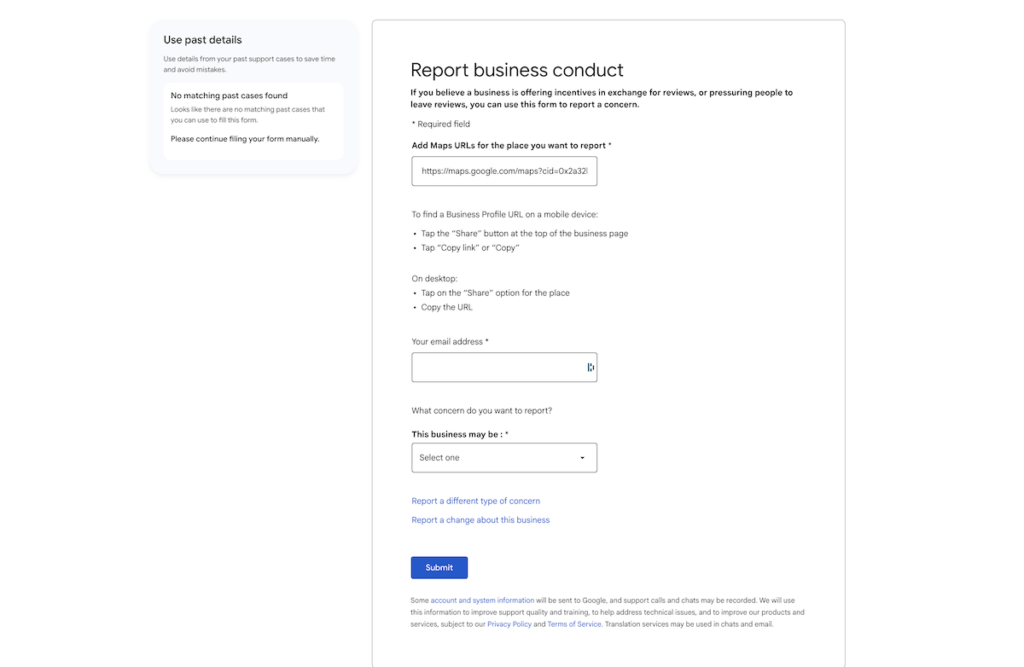
Google takes these reports seriously and will investigate the claims. In some cases, this can take several weeks, and your profile may be suspended during the investigation.
Google’s enforcement here is blunt because the goal is consistent, high-quality search results for users. Cleaner listings mean a better experience for everyone searching, even when the process is frustrating for the business on the receiving end.
To protect your profile, regularly monitor it for any unauthorised changes. Respond quickly and professionally to all customer reviews and questions. By maintaining a clean, accurate, and compliant profile, you’ll be in a much stronger position to dispute any false reports filed against you.
12. Issues With Your Service Area
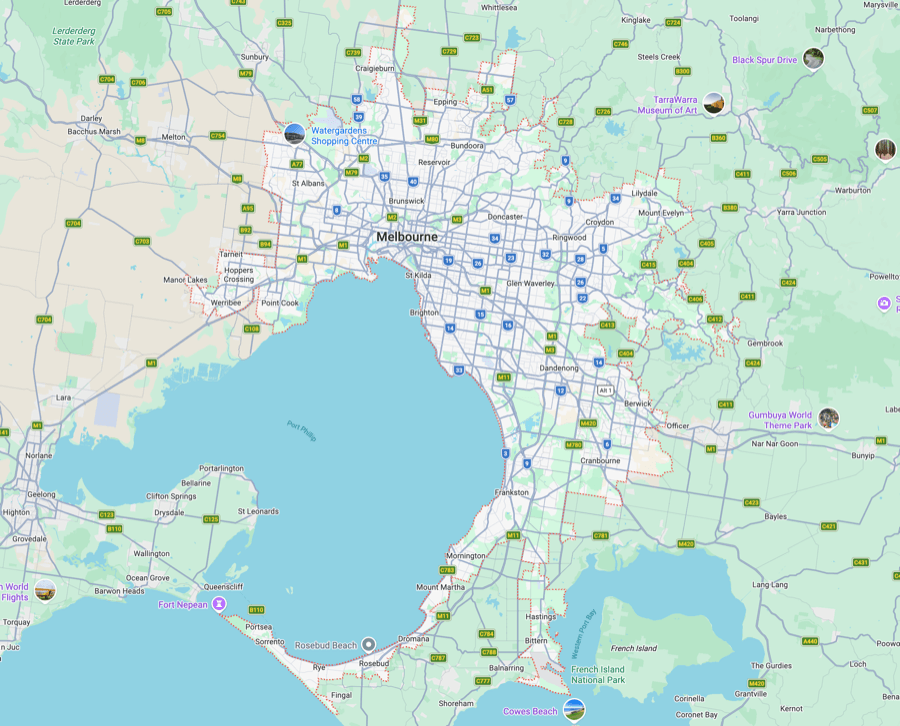
Service area settings are one of the most overlooked suspension triggers. Google expects your listed service areas to reflect where you can realistically deliver your service, not every suburb or city you’d like to target.
If your radius is too large or scattered across distant locations, it sends a strong spam signal. As a rule of thumb, keep your service area within a maximum of about 2 hours driving distance from your base location, and ideally closer to 1 hour 30 minutes.
Use Google Maps to simulate real driving distances and check travel times during peak traffic hours, not ideal conditions. This gives you a more accurate picture of what’s realistically serviceable.
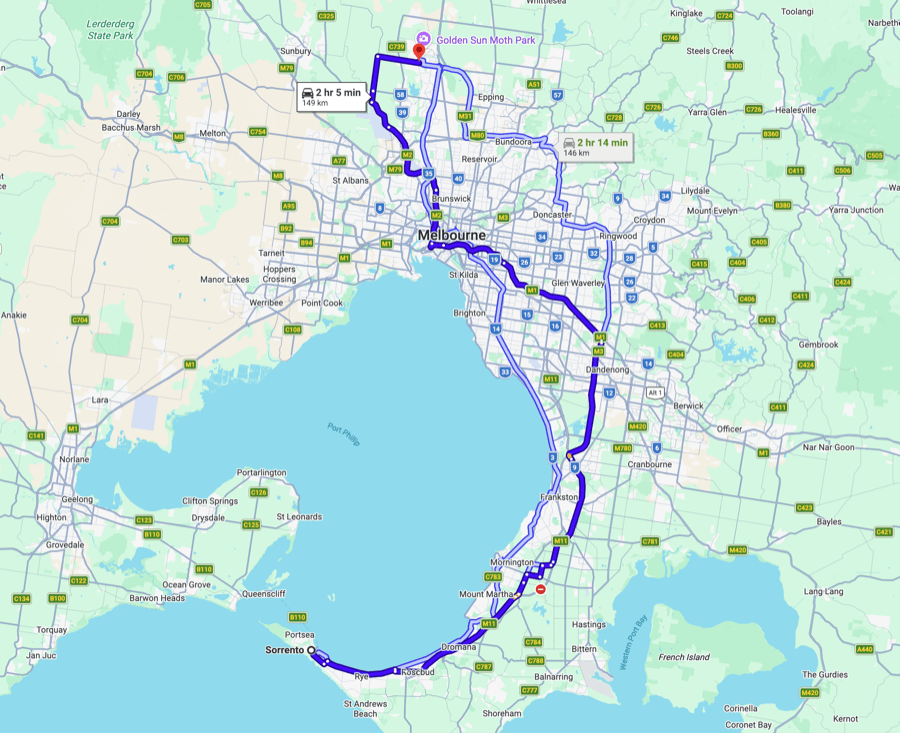
Anything beyond that starts to look unrealistic and increases your risk of getting flagged or suspended. Keep it tight, logical, and aligned with how your business actually operates.
You can list up to 20 service areas, so don’t waste that by selecting a broad region like “Melbourne Metro.” Get specific. Pick your top 20 suburbs based on demand and proximity to your base. This improves relevance and increases your chances of showing up when users search from those exact locations. Once those are solid, you can rotate or expand strategically over time to cover more ground without triggering spam signals.
Pro tip: From experience dealing with hundreds of reinstatement cases each year, the less amount of data your profile has the better! Remove the fluff from your suspended listing like socials, chat settings and only list a handful of locations before applying. This tends to improve success rates and you can always add the missing data post reinstatement.
What If My Google Business Profile Just Disappeared?
In some cases, a Google Business Profile can appear to vanish entirely from Google’s systems. Before assuming the worst, check using different Google accounts to confirm it’s not just a visibility or access issue.
If the profile is genuinely gone, speed matters. These cases often have a limited recovery window, typically around 30 days based on experience. After that, the chances of restoring the original profile drop significantly.
Your first move is to contact Google Business Profile support and request a manual investigation. In many cases, the profile hasn’t truly disappeared but has been restricted or flagged behind the scenes. If that’s the case, you’ll need to go through the standard suspension and reinstatement process.
Don’t sit on it. The longer you wait, the harder it becomes to recover anything!
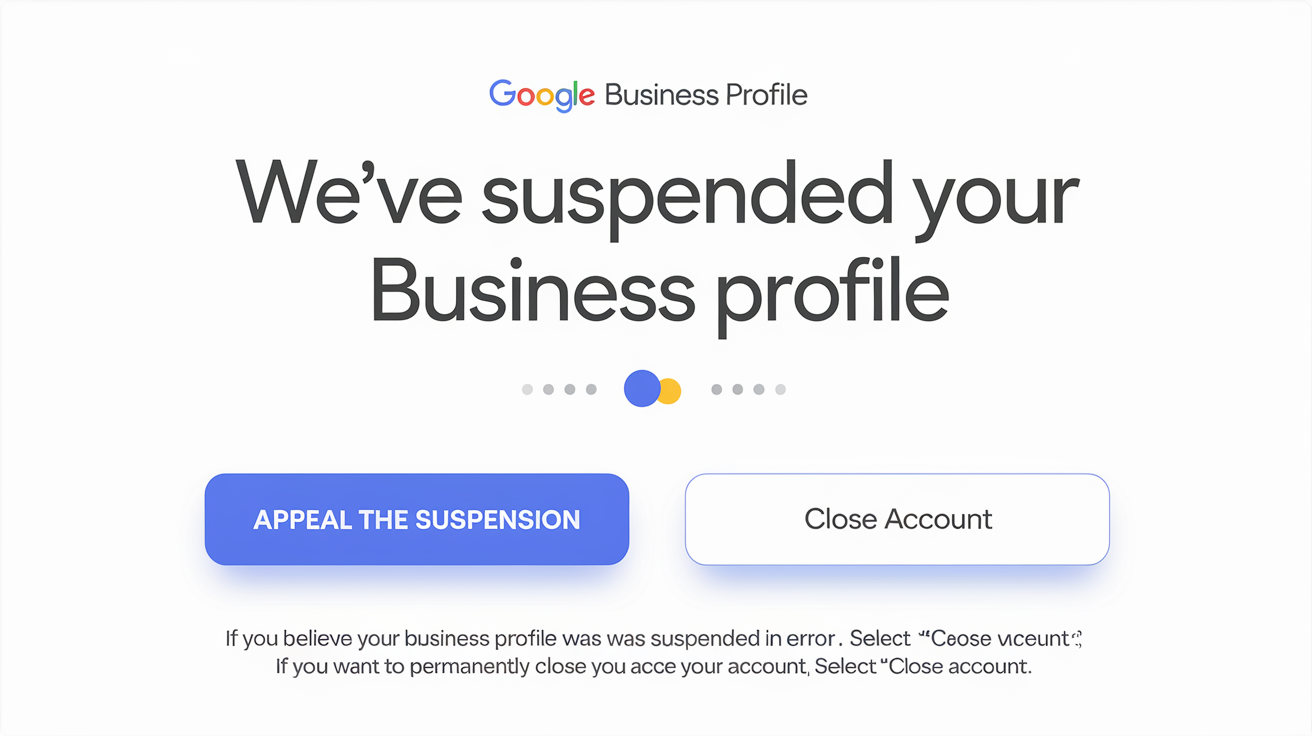
Illustration generated with Ideogram
How to Diagnose Your Specific Situation
Before you appeal anything, you need to identify the most likely cause of your specific profile issue. Submitting an appeal for a profile that still contains the original violation results in an automatic denial and uses one of your limited appeal attempts. Two common starting points: working out whether you’re suspended or disabled, and if the profile is technically live but not appearing in search or Maps, which is a different problem with a different fix.
Work through this checklist before doing anything else:
- Check your email. Google sends a notification when a profile goes offline. The email includes a general reason category and links to relevant policy documentation. The wording is vague but it gives you a starting point. Look for “policy violation”, “deceptive content”, “inauthentic activity”, or “listing quality”. Each category points to different potential issues.
- Check the appeals tool dashboard. Log into the Google account associated with your profile and go to the Google Business Profile appeals tool. This shows you the current status of any appeals and may include additional detail about the restriction decision.
- Review your profile against Google’s guidelines, in full. Go through your business name, address, category, description, website URL, and all media uploads against the current GBP guidelines. Be honest. If you added keywords to your name, if your address is a virtual office, if you have a duplicate listing somewhere, these need to be identified and fixed before anything is submitted.
- Check your ABN/ASIC registration. The details on your official government registration must match your profile exactly, business name, address format, everything. Any discrepancy creates grounds for denial.
- Audit your managers and associated accounts. Check who has access to your profile. If a manager’s Google account has been flagged, remove their access before submitting an appeal.
- Check for duplicate profiles. Search for your business name and address on Google Maps. If a second listing appears, it must be addressed before your appeal can succeed.
We also created a custom GPT assistant for diagnosing potential profile violations. You can paste your profile and business details in and it will flag likely issues based on Google’s current policy documentation.
Quick Triage: What Likely Triggered Your Suspension
Tick what applies and the tool will point you at the most likely cause (or causes) and the first thing to fix. Remember the golden rule: fix the root cause before you appeal, because appealing while the violation is still live is an automatic denial that burns one of your limited attempts.
This is the quick version. The full suspension trigger diagnostic runs 16 signals across all 12 triggers above, weights them, and ranks your likely causes most probable first rather than just listing back what you ticked.
What to Do Before You Submit an Appeal
The appeal process has historically had a hard time constraint that catches many business owners unprepared: a separate evidence form with a 60-minute upload window after you open the submission. As of July 2026, Google has begun moving evidence uploads directly into the appeal form itself for many accounts, removing that separate timer, though Google’s own help documentation still describes the older 60-minute flow, so some businesses may still see it. Either way, have every document ready and verified before you start.
Preparation is everything. Do not click “appeal” until you have every document ready and verified.
Documents Google requires for Australian businesses
Google’s reviewers are looking for three types of evidence: official identity confirming your business is legally registered, proof you operate at the stated address, and evidence of active trading activity.
The interactive evidence pack checklist filters this list down to your business type, carries the format rules for each document, and builds the factual evidence description that goes in the appeal form.
Official identity:
- ASIC business name registration, showing the exact trading name and registered address. Download a current “Record of Registration” certificate as the official PDF, not a photo, screenshot, or extract.
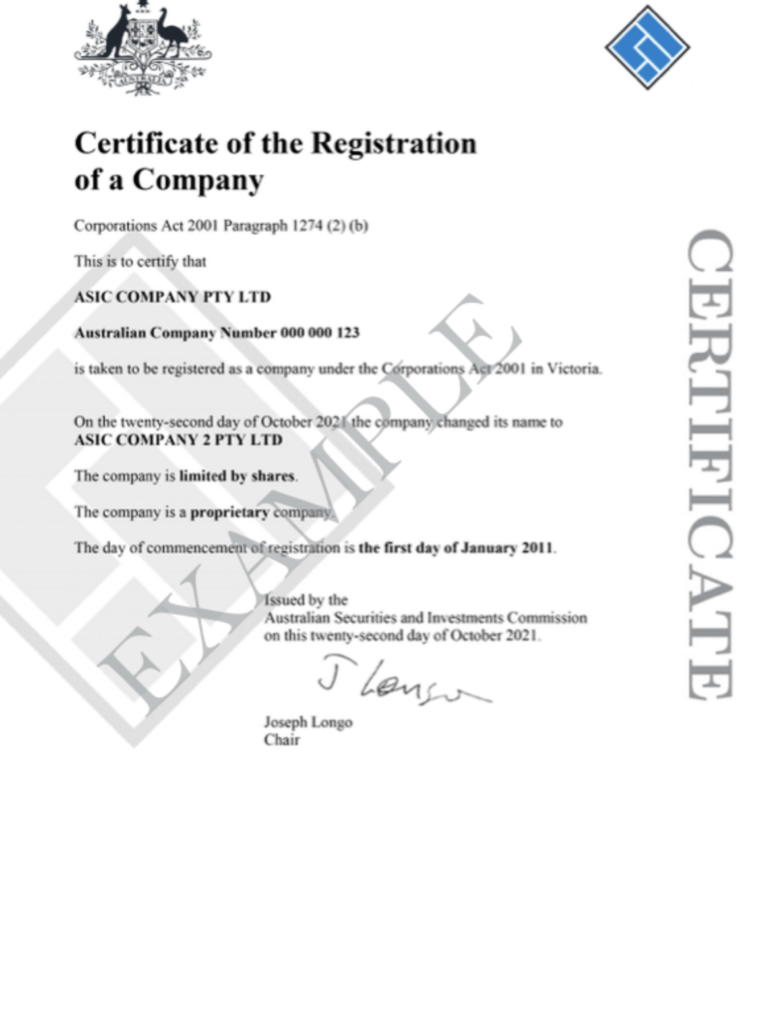
This is the main document Google wants to see. It is used to assess business legitimacy and to make sure you use the right business name you are trading under.
- In some cases, a business license can add legitimacy if you are in an industry that requires a license to operate.
Proof of address:
- A recent utility bill, electricity (AGL, Origin Energy), water, internet (Telstra, Optus), in the business name at the listed address. Must be dated within the last 90 days. The name on the bill must match the profile exactly.
- A business lease if you have a storefront where you welcome clients.
Proof of active trading:
- Photos of your physical premises with permanent signage clearly visible.
- For service-area businesses with no fixed address: branded vehicle photos, invoices, pictures of brochures or branded marketing materials like clothing showing your brand or trading area.
In 2026, video evidence is increasingly important. Google has largely moved away from postcard verification for many business types. If your case involves any ambiguity about physical presence, record a continuous, unedited video showing: the exterior of your premises from the street (filming the street sign and your building/signage), the entrance, and your working environment inside.
Keep it under two minutes. Do not edit or filter it, Google’s review process looks for raw, unedited footage.
Be ready for a live video call, too. Increasingly, instead of a recorded upload (or after one fails), Google routes suspended profiles and high-risk categories to a live video verification call: a real-time Google Meet walkthrough with a support agent, available only during your listed business hours and usually 10 to 15 minutes long. The agent will ask you to film your exterior signage and street, walk through your workspace and equipment, and prove you manage the business (open a locked door, show a POS or back office). Empty, staged, or “could be packed into a suitcase in five minutes” setups tend to fail. Have permanent signage visible, ideally someone working on-site, and a stable mobile connection before you start.
Documents Google does not care about: Extracts from ASIC, tax or accounting documents, an ABN extract, personal photo ID, a public liability insurance certificate, or any poor quality scan. Each one adds a name, an address or a date that can disagree with the profile, which is how appeals get denied on paperwork rather than on merit.
Critical preparation rules
- All documents must match the profile exactly, business name, address, format. Even minor discrepancies can become grounds for denial.
- Fix every identifiable compliance issue on the profile before submitting. Do not submit an appeal and then keep making changes.
- Do not submit multiple appeals simultaneously. If one is under review, wait for an outcome before submitting another.
- Do not create a new profile as a workaround. This is treated as circumvention and can result in a permanent account restriction.
Google leans heavily on automation and AI for the first appeal reviews, and even human reviewers rely on those systems to assess your case and documents. More documents doesn’t mean a stronger appeal, it usually increases the chances of inconsistencies. Stick strictly to what’s required, make sure everything aligns perfectly, and avoid submitting anything extra that could raise doubts or trigger a rejection.
Submitting the Appeal, and What Happens If It’s Denied
Once your profile is compliant and your documents are ready, submit through the official Google Business Profile appeals tool, the only legitimate channel for this. As of July 2026 evidence typically attaches directly inside the appeal form, though some accounts may still see the older 60-minute upload window after clicking “Appeal,” so everything from the document list above needs to be ready first either way. Keep the evidence description factual: state that you’ve audited the profile, fixed what triggered the restriction, and list what you’ve attached. No revenue figures, no complaints, no emotional appeals, Google’s reviewers respond to documented evidence.
The appeal tracker covers all four stages with the realistic wait on each, and keeps the dated case log that escalation will ask you for.
A first-appeal denial is not the end of the road. It usually means the case file wasn’t strong enough or a document didn’t match the profile precisely. Don’t resubmit immediately, re-audit first, then use the separate “Request additional review” form for a second look, and escalate through the Help Community’s Product Experts if that’s also denied.
For the full step-by-step, screenshots, exact document structure, the additional-review form, and the Product Expert escalation path, see our Google Business Profile appeal guide. If you’ve gone through two denial cycles and the standard pathways are exhausted, that’s also where our escalation service picks up.
After Reinstatement: What to Expect From Your Rankings
Getting the profile back is the goal, but business owners are often blindsided by what happens next, so it pays to set expectations early.
The reassuring part: a suspension is not an organic-style penalty, and there is no “recovery period” to serve. Sterling Sky’s analysis is that if a listing is reinstated reasonably quickly, it generally returns to the same positions it held before, all else being equal.
The caveats worth knowing:
- Long suspensions land in a changed landscape. If your profile was offline for several months in a competitive market, it comes back to a different playing field, competitors moved while you were gone, so rankings can genuinely look different. That is the market changing, not a lingering penalty.
- Service-area businesses often see a lag. In our experience, SAB listings can take up to a couple of weeks after reinstatement before rankings settle back. Resist the urge to start changing things in that window.
- Watch for the “new CID” trap. Occasionally Google’s support team reattaches a reinstated listing to a new CID (the internal Customer ID for the profile), which makes Google treat it as a brand-new listing, resetting rankings and sometimes reviews. If your reviews vanished or rankings cratered and stayed down well beyond a few weeks, this is a likely cause, and it needs to be raised with support to relink the original profile.
The practical takeaway: reinstate fast, then hold your nerve. Don’t pile on edits trying to force rankings back in the first couple of weeks, that is exactly the behaviour that risks a second suspension.
How to Prevent Your Profile From Going Offline Again
Once your listing is restored, the work is not finished. Profiles that go offline once are more likely to face issues again if the underlying practices are not changed. Here is what consistent profile protection looks like in practice, or see our full checklist for avoiding a suspension before it happens if your profile hasn’t been hit yet.
Keep your business information consistent everywhere
Your business name, address, and phone number must be identical across your Google profile, your website, your ASIC/ABN registration, and every directory listing where your business appears. Set a quarterly reminder to audit the main directories, Yellow Pages, Yelp, TrueLocal, industry-specific directories, and correct any discrepancies. Tools like BrightLocal can automate this audit.
Having a consistent NAP and digital footprint is critical in the AI era!
Make changes carefully and one at a time
Avoid updating multiple core profile fields in the same session. If you need to change your address, category, and business name, spread those changes over separate sessions weeks apart. After any major change, expect a reverification request and have your documents ready, our verification tips guide covers what that process actually looks like.
Never change core details and then let the profile sit for weeks without confirming the update has processed correctly.
Use front-end edits for core information where possible
For changes to your business name, address, or category, making the change via the “Suggest an edit” feature on Google Maps (rather than directly through the Business Profile Manager backend) can reduce the risk of triggering an automated review. This is not always practical, but it is worth doing for high-risk changes.
Audit your manager access regularly
Check who has access to your profile at least twice a year. Remove any accounts that are no longer active or whose account standing you cannot verify. If you use a digital marketing agency, confirm they operate with clean Google accounts and do not manage profiles with a history of policy violations.
Keep your official registrations current
Your ASIC and ABN registration details must reflect your current business name and address at all times. When you change your registered address or business name, update these registrations before updating your Google profile. Google’s reviewers check these sources as part of any appeal verification, and a mismatch between your profile and your government registration is a fast track to a denial.
Log in and keep the profile active
Publish a post, upload a photo, or respond to a review at least once a month. This signals ongoing active management to Google’s systems and significantly reduces the risk of being flagged for inactivity.
Monitor for unauthorised suggested edits
Anyone can suggest an edit to your Google Business Profile, including competitors. If enough edits accumulate or a high-trust user submits a change, it can go live without your approval and introduce incorrect information into your listing. Check your profile monthly and turn on Google’s notification emails for suggested edits so you can dispute incorrect changes quickly.
Relocating Locally? Move Without Triggering a Suspension
A local move is one of the most common ways a healthy profile suddenly goes offline, because Google treats an address change as a potential misrepresentation flag. A few rules keep it clean:
Get your paperwork aligned first
Update the address on your ASIC registration, lease or utility bill, website (footer, contact page and schema) and core directories before you touch the profile, because Google often asks for matching documentation during the move.
Time it right
Change the address on your first day operating at the new premises, once signage is up and you can receive mail, not before. Expect a re-verification request, usually a short unedited video of your signage and premises.
Edit the existing profile, never mark the old one “permanently closed”
Closing it loses your reviews and history; editing the address carries them across. If a duplicate appears, ask support to merge it. Act before the new tenant moves in, or they may flag your old listing as closed.
Make one clean edit, then leave it alone
Do not change the name or categories while verification is pending, and do not repeatedly drag the map pin to “fine-tune” proximity, which is itself a documented suspension trigger.
Rankings normally wobble for two to twelve weeks after a legitimate move as proximity and entity signals resettle. If they have not recovered after eight weeks, audit your citations for the old address before assuming Google will sort it out. If the profile is suspended anyway, file a reinstatement request with signage photos, the lease, and a short note explaining the relocation.
Frequently Asked Questions
Why was my Google Business Profile taken offline without warning? Google’s automated systems flag profiles based on detected signals, often without human review. There is usually no advance warning. Suspensions can happen instantly when a violation is detected or reported. Common triggers include keyword stuffing in the business name, address issues, duplicate listings, and account-level flags from the managing Google account.
How long does the process take to resolve? Standard first appeals typically take 1 to 3 days on average, sometimes up to 7 business days. High-risk industries like locksmiths, legal, and home services can take two weeks or more. If escalation is required, expect an additional 1.5 to 2 weeks after submitting further review.
Can I still appear in Google Search if my profile is offline? Your website rankings are not directly affected, as organic SEO is separate. However, you will lose your Google Maps listing, local panel, reviews visibility, and placement in the local 3-pack. For most local businesses, this has a major impact.
What is the 60-minute rule? Historically, once you submitted your appeal you had exactly 60 minutes to upload documents to a separate evidence form before it locked. As of July 2026, Google has moved evidence uploads directly into the appeal form itself for many accounts, removing that separate timer, though Google’s own help documentation still describes the older 60-minute flow, so some businesses may still see it. Either way, prepare everything in advance before starting.
Can Google permanently remove my profile? Yes. This happens in cases of repeated violations, policy circumvention (like creating new profiles after suspension), or ineligible business types. For legitimate businesses, permanent removal is rare if the appeal is handled properly. Google just gives us a straight no, they never explain why they do not want to reinstate a profile unfortunately. This is done to avoid agencies reverse engineering their systems according to us.
My profile was offline for months, will my reviews still be there after reinstatement? In most cases, reviews are restored once the profile is reinstated. There may be a delay of 24 to 72 hours before they reappear. If they still have not come back after that, work through why Google reviews disappear, because the cause is often a filter rather than the suspension. If there were review manipulation issues, Google may remove some or all reviews. The process is the following: focus on reinstating your profile first, then contact Google support to see if they can restore some of the missing reviews.
Should I pay someone to help me? If your case is straightforward and you haven’t had prior denials, you can handle it yourself if you follow the process carefully. For complex cases, prior rejections, or escalation scenarios, professional help significantly increases your chances. The real question is whether the cost of getting it wrong is higher than paying for expert support, and in most cases, it is.
Navigating a Profile Issue Successfully
Getting a Google Business Profile back online requires understanding what triggered the issue, fixing it properly before submitting anything, preparing documentation that exactly matches your profile, and submitting through the right channels in the right order. Done correctly, the vast majority of legitimate businesses are successfully restored.
The cases that stay offline longest are usually the ones where multiple unsuccessful attempts have been made without fixing the underlying issue first, or where the appeal documentation was weak or mismatched.
If you have read this guide and you are confident your situation is straightforward, you can work through the appeals tool yourself.
If you have already attempted an appeal and it was denied, if your case involves escalation, or if you want a professional audit before submitting anything, our Google Business Profile reinstatement service handles the done-for-you reinstatement at $550 incl. GST, reinstated or refunded: the fixed fee is paid upfront and fully refunded if we don’t get the profile reinstated. We reinstate suspended profiles with a 98% success rate (295 of 300 Australian reinstatements since early 2025), and Dorian personally supervises every case, see a real recovery case study or how we compare to other reinstatement services in Australia if you want to check us against the alternatives first.
if you want a senior set of eyes on your case before you submit anything.
Related Guides
- Google Maps SEO: How to Rank Higher in Local Search
- NAP Consistency in Local SEO: Why It Matters
- Why Monitoring Suggested Edits Is Critical
- Google’s Compliance Guidelines: An In-Depth Dive
- GBP Access Risk: How Manager Accounts Put Your Profile in Danger
- Google Business Profile Suspension Data: What We’re Seeing
- Google Business Profile Link Rules: Important Changes
- Our Partnership with Unsuspend Me