
Google Business Profile Photo Optimisation: An Australian Playbook for 2026
Specs, photo types, cadence, rejection fixes — the practical 2026 Google Business Profile photo optimisation playbook for Australian businesses. Backed by Sterling Sky, BrightLocal and Google's own data.

Most Australian business owners I meet treat their Google Business Profile photos the same way they treat their tax receipts. Shove them in, hope for the best, deal with it once a year. Then they wonder why their listing looks dead next to the competitor down the road.
Photos do real work on a GBP. They are not decoration. They are the first thing a potential customer sees when your business appears in Google Search or Google Maps, and they influence whether that person taps your listing, asks for directions, or scrolls past you to the next pin.
This guide is the practical 2026 playbook for Google Business Profile photo optimisation in Australia. Specs, photo types, cadence, rejection fixes, and the SEO angles that actually matter — without the geo-tagging myth and the recycled stock-photo advice you have already read on five other blogs.
TLDR
- Photos influence GBP visibility, click-through, and direction requests. Google’s own data: businesses with photos see 42% more requests for directions and 35% more click-throughs to their websites than those without (Google Business Profile Help).
- Stock images get punished. Sterling Sky found GBP posts with non-stock images had 5.6x the click-through rate of posts using stock (Sterling Sky, Feb 2023).
- The 2026 specs: JPG or PNG, between 10 KB and 5 MB, minimum 720×720 px, cover photo 16:9.
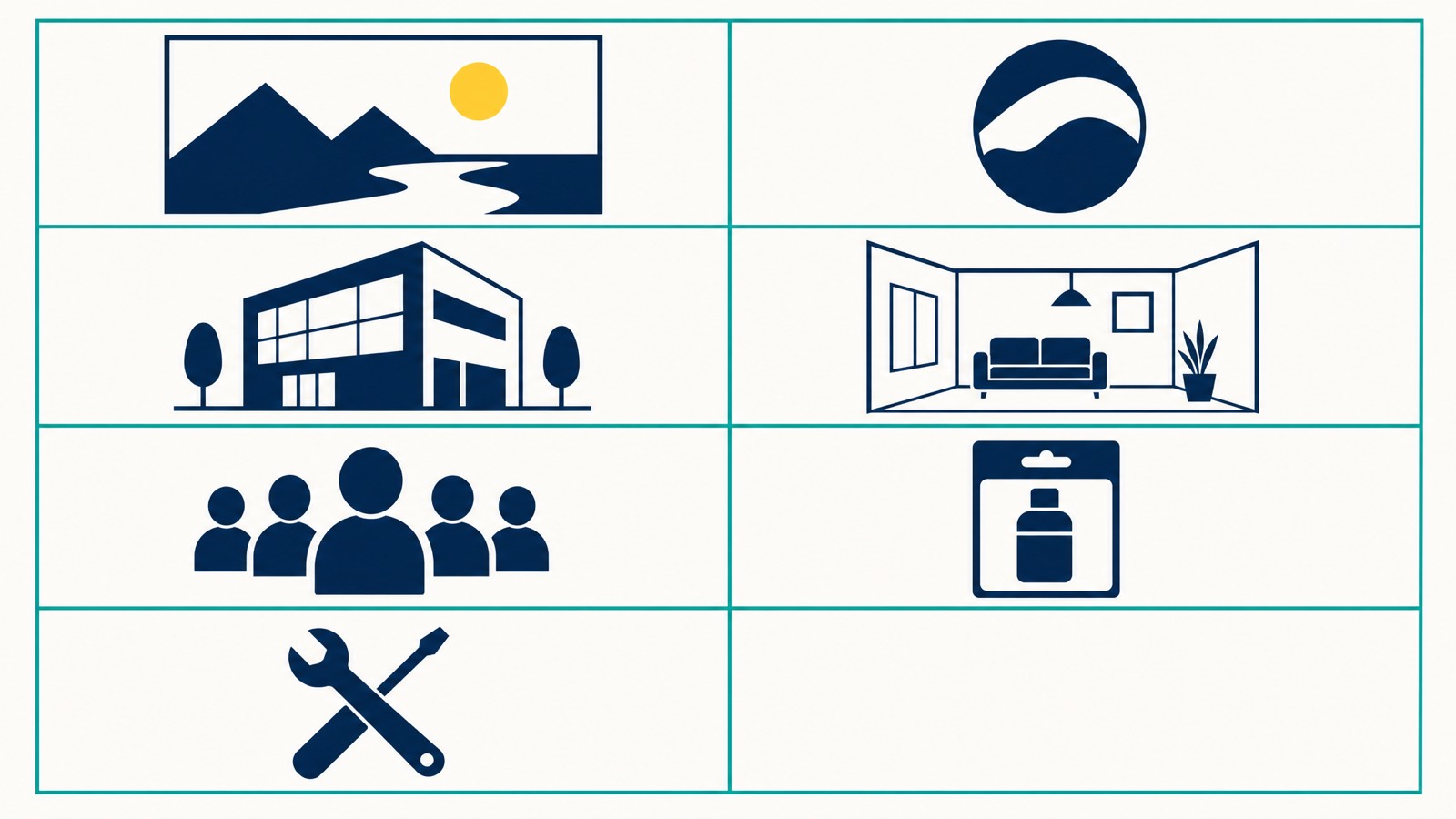
- You need at least seven photo types on your profile: logo, cover, exterior, interior, team, product or service, and at-work shots.
- Geo-tagging your photos with EXIF data does nothing. Google strips EXIF on upload.
- The right cadence is 1–2 photos per week plus one short video per month. Anything less and your profile starts looking stale.
- If Google rejects your photo, the usual culprits are text overlay, stock detection, low quality, or a recently reinstated profile.
Why Google Business Profile photos actually matter in 2026
There is a long-running argument in local SEO about whether photos directly affect rankings. The honest answer is that nobody outside Google knows for sure. What we do know is that photos affect every behaviour signal Google uses to judge whether your listing deserves to rank — clicks, dwell, direction requests, and calls.
Google’s own help documentation is unusually direct on this. Businesses with photos on their profile see 42% more requests for directions and 35% more click-throughs to their websites than businesses without photos. That stat sits inside the official Google Business Profile help page on managing photos, and it is the closest thing to a public commitment Google has made on the topic.
BrightLocal ran an insights study on listings with 100 or more photos and found those businesses received 520% more calls, 2,717% more direction requests, and 1,065% more website clicks than the average local listing. Worth a caveat: that is correlation, not causation. Businesses with 100+ photos tend to be active across the board, so they are not winning purely on photo volume. But it is a useful directional signal.
The most interesting recent data comes from Joy Hawkins at Sterling Sky. In February 2023 her team analysed Google Business Profile posts and found posts using non-stock images had 5.6 times the click-through rate of posts using stock images. We wrote about that finding in our guide to Google Business Profile posts — the same dynamic applies to your photo gallery. Authentic beats polished, every time.
Where do these photos actually appear?
- The knowledge panel on Google Search (desktop and mobile)
- Your business pin and detail card in Google Maps
- AI Overview summaries and the new “View profile” preview cards Google now surfaces for local intent queries
- The Map Pack carousel for category searches
- Third-party sites that pull from the Google Maps API
A potential customer running a search for “best coffee near me” on a Perth phone at 7:30am sees your cover photo before they see anything else. If that photo is a blurry stock shot of generic latte art, you have already lost.
Photo requirements: the specs Google actually wants
Before you upload anything, the specs need to be right. Google does not officially reject photos for being slightly off-spec, but undersized or compressed images get downranked inside the photo carousel and load slowly on mobile, which is where most of your traffic is.
Here are the current 2026 photo requirements straight from Google Business Profile Help and the linked photo and video policies:
| Asset type | Recommended size | Minimum size | Aspect ratio | Max file size |
|---|---|---|---|---|
| Logo | 720 × 720 px | 250 × 250 px | 1:1 (square) | 5 MB |
| Cover photo | 1080 × 608 px | 480 × 270 px | 16:9 | 5 MB |
| Additional photos (interior, exterior, team, product) | 720 × 720 px or larger | 250 × 250 px | Flexible | 5 MB |
| Video | 1080p | 720p | 16:9 | 75 MB (max 30 sec) |
| Post image | 1200 × 900 px | 400 × 300 px | 4:3 | 5 MB |
A few details that catch people out:
- File format: JPG or PNG only. HEIC files from an iPhone will sometimes upload, sometimes fail. Convert to JPG before you upload.
- File size floor: anything under 10 KB is rejected outright. If you are running heavy compression, ease off.
- Cover photo aspect ratio: the cover is cropped to 16:9 in most surfaces. If your subject is in the corners of the frame, expect it to be cut.
- Logo crop: Google crops your logo to a square. If you have a wordmark, this kills it. Use a tight, square-friendly mark.
There is also a hidden cost to oversized files. A 4 MB cover photo will technically upload, but it makes your profile slower to load on a 4G connection, and Google measures that. Compress sensibly. Aim for 400–800 KB on cover photos and 150–300 KB on additional photos.
File names matter (yes, before you upload)
This is the SEO detail most people skip. Rename your files before you upload them. A file called IMG_4732.jpg tells Google nothing. A file called dentist-clinic-exterior-fremantle.jpg gives Google a tiny extra contextual signal about what the image is and where the business is.
Use descriptive file names with two or three relevant keywords and your suburb or city. Do not stuff. Three to five words is the sweet spot.
The seven photo types every Australian GBP needs
You cannot just upload twelve interior shots and call it a day. Google looks at the variety of photo types as a signal of profile completeness, and customers respond to different photo types at different moments in the decision.
Here is the minimum spread.
1. Logo
Square crop, clean background, high resolution. Your logo appears next to your business name in many surfaces, so it has to read clearly at small sizes. If your logo has fine detail or a horizontal wordmark, build a square-cropped icon version specifically for GBP.
2. Cover photo
This is the hero image of your profile. It needs to communicate what your business is in one glance. For a Sydney cafe, that is probably a wide shot of your interior with people in it. For a Melbourne tradie, it might be a clean shot of a finished job. For an allied health clinic in Brisbane, a warm shot of the reception or a treatment room.
Avoid generic stock backgrounds, gradients, or photos with text overlays. Vision AI will sometimes reject these, and even when it does not, they convert badly.
3. Exterior and storefront photos
If you have a physical location, three to five exterior photos help customers actually find you. Shoot the storefront from across the street, then closer in, then from each side. If your business is in a strip mall or a hard-to-find spot, include a wide shot that shows the surrounding context — a recognisable street sign, neighbouring business, or landmark.
This is also where genuine geographic context lives. Not in EXIF data — in the actual frame. A storefront with the street sign visible is a real-world signal.
4. Interior photos
Customers want to know what they are walking into. Five to ten interior shots from different angles, well lit, no people unless you have their consent. Highlight the spaces a customer actually uses — the entrance, the seating area, the consultation room, the gym floor.
5. Team photos
People hire people. A clean head-and-shoulders shot of each key staff member, ideally taken on the same day with the same lighting, builds trust faster than any other photo type. For trades and service businesses where the technician comes to the customer’s home, this is non-negotiable. Customers want to know who is showing up.
6. Product or service photos
This is where most Australian businesses underinvest. If you are a restaurant, every dish on the menu deserves a clean overhead shot. If you are a builder, every completed project deserves before-and-after photos. If you are a dentist, your treatment chairs, equipment, and waiting room each deserve their own image.
Specifics that work by vertical:
- Cafes and restaurants: dishes, drinks, fitouts, takeaway packaging
- Tradies (plumbers, sparkies, builders): completed work, vehicles, uniformed staff on site
- Allied health: treatment rooms, equipment, reception
- Retail: storefront, interior, key product categories, packaging
- Professional services: office, meeting rooms, team
7. “At work” or behind-the-scenes photos
These convert harder than people expect. Shots of the team mid-job, a technician troubleshooting a hot water system, a stylist mid-cut, a chef plating up. Real people doing real work. Vision AI loves them because they are unambiguously authentic, and customers respond because they see what hiring you actually looks like.
A bonus eighth category exists but is not under your direct control: customer photos. You cannot upload these yourself, but you can ask happy customers to add a photo when they leave a review. Customer photos count toward your profile’s image pool and signal active engagement.
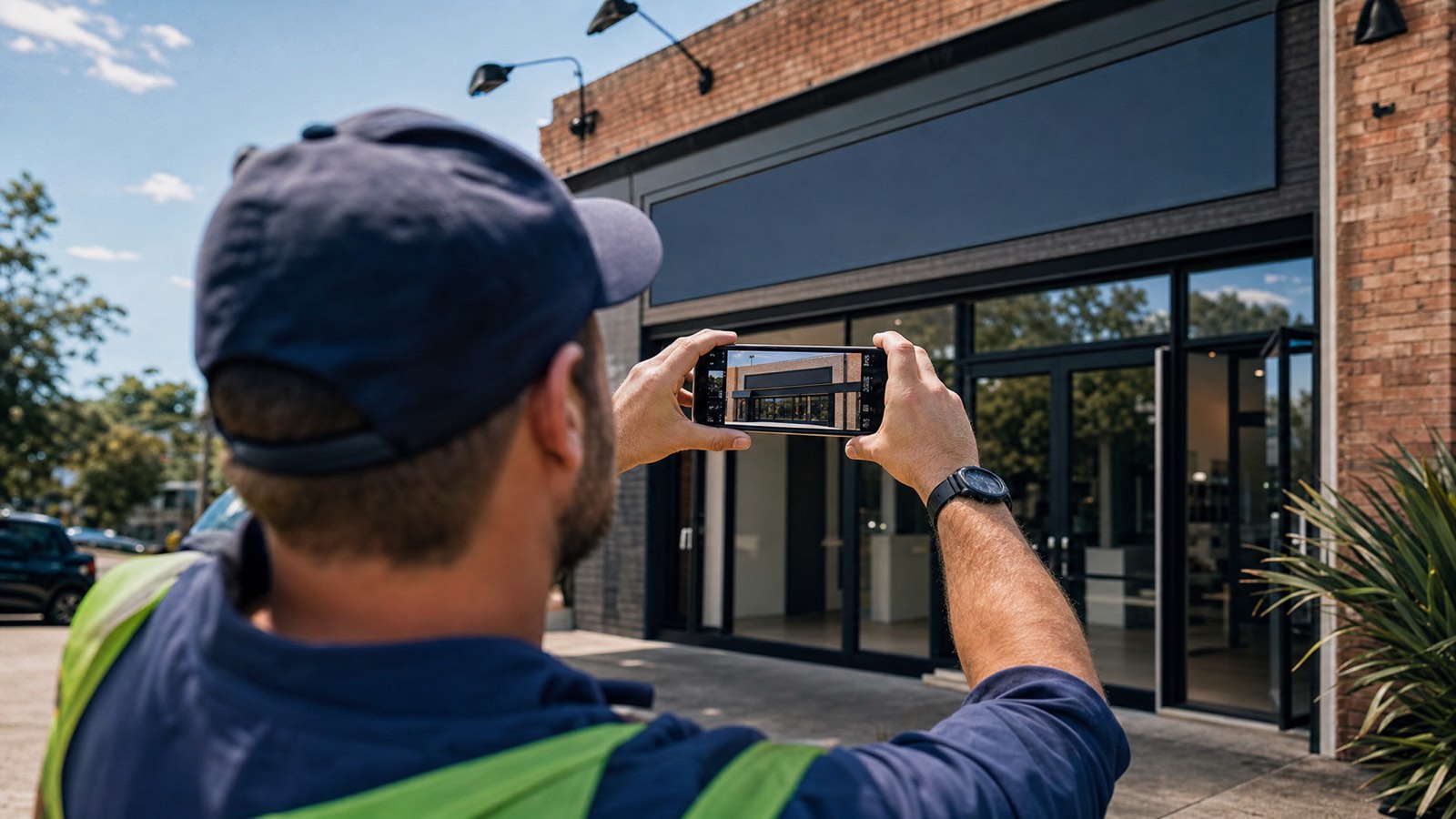
Photo quality and authenticity: the Sterling Sky lesson
Joy Hawkins and the Sterling Sky team did the work most local SEOs are too lazy to do (me included). They ran a study on Google Business Profile posts in February 2023 and found posts with non-stock images had 5.6 times the click-through rate of posts with stock images. That is not a typo. 5.6x.
The same dynamic plays out across your photo gallery. Google’s Vision AI is trained to detect stock photography, and it gets better every quarter. When it flags a photo as stock, your photo either gets rejected outright or quietly suppressed in the carousel — there is no warning either way.
The good news is the bar for authentic, high-quality photos is much lower than people assume. A clean shot taken on a recent iPhone or Android phone in decent light beats most paid stock libraries. You do not need a DSLR. You need:
- Good light (mid-morning or late afternoon, or a window if you are indoors)
- A steady hand or a $30 tripod
- A clean, uncluttered background
- One focal subject per photo
- No filters, no Photoshop, no aggressive HDR (turn auto-HDR off on the iPhone — the over-processing reads as filtered)
The photos that perform best are the ones that look like a competent friend took them, not the ones that look like marketing.
The stock-photo trap
If you are tempted to fill gaps with stock — don’t. Three honest phone photos beat fifteen polished stock shots. Stock photos signal to both Google and your potential customers that you are hiding something. If your business genuinely cannot generate enough high-quality photos to populate the gallery, your problem is not photo strategy — it is that you have not visited your own business with a camera for a while.
How often should you upload photos? The cadence schedule
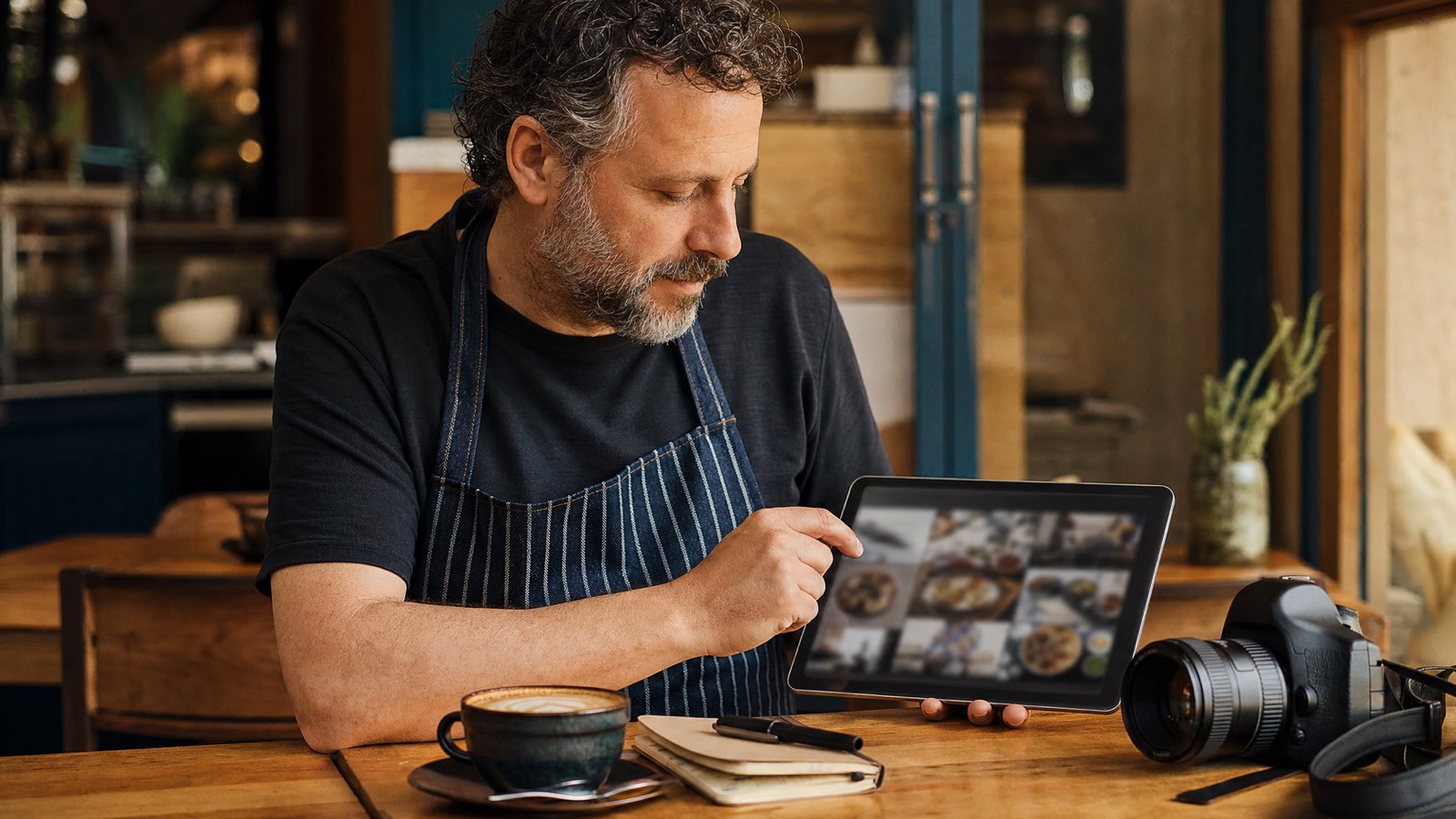
The platforms that recommend “upload photos every now and then” are not serious about local SEO. Cadence matters. Google notices when a profile goes dormant, and so does every potential customer who lands on a profile last updated nine months ago.
The right cadence for most Australian small businesses:
- Weekly: 1–2 new quality images. Different categories each week.
- Monthly: 1 short video (15–30 seconds).
- Quarterly: Full audit. Replace any photo that is out of date, off-brand, or low quality.
If you are a multi-location business or a high-volume retailer, double the cadence. If you are a one-person trade and you genuinely cannot keep that pace, drop to one photo per fortnight — but no slower.
Sample schedule: Perth cafe, four-week starter plan
For a cafe owner starting from scratch, here is a realistic four-week schedule:
- Week 1: Logo (fixed), cover photo (fixed), 3 interior shots, 2 exterior shots.
- Week 2: 2 team headshots, 3 dish photos, 1 drink photo.
- Week 3: 1 short video (15 sec interior pan), 2 behind-the-scenes shots, 2 packaging photos.
- Week 4: 3 dish photos, 1 storefront wide shot, 1 customer-area photo.
By the end of month one you have around 25 authentic, high-quality images. That is a profile Google can rank and customers can trust.
Why Google rejects photos (and the 60-second diagnostic)
Photo rejection is the single most common frustration I hear from Australian SMBs running their own GBP. You upload a photo, it sits there for a day, then quietly disappears. No notification, no reason given.
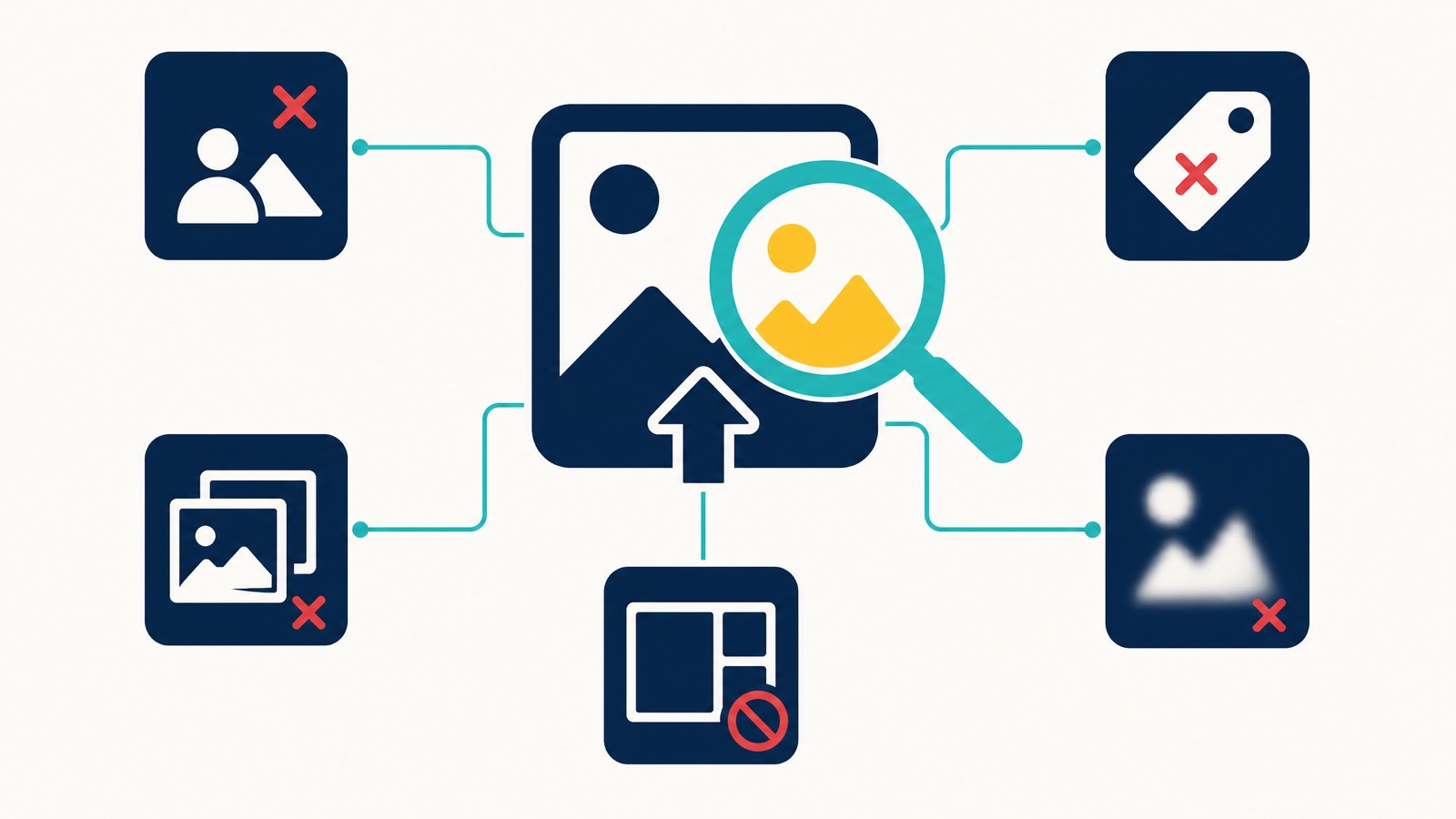
There are ten common rejection causes. Run through them in order before you re-upload:
- New profile. If your GBP is less than 14 days old, photo approval is delayed while Google builds initial trust. Wait.
- Recently suspended or reinstated profile. Reinstatement adds 10–14 days of extended manual review on photos. Wait.
- Text or logo overlay larger than ~10% of the frame. Vision AI flags promotional graphics. Use a cleaner shot.
- Promotional language in the image. “20% OFF”, “CALL NOW”, “BEST PRICE” — all rejected. The post type exists for offers; photos are not the place.
- Stock photo detected. Google reverse-matches against major stock libraries.
- Watermark or photographer credit. Even legitimate ones get flagged. Crop them out or use a different shot.
- Blur, darkness, or heavy filter. Vision AI rejects low image quality consistently.
- Off-topic content. A selfie on a plumber’s listing, food photos on a mechanic’s profile. Stay relevant.
- Duplicate. Google de-duplicates against your existing gallery.
- Personally identifiable information. Number plates, faces of non-consenting individuals, addresses on documents.
We wrote a deeper diagnostic in our guide on why Google rejects GBP photos if you want the full troubleshooting flow.
The “upload as a customer” workaround
If you have ruled out all ten common causes and your photo still will not stick, try this: log out of the owner account, log into a different Google account, find your business on Google Maps, and upload the photo as a customer contribution.
If it sticks, the issue is with your profile’s trust state, not the image. If it gets removed within 24 hours, the image itself is failing Vision AI checks.
Photo SEO: what actually moves the ranking needle
Most “photo SEO” advice online is recycled nonsense from 2018. Here is what actually matters in 2026, in priority order.
Descriptive file names
Before you upload, rename. bakery-fitzroy-melbourne-storefront.jpg is worth a small amount of relevance signal. IMG_8821.jpg is worth nothing.
Authentic content (Vision AI uses the image itself)
Google’s Vision AI reads your photo. It identifies objects, scenes, text in the image, and contextual signals like brand logos or storefront signage. A photo of your actual storefront with your actual signage in frame tells Vision AI more than any metadata you could attach.
Geographic framing in the actual photo
This is where the “geo-tagging” advice misses the point. EXIF GPS data is stripped by Google on upload — that is documented and confirmed by Joy Hawkins and others in the local SEO community. So adding GPS metadata to your phone before you upload does nothing.
What works instead: include geographic context inside the frame. A storefront photo that includes the street name visible on a sign, a recognisable local landmark in the background, or a clear suburb-identifying detail. These are signals Vision AI can actually read and use.
Image quality and resolution
A 720×720 px minimum, well-lit, in focus. Google de-prioritises low-quality images in the carousel even when they pass moderation.
Photo cadence and freshness
A profile getting new photos every week looks alive to Google’s freshness signals. A profile dormant for three months looks abandoned. Cadence beats one-time perfection.
What does not move the needle
- EXIF geo-tagging (myth — data stripped)
- Forcing keywords into file names beyond natural use (over-optimisation flag)
- Uploading the same photo multiple times with different names (Google de-duplicates)
- Buying photo views or “engagement”
The single biggest ranking factor for local search is still proximity, which we cover in detail in our Google Maps proximity ranking guide. Photos help, but they are not a substitute for being in the right place with the right category and the right reviews. They work alongside the rest of your local SEO and Google Maps SEO strategy.
Video, 360 photos, and the new “Updates” surface
Photos are the foundation, but 2026 GBP also rewards video and immersive content.
Video specs
- Maximum length: 30 seconds
- Maximum file size: 75 MB
- Resolution: 720p minimum, 1080p recommended
- Format: standard MP4
One short video per month is enough. A 15-second pan of your interior, a 20-second clip of your team at work, a quick walk-through of a completed job. Vertical or horizontal both work, though horizontal displays better in the carousel.
360 photos and Street View
Panorama uploads from inside the GBP dashboard were deprecated in mid-2023. If you want immersive 360 content, capture it through the dedicated Google Street View app and publish it that way. It then attaches to your business listing.
For most small businesses, 360 is overkill. Skip it unless you are a venue, gym, or large retail space where the floor plan is genuinely a selling point.
The new “Add update” flow
Google has been gradually merging photos and posts into a single “Add update” flow in the GBP dashboard. Photos uploaded through this path now sit inside the Updates section as well as the photo gallery. Pair an upload with two sentences of context and it doubles as a post.
That has implications worth flagging: the same photo can now feed both your photo gallery and your post stream, which means a single weekly upload can satisfy both your photo cadence and your post cadence. Read our GBP posts guide for the full breakdown.
The eight common mistakes Australian businesses make
Patterns we see constantly in audits across Perth, Sydney, Melbourne, and Brisbane:
- Uploading once and never again. A 30-photo upload on the day the profile was claimed, then nothing for 18 months. Stale.
- All stock, no soul. Stock images filling every category. Both Vision AI and customers see through it.
- No cover photo, or a cover photo that is just the logo. Wastes the most valuable visual real estate on your profile.
- No team photos. Especially for trades and allied health, where trust is the entire conversion path.
- Heavy filters and over-editing. Vision AI flags it, customers find it suspicious.
- Photos with promotional text overlay. That is what offer posts are for. Photos are not banner ads.
- Inconsistent quality. One pro-shot photo next to twelve grainy phone snaps reads as messy. Aim for consistent quality across the whole gallery.
- Forgetting customer photos. Not asking customers to attach photos to their reviews is a missed multiplier.
Each of these is fixable in an afternoon. The cost of not fixing them compounds every week the profile sits stale.
How photos fit into the wider GBP optimisation picture
Photos are one element of a properly optimised GBP. These best practices on photos sit alongside the rest of your profile:
- Category selection (primary and secondary)
- Attributes and services — see our guide on GBP attributes and why they matter
- Reviews and replies
- Posts and updates
- Q&A management
- Service area and proximity
A photo-perfect profile with the wrong category will not rank. A photo-thin profile with everything else dialled in will still feel half-finished to customers. The pillar Google Business Profile optimisation guide covers how all of these elements work together.
FAQs
Does adding photos to a Google Business Profile help with rankings?
Photos are not a confirmed direct ranking factor, but they influence every behaviour signal Google uses to evaluate listings — clicks, dwell, direction requests, and calls. Google’s own data confirms businesses with photos see 42% more direction requests and 35% more website clicks than those without. So while you cannot say “photos rank you”, you can say “profiles with strong photo galleries perform better in local search consistently”.
What size should my GBP cover photo be?
Aspect ratio 16:9, recommended resolution 1080 × 608 px, minimum 480 × 270 px. JPG or PNG, between 10 KB and 5 MB. Aim for around 400–800 KB after compression for faster mobile load.
How often should I add photos to my Google Business Profile?
Minimum one photo per week. Ideal cadence is 1–2 photos per week plus one short video per month. Run a full audit quarterly to remove or replace any photos that are out of date or low quality.
Should I geotag photos with GPS EXIF data before uploading?
No. Google strips EXIF data on upload, so geo-tagging is wasted effort. Include geographic context inside the frame instead — street signs, local landmarks, recognisable suburb details. That is what Vision AI can actually read.
Why did Google reject my photo?
The usual causes are: profile under 14 days old, recently suspended or reinstated, text overlay larger than 10% of the frame, promotional language in the image, stock photo detected, watermark visible, low quality (blur, dark, heavy filter), or off-topic content. Run through the ten-point list above before re-uploading.
Can I remove a photo I uploaded myself?
Yes. Go to your Google Business Profile dashboard, open the Photos section, tap the photo you want to delete, and select the trash icon. Removing your own photos is instant. There is no penalty for deleting a photo that is no longer accurate, off-brand, or simply not your best work — in fact a quarterly cull is part of the cadence we recommend.
Can I remove a customer photo from my Google Business Profile?
You can flag it, but Google only removes customer photos that violate policy — explicit content, irrelevant subject, personal attacks, or copyright violations. You cannot remove a customer photo just because you do not like it.
How many photos is too many?
There is no upper limit, and BrightLocal’s data shows businesses with 100+ high-quality images receive significantly more direction requests and clicks. Quality matters more than volume, but for most Australian SMBs, the answer is “more than you currently have”. Sit between 30 and 100 photos, with regular weekly additions.
Should I include people in my photos?
Yes — with consent. Team photos, “at work” shots, and customer-friendly interiors with people in frame convert better than empty rooms. Make sure you have permission from anyone identifiable.
Bringing it together
Photo optimisation on a Google Business Profile is unglamorous. It is not the SEO work people talk about at conferences. But it compounds, week after week, in the same way reviews and posts do — and for most local businesses, the photo gallery is doing more conversion work than the website ever will.
The playbook in short:
- Hit the specs — 720×720 px minimum, JPG or PNG, under 5 MB, cover at 16:9.
- Cover the seven photo types — logo, cover, exterior, interior, team, product/service, at-work.
- Authentic over polished. Phone photos in good light beat stock every time.
- Cadence of 1–2 photos per week, one video per month, quarterly audit.
- Descriptive file names before upload. Skip the geo-tagging myth.
- Run the ten-point rejection diagnostic if a photo will not stick.
If you want a second set of eyes on your photo gallery, your GBP setup, or your wider local SEO, book a 30-minute strategy call. I have been doing this since 2013 and we know what to look for in a short audit.
Or email me directly: [email protected].