
How to Ask for Google Reviews (the ACCC-Compliant Way)
Step-by-step templates for how to ask customers for Google reviews in Australia without breaching the ACL or Google's policy. ACCC-safe, AHPRA-aware, in-person, SMS and email scripts that actually convert.
A small business owner I spoke with last month had 180 Google reviews. By the end of the call she had 32. Her front-desk system had been quietly filtering customers by mood for two years — the happy ones got the Google link, everyone else got routed to a private feedback form. Google flagged the pattern and wiped every review back to 2024.
She wasn’t trying to cheat. She’d installed a “reputation tool” from a marketing course in 2023 and never read the policy page. The cost was four years of social proof, gone in a Tuesday morning email.
This is the part most “how to ask for Google reviews” guides skip. Asking is the easy bit. Not getting your reviews wiped — or hit with the ACCC penalty regime that went live on 10 November 2022 — is the hard bit.
97% of consumers read reviews before choosing a local business, and 83% of the people who get asked for one go ahead and leave it (BrightLocal Local Consumer Review Survey 2026). The bar isn’t “ask better”. It’s “ask at all, without breaking the law”. This playbook is the ACCC-safe, Google-policy-safe, AHPRA-aware version. Quick answer first, then the rules, then the templates.
The quick answer
Grab your Google review link or QR code from your Google Business Profile (Google My Business in your dashboard, same thing). Ask within 24 to 48 hours of a positive interaction. Send a short, neutral message that does not offer an incentive and does not filter happy from unhappy customers. Follow up once. Reply to every review you get. That is the whole game.
What Australian law says about asking for Google reviews
Asking customers for a Google review is legal in Australia. Two things are not: creating or arranging fake or misleading reviews, and incentivising reviews in a way that misleads consumers.
The ACCC’s online reviews guidance puts it plainly. Reviews should be independent and reflect the genuine opinion of the person who experienced the product or service. It’s against the law for a business to create fake or misleading reviews, or to arrange for others to create them.
The ACCC’s own case study on that page is the removalist Citymove, which copied testimonials from an unrelated review website and republished them as its own. Citymove was issued an infringement notice. That was 2011. The enforcement teeth have since grown considerably.
The penalty regime since 10 November 2022
The Treasury Laws Amendment (More Competition, Better Prices) Act 2022 received Royal Assent on 9 November 2022 and applies to conduct from 10 November 2022 onwards. The ACCC’s media release on the new penalties confirmed the new maximums for breaches of the Australian Consumer Law.
For corporations, the maximum is the greatest of:
- $50 million
- three times the value of the benefit obtained from the conduct, or
- 30% of adjusted turnover during the breach period, if the benefit cannot be determined.
For individuals, the maximum is $2.5 million per breach.
Those figures are five times what the regime allowed before November 2022. If you have been using a template script from a 2018 marketing blog, the numbers in your head are out of date.
What Google’s review policy actually bans
Google runs its own rules on top of the law. The user-contributed content policy has two lines that matter for anyone asking for reviews.
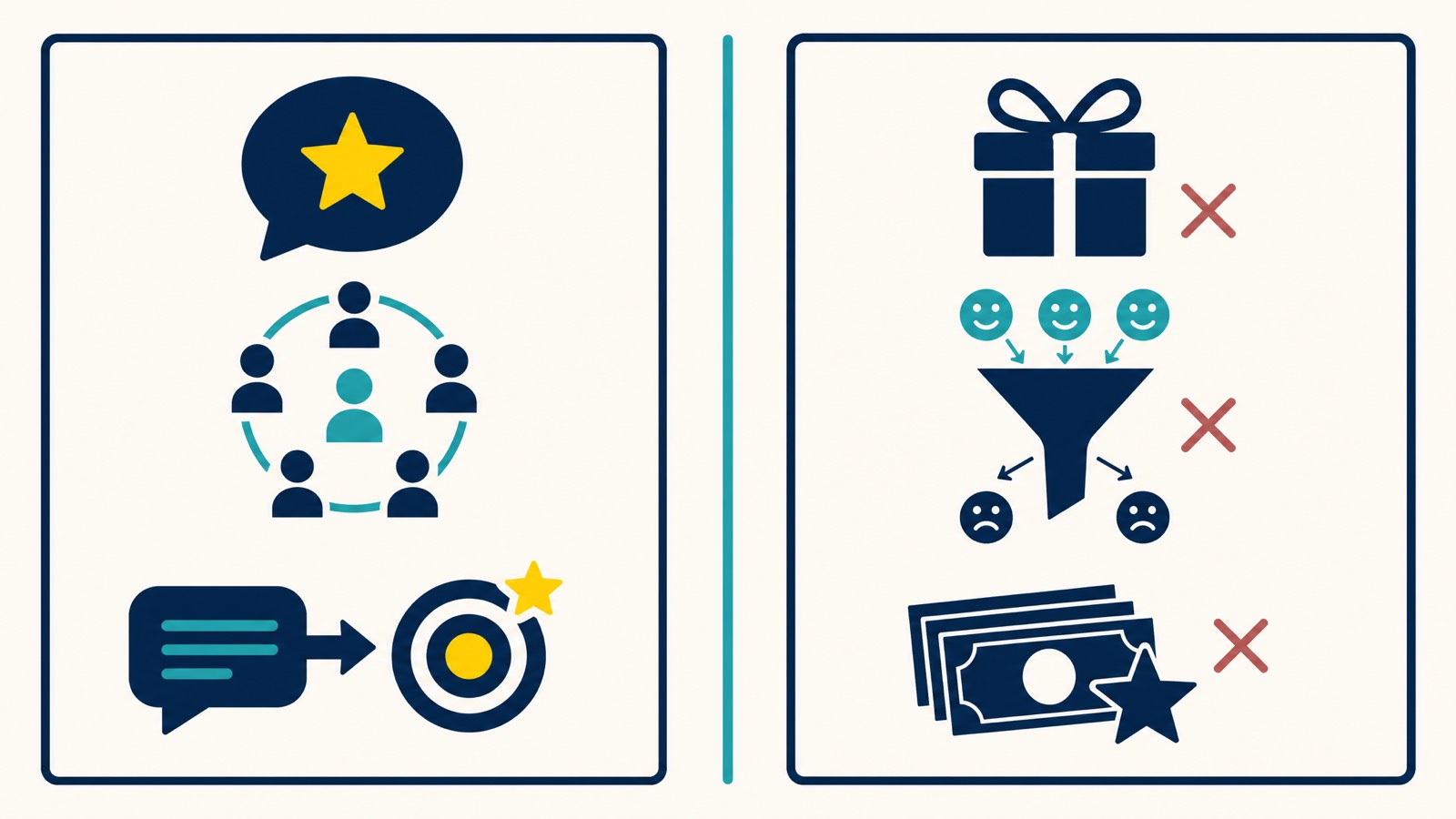
First, Google bans content posted in exchange for an incentive. Payment, discounts, free goods, free services. Any of it. If your sign in the shopfront says “leave us a Google review for $10 off”, that is a policy breach.
Second, Google bans “discouraging or prohibiting negative reviews, or selectively soliciting positive reviews from customers.” This is what local SEOs call review gating. It usually looks like a widget that asks “Did you have a great experience?” and only sends people to Google if they tap yes. Everyone else gets routed to a private feedback form.
Joy Hawkins at Sterling Sky has documented case after case of businesses caught review-gating. In one case, the business had over 400 reviews. When Google enforced, more than 80% of them were removed. The kicker: the removed reviews dated back two years. The gating itself was the trigger; the historical reviews on the profile got hit anyway.
It gets worse. In Hawkins’ October 2025 piece on “review jail”, businesses caught buying fake reviews are getting 6 to 8 month posting blocks where new reviews simply do not publish. From May 2025, Google began rolling out a “Suspected fake reviews were recently removed from this profile” warning label globally. The UK, US, India and Canada are already live. Australia will not be far behind.
And Sterling Sky’s February 2026 analysis shows the third trigger: clustered in-store review velocity. QR codes at the counter, on tables, at checkout. Bursts of 10+ reviews in a single day from inside the same building. None of those signals are individually a problem. Combined and sustained, they look like manipulation, and Google is now issuing 30-day posting blocks while it investigates.
So the consequences for getting this wrong sit on a spectrum:
| Consequence | Trigger | Source |
|---|---|---|
| 80% of reviews removed, dating back 2 years | Review gating | Sterling Sky case study |
| 30-day posting block, no new reviews publish | Clustered in-store / QR velocity | Sterling Sky Feb 2026 |
| 6 to 8 month “review jail” | Buying fake reviews | Sterling Sky Oct 2025 |
| Public “Suspected fake reviews” warning label | Google detects fake reviews on the profile | Sterling Sky Oct 2025 |
| ACCC infringement notice or court action | Misleading conduct under the ACL | ACCC primary guidance |
Compliant vs non-compliant scripts at a glance
| Compliant | Why it works |
|---|---|
| ”If you have a minute, we’d love a quick Google review.” | Neutral, no incentive, no filtering |
| ”We’d appreciate your honest feedback on Google.” | Honest framing, doesn’t pre-select sentiment |
| ”Here’s our Google review link if you’d like to share your experience.” | Clean, neutral, opens the door without pushing |
| Non-compliant | Why it’s risky |
|---|---|
| ”Leave us a 5-star review and we’ll send you a $20 voucher.” | Incentive plus selective solicitation of positive reviews |
| ”Tap yes if you had a great experience and we’ll send the Google link.” | Classic review gating |
| ”Only happy customers please.” | Selective solicitation, full stop |
| ”Hi Sarah, can you leave a 5-star review? We need more positive ones.” | Coaching the star rating undermines the “genuine experience” test |
Any time the ask hints at incentive, filters by sentiment, or coaches the star rating, you have an Australian Consumer Law problem and a Google policy problem in the same sentence.
Step 1: Get your direct Google review link or QR code
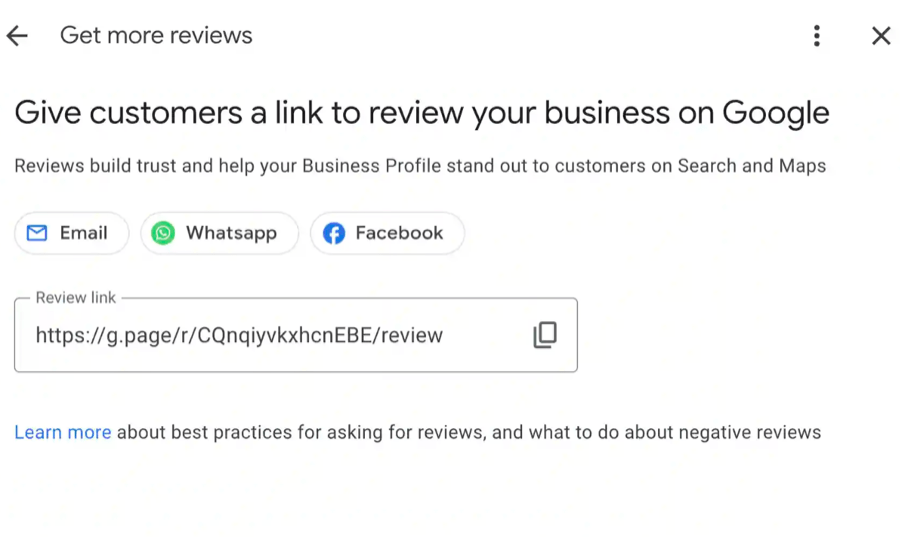
Stop making people search for your business in Google Maps to leave a review. Give them a one-tap direct link.
On desktop:
- Sign in to your Google Business Profile Manager (still called Google My Business in some dashboards).
- Find your business.
- Click “Ask for reviews”.
- Copy the link.
On mobile:
- Open the Google Maps app and search for your business.
- Tap “Share Profile” and select “Copy” to grab the link.
For the QR code, use Google’s own generator inside the Business Profile dashboard, or any clean third-party QR tool that points at the same URL. Google’s official Tips to get more reviews and the link and QR code instructions are the canonical references.
Where to put the QR code without triggering a posting block:
- On invoices, receipts and thank-you emails
- On business cards
- On the website’s thank-you or order confirmation page
- On the back of a service van
Where to be careful with the QR code:
- On a permanent table tent or counter sign in a venue with high foot traffic, where you might generate 10+ same-day reviews from inside one Wi-Fi network. That’s the exact pattern Sterling Sky flagged in February 2026.
A QR code on a table tent is fine for a quiet café with five tables. A QR code on every table tent of a 30-seat restaurant during dinner service is a 30-day block waiting to happen.
Step 2: Pick the best time to ask
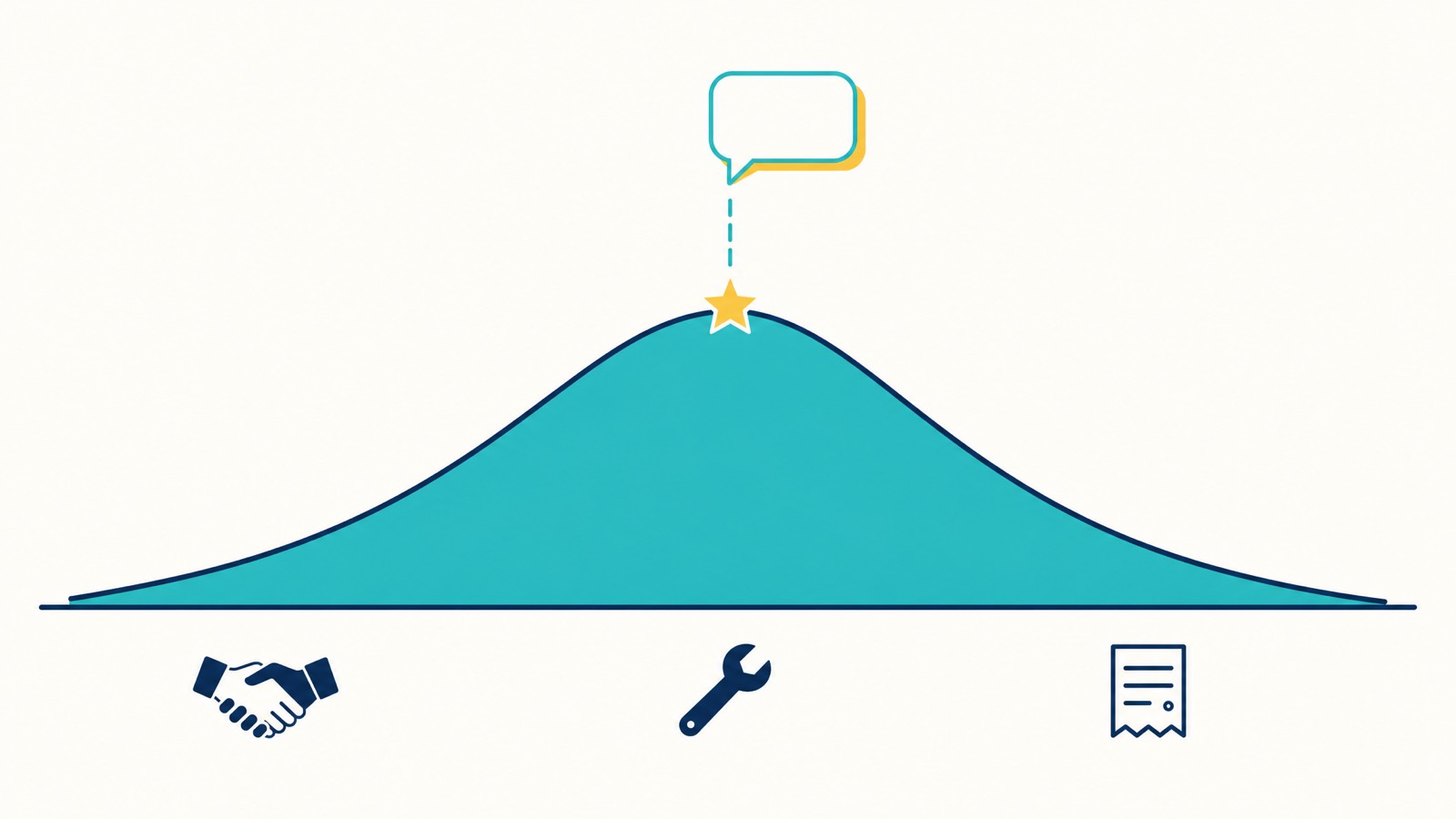
The best time to ask is the moment the customer is happiest. That usually means the 24 to 48 hours after you delivered the work, served the meal, settled the property, finished the appointment, or sorted out their issue.
Why the window matters: BrightLocal’s 2026 data shows 74% of consumers only care about reviews written in the last three months. Old reviews get discounted. So collecting Google reviews is a continuous process, not a once-a-year campaign.
Specific moments that work:
- The end of a successful service callout, before you leave the property
- Immediately after a customer thanks you in person or in writing
- The day after you delivered the result (resolved the issue, completed the project, handed over the keys)
- After a complaint you sorted out well — these often become your strongest reviews
Specific moments that don’t work:
- Three weeks after the job, when the customer has moved on
- Mid-job, when the outcome isn’t clear
- Inside a complaint resolution that’s still unresolved
- During a payment dispute

Step 3: Templates and scripts that work (and won’t get you flagged)
Every template below is neutral. None offer an incentive. None pre-select sentiment. All ask for an honest review.
Asking for a review in person
“If you’ve got a minute, we’d really appreciate a quick Google review. I can text you the link right now if that’s easier.”
Have the link ready on your phone. Send it on the spot. Most people will leave the review within five minutes if you make it that easy.
A Perth plumber I worked with had a sub-5% conversion on review requests sent from the van after the job. We changed one thing: he started showing the customer the SMS on the spot before he left the property, instead of sending it from the next driveway. Conversion went to 38% over the next month. The mechanic is simple — when the customer watches you type their name into the message, they feel the request, not the automation.
Asking via SMS (text message)
“Hi [first name], thanks for choosing [business name]. If you’ve got a moment, we’d love a quick Google review — here’s the link: [link]. No pressure either way, and thanks again.”
Short. Personalised. No mention of the star rating. No mention of “positive”. The “no pressure either way” line is your insurance: it makes clear you want their honest take.
Asking via email
Subject: Quick favour from [business name]?
Hi [first name],
Thanks again for [the job / your booking / coming in last week].
If you’ve got two minutes, we’d really appreciate a Google review. Here’s the link: [link]
Your honest feedback helps other potential customers find us and helps us keep improving. Either way, thanks for choosing us.
Cheers, [Your name]
Personalised intros (the customer’s name and what you did for them) significantly outperform generic email blasts. Avoid sending the same review request to your entire customer list on the same day.
Asking on a receipt or invoice
A single line at the bottom of the invoice once the job is paid:
“Happy with the work? We’d love a quick Google review: [short link or QR code]”
The “happy with the work” framing is acceptable because it doesn’t condition the ask on a star rating. You’re acknowledging the trigger event, not coaching the outcome.
Asking via your website’s thank-you page
After someone completes a booking or order:
“Thanks for your booking. If you’ve worked with us before, a Google review would help other people find us: [QR code or link]”
Keep it secondary to the main conversion event. Don’t make it pushy.
Vertical templates for Australian businesses
Tradie (plumber, sparky, builder, landscaper)
End the callout with the verbal ask. Follow up with SMS the next day.
“Thanks for getting us out today, mate. If you reckon we did a good job, a quick Google review would mean a lot. I’ll flick you the link in a text now.”
The SMS follow-up the next morning lands while the cleared drain or the working power point is still fresh.
Allied health (AHPRA-aware)
This vertical needs more care. Section 133(1)(c) of the National Law prohibits the use of testimonials in advertising regulated health services. Asking a patient for a Google review is not illegal. What’s not allowed is republishing clinical-aspect testimonials in your own advertising — like quoting a patient’s review about your treatment on your website or Facebook ads (AHPRA testimonial guidance).
The safe ask for an allied-health practice:
“If you’d like to leave us a Google review about your experience, we’d really appreciate it. Here’s the link: [link]”
Key rules for this vertical:
- Don’t republish clinical-aspect reviews on your own marketing channels
- Don’t selectively edit reviews on platforms you control
- Don’t disable negative reviews
- You’re not responsible for what patients post on third-party platforms you don’t control
AHPRA’s social media guidance is the canonical reference.
Hospitality (restaurant, café, venue)
A table tent with a QR code is the standard play, but watch the velocity. If you’re a restaurant doing 200 covers a night and 15% of tables scan the code, you’ll generate 30 reviews per night from the same IP range. That’s the Sterling Sky scenario.
A safer version: hand the QR code to the customer with the bill, on a small card they can take with them. They scan from their own network, on their own time, often the next day.
“Hope you enjoyed your meal. If you’ve got a moment later, we’d love a Google review — the link’s on the back of the card.”
Real estate
Ask after settlement, not after the open inspection. The emotional peak is when the buyer gets the keys.
“Congratulations on settlement, [first name]. If you’ve got two minutes in the next week, a Google review about your experience would be a huge help. Here’s the link: [link]“
Professional services (accountants, lawyers, consultants)
Ask after the engagement closes successfully. A short follow-up email from the senior partner usually outperforms a CRM-automated request from a “no-reply” address.
“Hi [first name], hope tax season ended better than it started. If you’ve got a moment, a quick Google review about working with us would help other small business owners find us. Link below if you’d like to. Either way, thanks for trusting us with the work this year.”
Build a sensible review request cadence
The aim is review velocity that looks like organic customer behaviour, not a marketing campaign. Cadence beats blast.
A workable rhythm for most service businesses:
- Day 0 — Verbal ask at the end of the job
- Day 1 — Short SMS with the review link
- Day 5 — Single email follow-up if no review yet
- Day 14 — One final SMS reminder
- Stop after the second follow-up
What to avoid:
- Emailing your entire customer list at once. You’ll spike review velocity on the same day, which is exactly the pattern Google flags.
- Asking the same customer twice in a month
- Sending a third or fourth follow-up. Two is the cap. Asking three times reads as desperation and damages the relationship.
If you process a lot of customers, stagger the asks across the week instead of running batch jobs.
What to do when a review goes sideways
Sometimes the review will be honest and not flattering. That’s the deal. You asked for a genuine experience and you got one.
The first move is to reply. BrightLocal’s 2026 data shows 19% of consumers now expect a same-day response and 81% expect one within a week. Slow responses read as either avoidance or chaos.
Use a structured response. Acknowledge, take responsibility where it’s fair, offer to make it right offline. We’ve covered this in detail in our Google review response templates and the longer strategic guide to handling negative Google reviews.
What you cannot do:
- Delete genuine negative reviews. You can’t delete reviews you don’t like.
- Selectively edit reviews (this breaches the ACL’s misleading-conduct provisions, and for regulated health services it breaches the National Law).
- Disable the reviews function on a platform you control to stop unhappy patients from leaving feedback. AHPRA flags this directly.
If a review is genuinely fake or violates Google’s policy, you can flag it for removal. We’ve covered the full process in our guide to combating fake Google reviews.
The 6-point ACCC review-ask audit
Run this on your current review process before you change anything else. One “yes” is a flag. Three or more “yes” answers and you need to stop and fix the system before you ask another customer.
- Are we offering any incentive (discount, voucher, free service, prize draw, loyalty points) in exchange for a review?
- Are we asking only the customers we believe will leave a positive review?
- Are we using a widget, kiosk, or third-party tool that asks customers how they felt before deciding whether to send them to Google?
- Are we selectively editing, hiding, or removing any genuine negative reviews on platforms we control?
- Are we generating most of our reviews from inside the business, on a shared device, in clustered bursts during peak hours?
- If we operate a regulated health practice, are we republishing clinical-aspect testimonials in our own advertising or social media?
If any of those answers made you uncomfortable, the safest move is to stop the existing process and rebuild from the templates in this article.
If you’d like a second set of eyes on it, book a 30-minute strategy call and we’ll run a compliance audit on your current review process.
Pre-flight check before tomorrow’s first ask
A 30-second go/no-go before the first SMS or email goes out:
- Is the link the actual Google review link (not a third-party “review collector”)? Yes / no
- Is the message free of any incentive language (“free”, “discount”, “voucher”, “in exchange for”)? Yes / no
- Does the message ask for an honest review, not a positive or 5-star one? Yes / no
- Are you sending from a real person’s address or number, not a no-reply? Yes / no
- Are you spacing the asks across the day or week, not blasting in one batch? Yes / no
If you can answer yes to all five, send. If any answer is no, stop and fix the template before it goes out.
How to measure review velocity
Asking is the work. Measuring is what makes the work compound. A small set of numbers tells you whether the system is on track and helps you make informed decisions about where to invest next.
What to track monthly:
- New reviews per month, on Google specifically
- Star rating average across a rolling 90-day window (this matters more than your lifetime average)
- Median time to first response and 95th-percentile response time
- Which channel converts best — in-person, SMS, email, QR — so you can improve your visibility where it actually moves the needle
What to benchmark against:
- 47% of consumers won’t use a local business with fewer than 20 reviews
- 31% will only use a business with a 4.5 star rating or higher (up from 17% a year ago)
- 74% only care about reviews from the last three months
If your review platform has 60 reviews but the most recent is from 2024, you have a recency problem, not a volume problem. Review velocity is one of the signals that benefits your local SEO campaign, and recent reviews are what bring new customers in from local search results. Don’t expect every additional review to move rankings. Do expect them to move conversion.
FAQs about asking for Google reviews
Is it illegal to ask for Google reviews in Australia? No. Asking is legal. Incentivising reviews, arranging fake reviews, and review-gating are illegal under the Australian Consumer Law and Google’s own policy.
Can I offer a discount for a Google review? No. It breaches both the ACL and Google’s user-contributed content policy. The Sterling Sky case studies show Google enforces it, and the ACCC penalty regime since 10 November 2022 makes the legal risk material.
What’s the best time to ask for a Google review? Within 24 to 48 hours of a positive interaction, while the experience is fresh. After that window, response rates drop sharply.
Can I email a review request to my whole customer list at once? Not in one blast. You’ll spike review velocity on the same day, which Google’s systems treat as a pattern signal. Stagger the asks across days or weeks.
What is “review gating” and why is it illegal? Review gating is filtering customers by sentiment before deciding who to route to Google. Happy customers get the public review link, unhappy customers get a private feedback form. It breaches Google’s policy (selective solicitation of positive reviews) and the ACL’s misleading-conduct provisions. Google’s enforcement can remove 80% of a business’s reviews when it’s detected.
Do QR codes for Google reviews work? Yes, when placed on items the customer takes with them (receipts, business cards, invoice PDFs). Be cautious about high-traffic, in-venue QR placement that generates clustered same-day reviews from one IP range. Sterling Sky has documented 30-day posting blocks triggered by exactly that pattern.
What if a customer leaves a negative review after I ask? Reply within a week. Acknowledge the experience, take responsibility where it’s fair, offer to fix it offline. Don’t delete it. Don’t selectively edit. Genuine negative reviews are part of the system you signed up for when you started asking.
Can I ask vendors, suppliers, or partners for a Google review? Only if they have genuine experience as a customer. A review from a business contact who has not actually used your service is a misleading review under the ACL, regardless of whether their feedback is positive.
A practical close
Most owners can run this system in-house with the templates above. The compliance layer is not difficult once you’ve seen it. The risk is the gap between “we’ve always done it this way” and what the regime actually allows in 2026.
I’ve been doing SEO since 2013, and the review side of the business has changed more in the last two years than in the decade before it. The penalty regime is real. The Google enforcement is real. The “Suspected fake reviews” labels are real. If your current process has even one of the six audit flags above, fix the process before the next ask.
If you’d rather we ran the audit and the review process for you, that’s what our online reputation management service is built for. Book a 30-minute strategy call and we’ll look at your current setup, your current templates, and your current review velocity. No pressure either way.
For the bigger picture on review growth and local SEO, our pillar piece on how to get more Google reviews for local SEO covers the broader strategy. Everything on this page lives inside our Google Business Profile optimisation hub.