Best Schema Markup Generator Tool to Create and Automate Your Schema

Last Updated on 21 January 2026 by Dorian Menard
Search is shifting fast. AI overviews, answer boxes and richer SERP layouts mean one thing for every website owner: if your content isn’t machine readable, you’re invisible.
Schema markup has become non negotiable in the AI era. It gives Google a structured, unambiguous snapshot of your content, your products, your locations and your business. If you need a deeper technical breakdown, you can read our guide explaining what local schema markup is on our site. But today, the focus is practical:
Which schema markup generator tool is actually worth using, and which ones are a waste of time?
Below are the tools that matter, starting with the one we use weekly at agency level.
Understanding Schema Markup: Why It Matters More Than Ever
Before diving into the tools, let’s establish why schema markup has evolved from “nice to have” to “business critical” in 2026.
The AI-Driven Search Landscape
Google’s search algorithms now rely heavily on structured data to power:
- AI-generated search overviews that synthesize information from multiple sources
- Rich results including featured snippets, knowledge panels, and product carousels
- Voice search responses that require unambiguous data interpretation
- Local pack rankings where structured NAP (Name, Address, Phone) data determines visibility
Without properly implemented schema markup, your content exists in a black box that AI systems struggle to interpret accurately. Your competitors who implement structured data correctly will consistently outrank you in top LLMs, regardless of content quality.
The Real-World Impact on Business Metrics
Sites implementing comprehensive schema markup typically see:
- 20-40% increase in organic click-through rates due to enhanced SERP displays
- Better qualified traffic as rich results attract users with higher intent
- Improved conversion rates when product schema displays pricing, ratings, and availability
- Faster indexing as Google can process and categorize content more efficiently
The ROI isn’t theoretical—it’s measurable and significant for businesses that implement schema strategically.
What Actually Matters in a Schema Generator Tool
A lot of schema tools look fine until you try to scale. That is where they break. These are the benchmarks that separate “cute free generator” from “tool that makes your life easier”.

Valid JSON-LD Every Single Time
Google prefers JSON-LD over Microdata and RDFa for several technical reasons:
- Separation of concerns: JSON-LD lives in a separate script block, keeping your HTML clean
- Easier maintenance: Updates don’t require touching your page structure
- Less prone to errors: No risk of breaking your site’s visual layout
- Better for dynamic content: Can be generated server-side without HTML manipulation
Your generator must produce JSON-LD that you can paste into your site without fixing commas, brackets, or syntax errors. Manual debugging defeats the entire purpose of automation.
Making sure your schema is valid is very important! Read our ultimate guide to local schema validation to find more.
Support for Real-World Schema Types
Basic generators support Article and LocalBusiness. Professional tools need comprehensive coverage:
For Ecommerce:
- Product schema with offers, aggregateRating, and review markup
- Organization schema linking to social profiles and knowledge graphs
- BreadcrumbList for site hierarchy
- SiteNavigationElement for main menu structures
For Service Businesses:
- Service schema with areaServed and geographic targeting
- ProfessionalService with specialized service categories
- GeoCoordinates and geo-radius markup for service areas
- OpeningHours with special hours handling
For Content Publishers:
- Article/NewsArticle with proper author and publisher markup
- VideoObject with thumbnails, duration, and upload dates
- ImageObject with licensing and attribution data
- FAQPage and HowTo for instructional content
If you’re trying to improve your revenue pages, our guide to product page SEO goes deeper into why this matters.
A Workflow Built for Scale
Schema becomes painful when you have:
- Dozens of service pages requiring identical structure with variable data
- Hundreds of products needing consistent markup patterns
- Multiple locations requiring geo-specific schema
- Multiple clients with recurring schema deployment needs
A proper schema tool should help you deploy structured data across groups of pages using templates and bulk operations, not force you to rebuild it manually for every URL.
Key scaling features to look for:
- Template systems for reusable schema patterns
- Bulk generation and export capabilities
- API access for programmatic schema creation
- Version control and change tracking
- Multi-site management for agencies
Entity Alignment with What Google Sees
This is where most generators completely fail.
Google understands topics through entities—real-world concepts with unique identifiers in knowledge bases like Wikipedia, Wikidata, and the Google Knowledge Graph.
When your schema includes proper entity references:
- Google assigns higher confidence scores to your content
- Your pages become eligible for knowledge panel inclusion
- Entity relationships strengthen topical authority signals
- AI systems can accurately cite and reference your content
Example of entity-rich schema:
"about": [
  {
    "@type": "Thing",
    "@id": "https://www.wikidata.org/wiki/Q180",
    "name": "Wikimedia Foundation",
    "sameAs": "https://en.wikipedia.org/wiki/Wikimedia_Foundation"
  }
]
Compare this to basic schema that just lists keywords with no semantic weight. The difference in search performance is substantial.
Schemawriter.ai: the tool we use every single week
Now that you know the benchmarks, let’s cut to the chase and talk about the tool we actually use to get results for our clients, schemawriter.ai.
This is our top pick because it matches how SEOs actually work. It is built for people who need schema at scale, not people who generate a single FAQ schema once per year.

It Reads Your Page and Builds Schema Around Actual Entities
Unlike basic generators where you manually type in descriptions, Schemawriter uses AI to:
- Scan your content and identify key entities, products, and services
- Analyze top-ranking competitors to understand search intent and entity patterns
- Pull verified entities from Wikipedia, Wikidata, and Google’s Knowledge Graph
- Map relationships between entities using semantic connections
The output includes properly structured about and mentions fields tied to real entity identifiers, not random text that carries no semantic weight.
This approach transforms schema from “compliance checkbox” to “competitive advantage.”
Advanced Schemas: Georadius, Images, Video, FAQ, LocalBusiness, Product and Full WebPage
This is where Schemawriter simply beats everything else on the market.
Comprehensive Schema Type Coverage:
Geographic & Local Business:
- Complete LocalBusiness schema with all required properties
- GeoRadius schema with auto-generated postcodes, suburbs, and areaServed arrays
- GeoCoordinates with proper latitude/longitude formatting
- OpeningHoursSpecification with exception handling
- Multiple location management for multi-branch businesses
Content & Media:
- VideoObject schema with embedded metadata, thumbnails, and transcripts
- ImageObject schema with proper licensing, attribution, and technical specs
- FAQPage schema with properly nested question/answer pairs
- HowTo schema with step-by-step instructions and estimated duration
Ecommerce & Products:
- Product schema with offers, pricing, and availability
- AggregateRating with review count and rating values
- Review schema with verified purchaser flags
- Brand and Organization connections
Advanced WebPage Schema: The true differentiator is Schemawriter’s comprehensive WebPage schema bundle that includes:
- Author and Organization attribution with social profiles
- Structured sections mapping to H2/H3 headings
- Proper entity relationships via
aboutandmentions - Embedded ImageObject and VideoObject markup
- Breadcrumb integration for site hierarchy
- Related content and topic clustering signals
No other tool in this competitive landscape automates this depth of structured data with entity intelligence built in.

Built for Real SEO Workflows, Not Hobby Projects
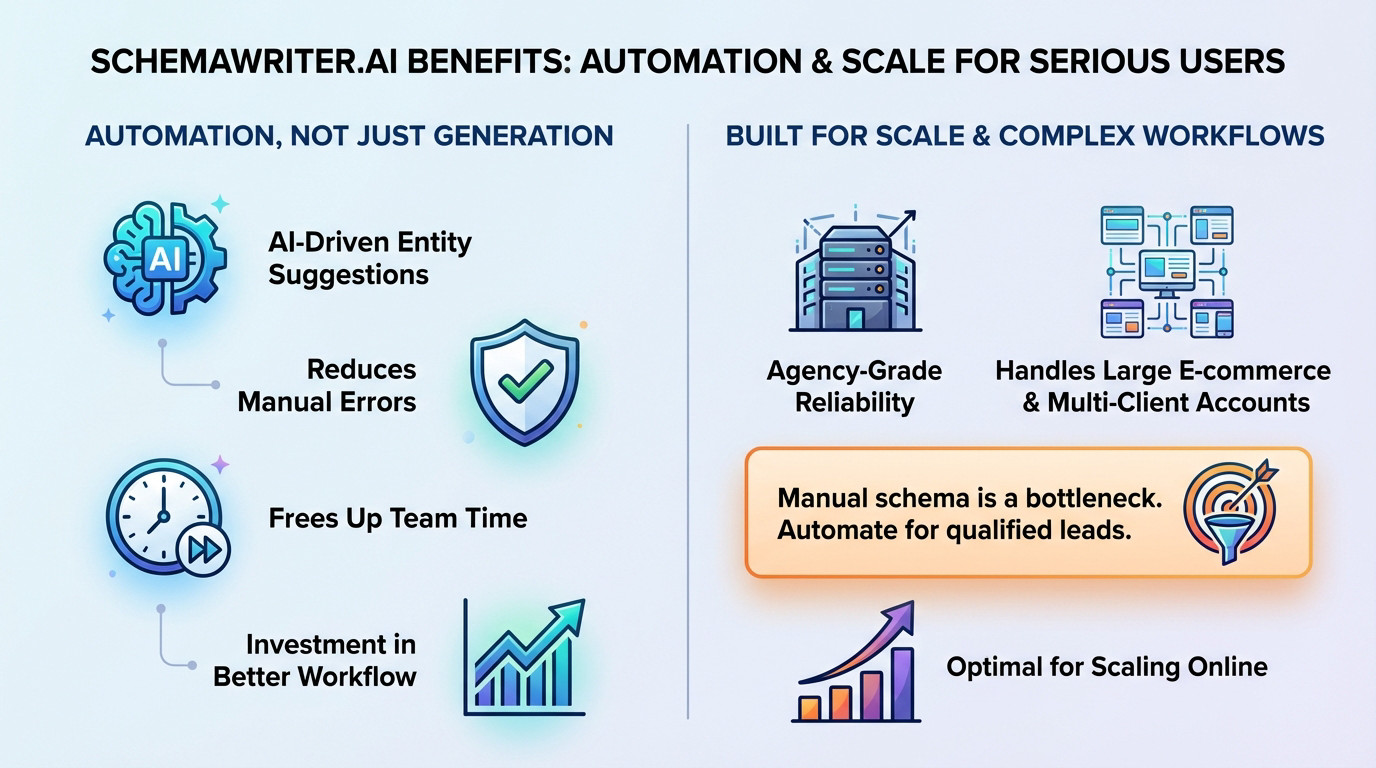
Schemawriter lets you update schema for batches of URLs, re generate variations, and keep schema consistent across a site.
If you manage multiple client websites, local SEO accounts or ecommerce catalogs, this saves hours every week.
This is why we use it. It cuts the manual work and removes human error.
WordPress Integration That Actually Works
One major advantage: Schemawriter offers native WordPress integration that injects schema automatically based on page type detection.
Unlike plugins that require manual configuration for every post, Schemawriter:
- Detects page templates and content types automatically
- Applies appropriate schema patterns based on rules you define
- Updates dynamically when content changes
- Validates output in real-time to prevent deployment of broken markup
For WordPress-heavy agencies, this integration alone justifies the investment.
Other strong schema tools worth considering
Schemawriter is the strongest option for professional SEO work, but not everyone needs heavy automation or agency-level features. Here are the tools that still make sense depending on your specific situation and technical requirements.
TechnicalSEO.com Schema Generator
A classic free generator that’s been around for years. Simple, manual, and familiar to most SEOs.
Best Use Cases:
- One-off schema implementations for small projects
- Freelancers working with limited budgets
- Learning schema structure and syntax
- Quick fixes and emergency implementations
What It Does Well:
- Clean, straightforward interface with no learning curve
- Supports core schema types: Article, LocalBusiness, FAQ, HowTo, Event, Product
- Produces valid JSON-LD that passes Google’s testing tools
- No account registration required—immediate access
- Good for educational purposes when teaching clients about schema
Clear Limitations:
- Pure manual input: You fill every field yourself—no automation, no AI assistance
- No entity mapping: Just text fields with no semantic enrichment
- Zero scalability: Building schema for 50 products means 50 separate manual generations
- No georadius support: Can’t generate complex service area markup
- No version control: Every update requires rebuilding from scratch
- No bulk operations: One page at a time, every time
Bottom Line: Perfect for occasional use and learning, but impractical when you’re managing client work at scale or need sophisticated geographic targeting.
Rank Math Schema (WordPress Plugin)
If your entire site runs on WordPress, Rank Math’s built-in schema functionality is convenient and integrated directly into your editing workflow.
Best Use Cases:
- Small to medium WordPress blogs and content sites
- Sites with straightforward schema needs
- Users who prefer staying within the WordPress dashboard
- Budget-conscious website owners (included with Rank Math SEO plugin)
What It Does Well:
- Automatically detects content types (posts, pages, products)
- Integrates with WooCommerce for product schema
- User-friendly interface for non-technical users
- Handles basic Article, Person, Organization, and LocalBusiness schema
- Updates schema automatically when content changes
- No separate tool or workflow needed
Clear Limitations:
- WordPress-only: Completely useless for static sites, custom CMS, or multi-platform agencies
- Limited schema types: Missing advanced types like georadius, detailed VideoObject, or complex WebPage bundles
- No entity intelligence: Can’t pull verified entities from knowledge graphs
- Basic field options: Many advanced schema properties aren’t available
- Performance overhead: Adds database queries and processing on every page load
- Difficult bulk editing: Updating schema across many pages requires editing each one individually
Bottom Line: Great starting point for WordPress sites with simple needs, but you’ll outgrow it quickly when precision, automation, or advanced schema types become necessary.
Schema App
Schema App targets the enterprise market with robust features designed for large organizations and complex implementation scenarios.
Best Use Cases:
- Large corporate websites with multiple departments
- Enterprise ecommerce platforms (Shopify, Magento, BigCommerce)
- Organizations with dedicated in-house SEO teams
- Multi-CMS environments requiring centralized schema management
- Businesses requiring compliance documentation and audit trails
What It Does Well:
- Multi-platform support: Works across various CMS platforms and custom builds
- Team collaboration features: User permissions, approval workflows, and change logs
- Advanced integration options: API access, webhook support, and third-party tool connections
- Comprehensive schema coverage: Supports virtually all schema.org types
- Enterprise validation: Built-in compliance checking and Google guideline adherence
- Training and support: Dedicated account management and onboarding
Clear Limitations:
- Price point: Significantly more expensive than alternatives—often $500-$2000+ per month
- Complexity: Steep learning curve requires training and dedicated staff time
- Overkill for small operations: Features you’ll never use if you’re not enterprise-scale
- Implementation time: Full deployment can take weeks or months
- Contract commitments: Often requires annual contracts rather than flexible monthly billing
Bottom Line: Schema App makes sense for Fortune 1000 companies and large ecommerce operations with complex requirements and IT resources. For agencies, local SEO operations, and small to medium businesses, the cost and complexity far exceed the practical benefit. Schemawriter delivers 90% of the functionality at a fraction of the cost and time investment.
Google’s Structured Data Markup Helper
Worth mentioning as it’s directly from Google, though increasingly outdated.
Best Use Cases:
- Complete beginners learning schema concepts
- Quick validation of schema ideas
- Educational demonstrations
Limitations:
- Extremely limited schema type support
- Manual HTML highlighting interface (slow and tedious)
- No modern automation features
- Output requires significant manual cleanup
- Google themselves seem to have de-prioritized development
Bottom Line: Historical significance only. Better free alternatives exist.
So which schema markup generator should you use?
Here is the honest take.
If schema is something you touch once a year, a free generator is probably enough.
If schema is part of your weekly work – local SEO, lead gen, client sites, ecom – then:
- Schemawriter.ai is the most practical choice, mainly because of:
- GeoRadius and
areaServedautomation for service areas - Webpage, image, video, FAQ, Product, Organisation and LocalBusiness schemas in one workflow
- Entity mapping from real sources like Wikipedia, Wikidata and Google APIs schemawriter.ai+2schemawriter.ai+2
- WordPress Integration
- GeoRadius and
You stop thinking “how do I write this schema” and start thinking “which pages should get this schema next”.
Use TechnicalSEO.com or Rank Math for simple sites, keep Schema App in mind for larger corporate projects, and bring Schemawriter in when you want serious automation and local reach.
Final takeaways
- Schema is non negotiable now that AI systems rewrite and reinterpret content. Feed them with structured JSON and they will reward you
- Basic generators are fine for one URL.
- Serious SEO needs automation, entity alignment, geospatial detail and consistency.
- Schemawriter.ai is the strongest all round schema platform for agencies and local SEO.
- Use Rank Math or free generators only if your site is small and static.
If you want to level up your schema and improve how Google reads your most important pages, start with the tools that help you scale instead of slowing you down.
FAQ
Which schema markup generator is actually the best for SEO?
If you need serious scalability and automation, Schemawriter.ai is our top recommendation. It handles complex entity relationships and bulk generation, which saves you hours of manual work. For simple, one-off pages where you don’t mind copy-pasting code manually, free tools like the generator from TechnicalSEO.com are a solid starting point.
Why does Google prefer JSON-LD over other formats?
Google explicitly states that JSON-LD is their preferred format because it is cleaner and easier to maintain. Unlike Microdata, which sits inside your HTML tags and can purely mess up your site’s code structure, JSON-LD lives in a separate script block. It is the industry standard you should be using to ensure search engines understand your content without confusion.
Can I really automate schema markup without breaking my site?
Yes, and for large sites, you absolutely should. Manual entry is impossible to scale effectively. Advanced tools use AI to analyse your content and inject the correct schema automatically. This ensures your product pages or articles get rich snippets without you needing to hand-code every single URL, significantly reducing the risk of human error.
Is a free generator enough, or do I need a paid tool?
It comes down to volume and complexity. A free generator is fine if you only have a five-page brochure site and plenty of time. However, if you are managing an e-commerce store or an agency with multiple clients, a paid solution pays for itself by eliminating manual errors and saving massive amounts of time on deployment.
How do I check if my schema code is valid before publishing?
Never push code live without testing it first. We always recommend using Google’s Rich Results Test or the Schema Markup Validator. These tools will flag syntax errors immediately, ensuring Google can actually read and reward your structured data once it is live.

Dorian Menard
https://searchscope.com.auI’m Dorian, founder of Search Scope and an SEO obsessed with ROI and lead generation. After a decade in the trenches, I’ve built and ranked digital assets for businesses across the world. I cut through the noise with data, automation, and strategies that actually convert. When I’m not scaling rankings, you’ll find me on a motorbike or setting chess traps — always planning three moves ahead.