
How to Interpret Google Business Profile Metrics (2026)
What each Google Business Profile performance metric actually means in 2026, which ones are gone, and how to turn calls, clicks and directions into real leads.
Most articles about Google Business Profile metrics still describe the old Insights dashboard, complete with metrics Google has since removed. That is worse than unhelpful, because it sends you looking for numbers that no longer exist and lets you obsess over ones that never mattered much.
This is the current version. It covers what the Performance report actually shows in 2026, what Google quietly retired, and the part almost no guide bothers with: how to turn calls, direction requests and website clicks into an estimate of real leads and revenue. That is the only reason these numbers are worth your time.
TLDR
- The report is now called Performance, not Insights. Several legacy metrics were removed, including photo views, the device breakdown, and the old direct vs discovery vs branded search split.
- Views measure unique people, not raw impressions. Treat Views as a reach number, not a success number.
- The metrics that matter commercially are the interactions: calls, direction requests, website clicks, messages and bookings.
- You can roughly convert those interactions into leads and dollars. Doing that once changes how you read the whole report.
- Benchmarks exist but are third-party estimates, not official Google figures. Use them as a sanity check, not a target.
Where to find your performance data
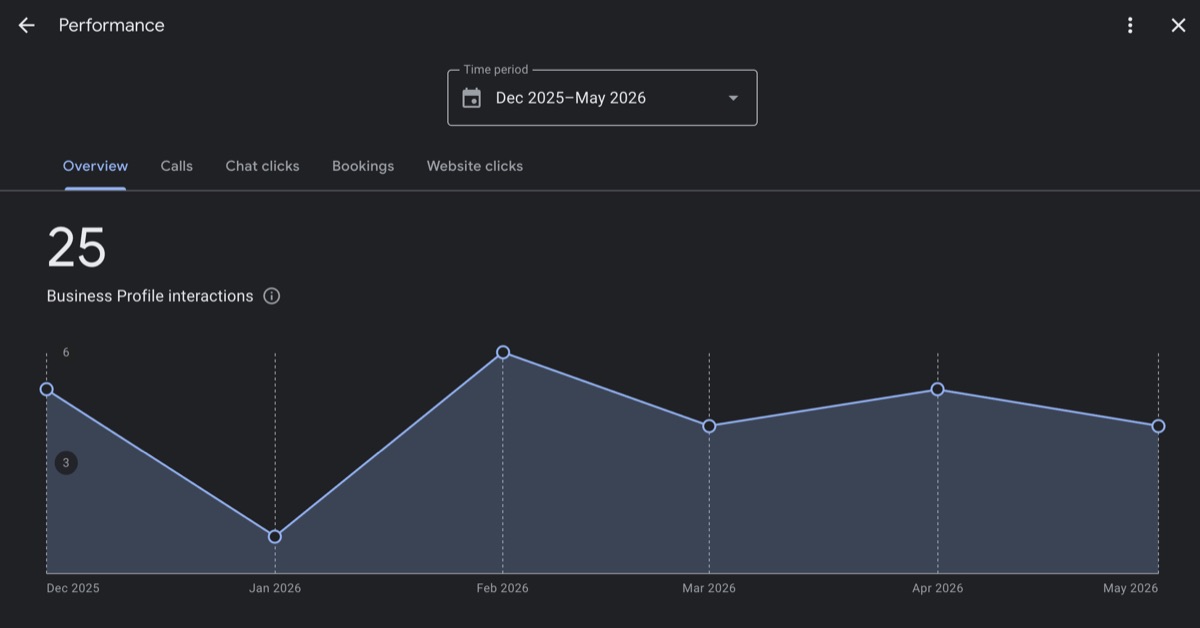
Sign in to the Google account that manages your profile, search your business name on Google or open it in Google Maps, and look for the Performance option. That opens the report this whole article is about.
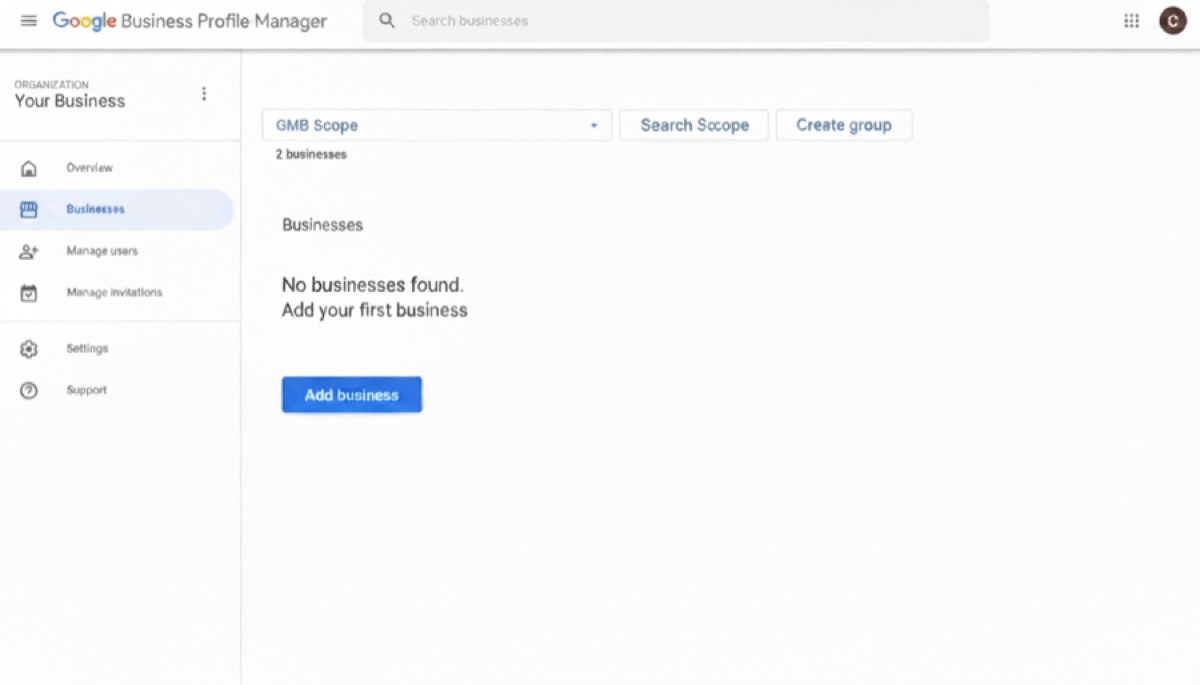
If you manage more than one location, the web Business Profile Manager lists every profile your account controls and lets you pull a bulk report across them.
If you are still finding your way around the interface itself, our guide on how to use Google Business Profile insights walks through the screens. This article assumes you have found the data and now want to read it properly.
The metrics Google actually reports in 2026
Google’s own performance help page is the source of truth, and it has changed. Here is the current set worth knowing:
- Calls. The number of times people tapped the call button. Requires a phone number on your profile.
- Directions. How often people requested directions to your location.
- Website clicks. Taps through to your site.
- Messages. Conversation count, where messaging is available to you.
- Bookings and booking clicks. Relevant if you use a supported booking provider.
- Searches. The actual search terms people used to find you, refreshed at the start of each month.
- Views. The number of unique people who saw your profile on Search and Maps.
- Products, menus and offers. Interaction data for those sections. Google added offers data to the report in March 2026, per Search Engine Roundtable, so it is the newest addition.
What Google removed (so stop looking for it)
A lot of older advice points at metrics that are gone:
- Photo views and the photo quantity comparison against competitors. Removed.
- The device and platform breakdown (mobile vs desktop). Removed.
- The direct vs discovery vs branded search pie. The model changed and it is no longer surfaced this way.
- Detailed call history (timestamps, duration, caller volume). Removed in July 2024.
- Raw total view and search counts that you could compare year on year, because Views now counts unique users rather than raw impressions.
If a guide tells you to track your photo views or your mobile-versus-desktop split, it predates these changes.
Vanity metrics versus action metrics
The single most useful habit is separating reach from results.
Views and Searches tell you how many people saw you and what they were looking for. That is reach. It is useful for spotting trends and seasonality, but a big Views number on its own pays no bills.
Calls, directions, website clicks, messages and bookings are the action metrics. These are people who saw your listing and did something. This is where enquiries come from, and this is where you should spend your attention.
A profile with high Views and almost no actions is the classic problem. People are finding you and deciding not to act. That usually points at something fixable: a thin listing, weak photos, no reviews, unclear services, or a category that surfaces you for the wrong searches.
How to read the metrics that matter
Searches
This shows the terms people used. A healthy spread of category and service terms (not just your business name) means you are being discovered by people who do not already know you. If almost every term is your business name, your profile is mostly catching existing demand rather than creating new enquiries, and your categories, services and description probably need work.
Views
Treat this as reach. Watch the trend, not the absolute number. A sudden drop can signal a ranking problem, a suspension risk, or simply a seasonal dip. Do not celebrate a Views spike unless the action metrics moved with it.
Calls, directions, website clicks, messages and bookings
These are your enquiries in raw form. The questions to ask each month are simple. Are they trending up or down. Which one matters most for your type of business. A trades business should expect calls to lead. A retailer should see directions matter more. If the dominant action for your business is flat or falling while Views hold steady, your listing is being seen but not converting.
Turning metrics into leads and dollars
This is the step that changes everything, and almost nobody does it.
Take your action metrics for the month and estimate how many became real enquiries. Not every call is a job and not every website click is a lead, so apply a realistic rate. If you booked work from roughly one in three calls, and you had 60 calls, that is around 20 jobs from calls alone. Multiply by your average job value and you have a dollar figure your profile generated.
Do the same loosely for direction requests and website clicks using your own conversion experience. The numbers will be estimates, not accounting, but they reframe the whole report. Suddenly “website clicks fell 20% this month” is not a chart, it is lost revenue you can act on. This is the difference between SEO that supports revenue and a dashboard you glance at and forget.
To make those estimates less of a guess, connect the dots. Use call tracking to see which calls turned into work, and pair your profile data with Google Analytics so you can follow website clicks through to enquiry forms. Together they tell you what your listing is actually worth.
A note on benchmarks
You will see benchmark figures online, such as a certain percentage of viewers calling or clicking through. Treat these as third-party estimates, not official Google data, because Google does not publish action-rate benchmarks. Sources like WebFX compile rough ranges that are fine for a sanity check. The far more reliable benchmark is your own profile last quarter. Beating your own trend is the goal, not matching a number from a US blog.
What not to obsess over
- Day-to-day wobble. The data lags and updates monthly. Read it monthly.
- Views in isolation. Reach without action is not success.
- Vanity comparisons. Your competitor’s numbers are not visible to you in any reliable way, and chasing them is a distraction from improving your own conversion.
- Retired metrics. If you are still tracking photo views, stop.
Where Search Scope fits
Reading metrics is easy. Knowing which movement matters, and what to change because of it, is the experienced part. When we manage a profile, the report is a diagnostic tool: it tells us where the listing is leaking enquiries so we can fix the cause, not just watch the chart. That ties directly into our broader Google Maps SEO work, and it pairs with managing the profile itself properly.
If you are looking at your Performance report and cannot tell whether the numbers are good, bad or simply being wasted, book a call and we will read it with you and tell you plainly what to do next.
FAQ
Why do my Google Business Profile metrics look different from a year ago?
Because the report changed. Google renamed Insights to Performance, switched Views to count unique users instead of raw impressions, and removed several metrics including photo views, the device breakdown and detailed call history. Your data is not broken, the metrics themselves were updated.
Which Google Business Profile metric matters most?
The action metrics: calls, direction requests, website clicks, messages and bookings, depending on your business type. These represent people taking a step towards becoming a customer. Views and Searches tell you about reach, but actions are where enquiries come from.
Can I see how I compare to competitors?
Not reliably. Google removed the photo comparison and does not give you a trustworthy view of competitor performance inside your dashboard. The benchmark worth using is your own profile’s trend over time.
How often should I check my performance data?
Monthly is right for most businesses, because the data updates monthly and lags by a few days. Checking daily just exposes you to noise. Review the month, compare it to recent months, and act on clear trends.
How do I connect these metrics to actual revenue?
Estimate how many of your calls, clicks and direction requests became real enquiries using your own conversion rate, then multiply by your average job or order value. Add call tracking and Google Analytics to firm up the estimate. That turns a dashboard into a revenue figure you can manage.